

You are minutes from a CoderPad test with a second screen ready. The real question is will my second monitor expose the help I plan to use? Naturally, you want that answer first.
Yes on CoderPad Screen, but only the act of switching, not your monitor count. That alert fires after a 10 second grace period, and only when the employer turns on full-screen mode.
A narrow trigger does not make same-device help safe. Any assistance window on the test computer pulls your focus out of the full-screen pad. A safer setup therefore keeps the answer surface off that machine.
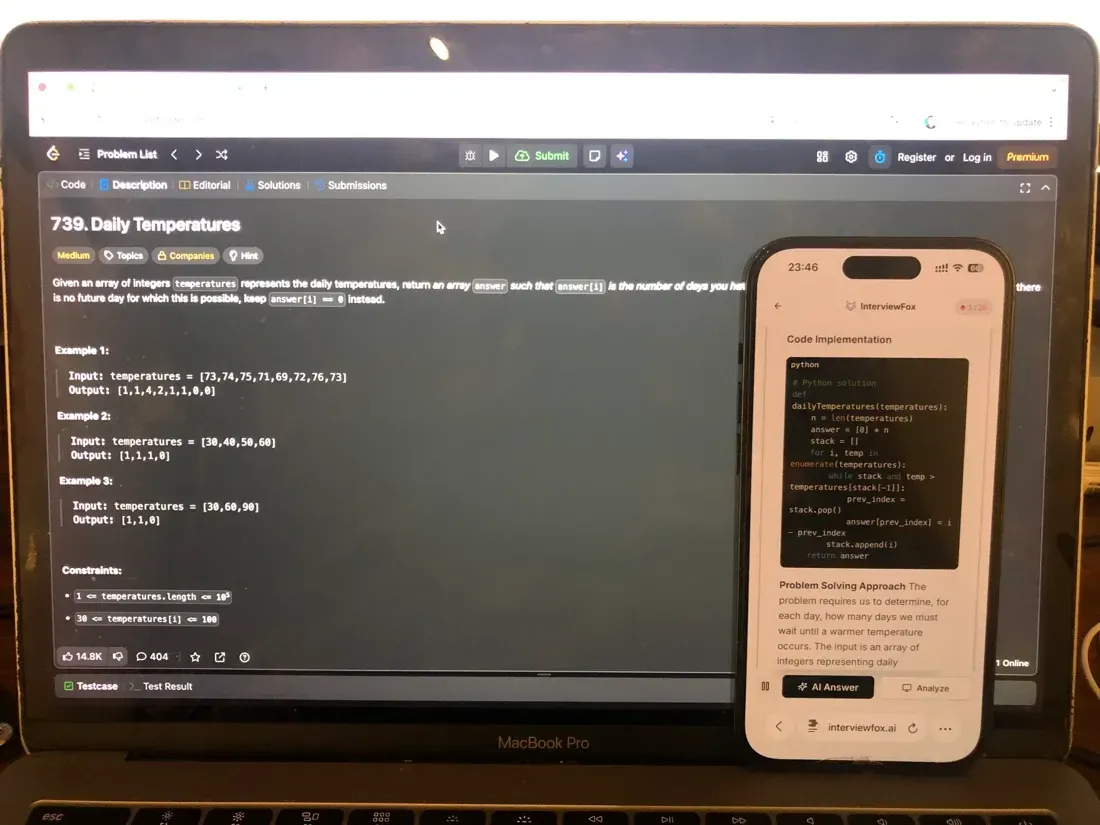
Software on the monitored interview computer cannot detect dual device mode. No answer surface and no InterviewFox process ever sit on that machine. So the answers appear on your phone, through a real time AI interview helper you control.
How CoderPad detects a monitor or full-screen switch
CoderPad treats a monitor switch as one integrity signal among several. Its broader approach to spotting suspicious behavior during a coding test also covers plagiarism, geolocation, and pasted code. Here, though, we stay on the display path.
The 10 second grace period and full-screen rule
Full-screen mode is optional. An employer switches it on during test creation. After that, you must enter full-screen before the test starts. Therefore the whole monitor-switch trigger depends on that single employer choice.
CoderPad's documentation on cheating prevention for Screen tests states the rule plainly. Exit full-screen or switch to another monitor, and an alert triggers after a 10 second grace period. That grace window matters. For example, a brief accidental click away does not fire the alert instantly.
CoderPad Screen versus CoderPad Interview
The two products behave differently. CoderPad Screen is the timed take-home test, so it carries the full-screen and monitor language. A live CoderPad Interview pad, by contrast, has no full-screen mode at all.
Instead, Interview alerts the interviewer when a candidate pastes external code or leaves the IDE. Tab-switching counts as leaving the IDE. Meanwhile the pad records a session timeline of edits, runs, cursor moves, and paste events. Notably, that timeline is not full-desktop video.
Why same-device help creates the exact flagged event
Look at what the mechanism means in practice. Any helper window on the test computer needs your attention. Moving there means leaving the full-screen pad, which is precisely the logged event.

Answers On Your Phone, Not Your Shared Screen
Skip the risky invisible-overlay tricks. Our dual-device mode keeps answers on your phone, never on the screen you're sharing or recording. Nothing for a platform or interviewer to catch, because there's nothing on the shared screen to find.
Get started. It's freeLoved by 100,000+ candidates
Dual device mode changes that geometry. Answers appear on a separate phone, so your eyes and cursor stay inside the pad. Because no InterviewFox surface or process runs on the interview computer, its monitoring finds nothing there to record. That is why a dual device AI interview assistant fits this specific detection path.
What the employer actually sees and who controls it
The four places reviewers see a monitor event
A triggered event reaches reviewers through four surfaces. None of them acts on its own.
- Code Playback, which records the candidate's screen while they work the questions
- A red exclamation mark next to your name in the candidate list
- The simplified candidate report, which notes candidates leaving their IDEs
- The detailed per-question report for that specific test
Reviewers also keep manual control over scoring. So each surface here is a notification rather than an automatic decision.
Is this monitoring always on?
Not necessarily. Employers enable and disable each prevention measure during test creation. As a result, two tests from the same company can behave differently. Ask the recruiter which measures apply when your invitation stays silent.
What CoderPad cannot see about your external display
Now invert the question. The documented signals carry clear limits, and those limits are the practical part.
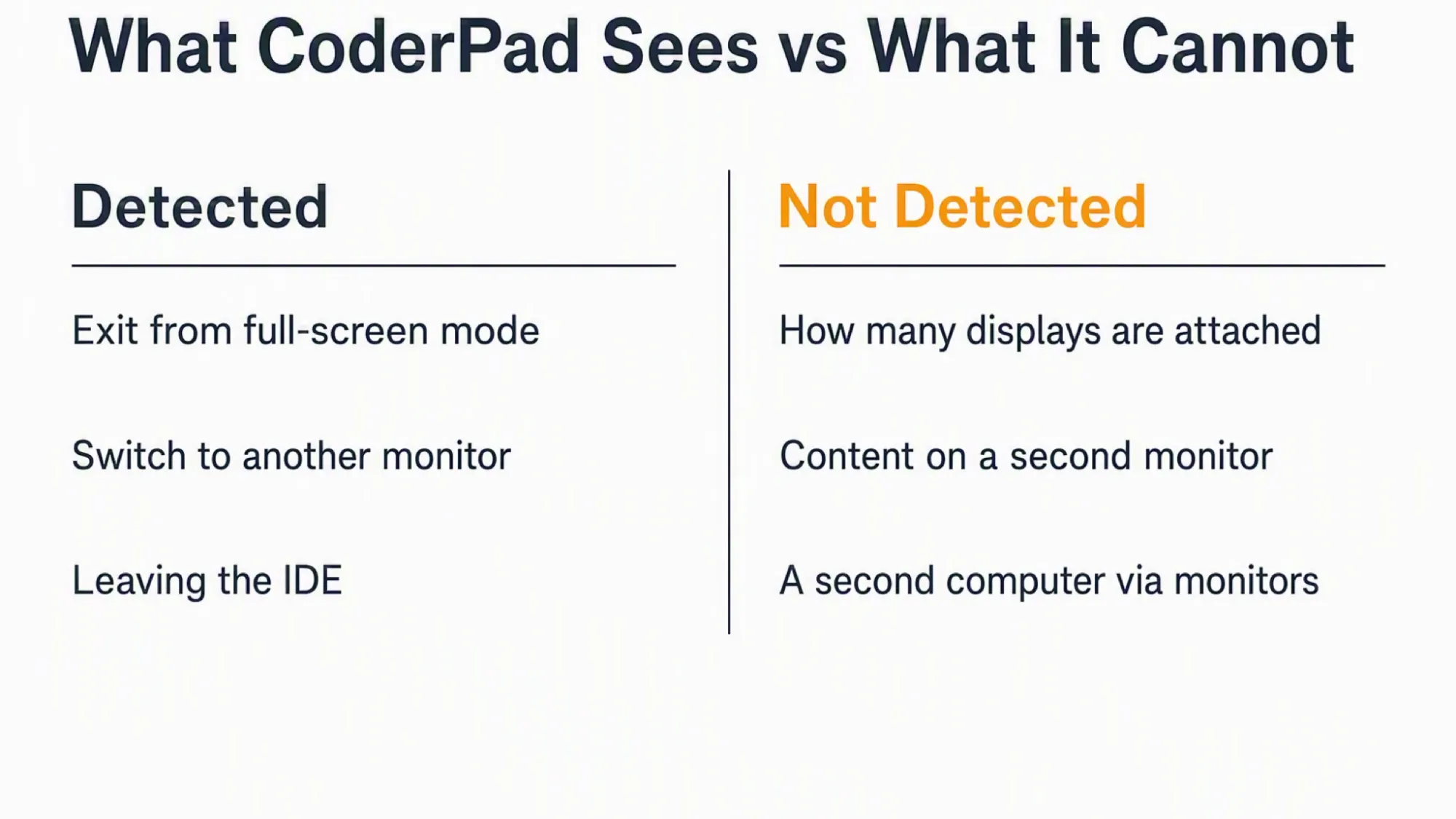
- CoderPad does not count how many displays you have attached, because detection is event-based
- Code Playback records the candidate's screen, not a second monitor's contents
- The monitor path does not reveal a second physical computer
- A display that stays connected but unused fires nothing by itself
- Webcam checks confirm presence and identity, not screen content
There is a technical reason behind this shape. Web pages receive full-screen and focus change events from the browser, and the leave detection uses exactly those. A list of attached displays differs, since it needs explicit permission that CoderPad's documentation never mentions.
Why your second monitor's screen stays private
Code Playback is a recording of the candidate's screen as they work the programming questions. That scope is the primary test screen. So a second display's contents stay outside what reviewers can replay.
One caveat still applies. These are capability boundaries, not guarantees. Flags reach a human reviewer, and people draw their own conclusions.
Webcam checks see people, not other displays
Webcam features capture identity screenshots and analyse the headshot for presence. That analysis can notice several participants or a candidate leaving the computer. However, it does not capture what any display shows.
CoderPad's documentation describes the alert for switching to another monitor. It never covers a static extended display while you stay full-screen. No documented trigger applies to that case, so do not assume it is safe or flagged.
What happens after a monitor or full-screen flag
The sequence is short. First, the event fires an alert or a report note. Second, a reviewer opens the playback or report. Finally, that person decides what the behavior actually means.
CoderPad states this plainly. Suspicious behavior does not always indicate cheating, so the platform flags behaviors for further investigation. On the Interview side, the guidance treats alerts as prompts for clarification rather than immediate disqualification.
Reviewers also override scoring manually. In practice, a legitimate reason often explains a short absence. Still, an unexplained pattern invites harder questions.
Answers On Your Phone, Not Your Shared Screen
Skip the risky invisible-overlay tricks. Our dual-device mode keeps answers on your phone, never on the screen you're sharing or recording. Nothing for a platform or interviewer to catch, because there's nothing on the shared screen to find.
Get started. It's freeLoved by 100,000+ candidates
The cleaner route avoids creating the event at all. Rehearse your setup before test day, and know where every window sits. Then stay full-screen on the primary screen for the whole session.
What else does CoderPad monitor?
The display path is one line in a wider set. CoderPad's documented signals also include the following behaviors.
- Screen and code recording through Code Playback during a Screen test
- Leaving the IDE, which includes tab-switching on both product lines
- Copy and paste of code from an external source
- Webcam screenshots and headshot analysis for identity and presence
- Geolocation changes that suggest a different person or device
Each behavior has its own trigger and its own review surface. So one flag does not imply another.
FAQ
Is using two monitors considered cheating? No, a second monitor is a setup choice rather than a rule violation by itself. CoderPad flags the act of leaving the full-screen test, and a reviewer then decides what happened. Check your invitation for any explicit single-screen instruction.
Will CoderPad warn me before a monitor event? Yes, the platform warns candidates in several places. A welcome screen carries an anti-cheating notice. A confirmation pop-up then says the software detects cheating attempts and reports them to the recruiter. Additionally, a full-screen prompt appears when that mode applies.
If my second monitor is connected but unused, is that detected? No, a connected display does not trigger anything by itself. The alert depends on the act of exiting full-screen or switching away. Therefore an idle second screen stays outside the trigger.
Should I just use one monitor for a CoderPad test? That is the simplest choice, and it removes the whole question. If you keep two displays, stay full-screen on the primary screen throughout. Moving focus or display away from that pad is what fires the alert.
Is this the same on HackerRank or other platforms? No, every platform documents its own signals and its own thresholds. This guide covers CoderPad only, so do not carry these boundaries across. Check the specific platform's own documentation instead.