
Microsoft Codility OA 2026: What the Test Actually Looks Like

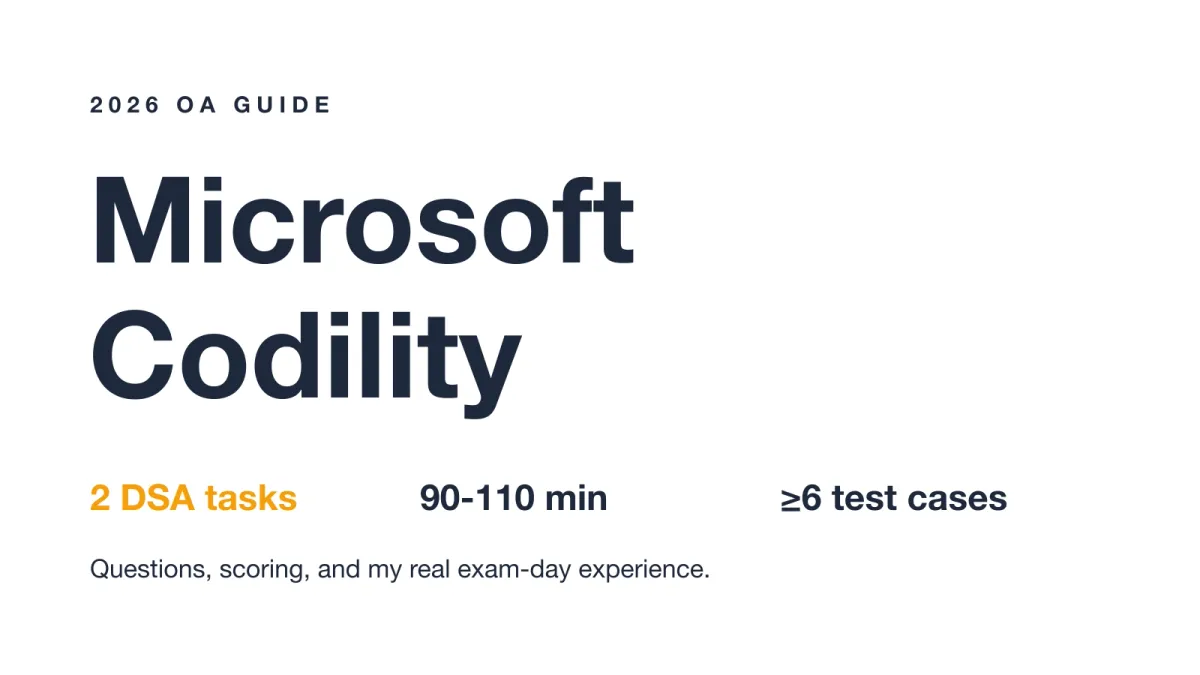
Quick Facts
| Platform | Codility (async CodeCheck / Screen test) |
| Year | 2026 |
| Tasks | 2 algorithmic / DSA problems |
| Time limit | ~90–110 minutes |
| Result visibility | Blind submit, score usually hidden |
| Proctoring | Configurable per test |
| Scoring | Correctness + Performance |
I took the Microsoft Codility screen for a university new-grad software engineering role in early 2026. It ran as two algorithmic tasks with about 110 minutes on the clock, and my result stayed hidden after a single submit. What follows is the complete process and what the test actually looks like.
On Question 2, I had to find the maximum sum of three non-adjacent elements. The array held 100,000 integers, and my first O(n cubed) attempt would never finish before the timer. With the clock past the halfway mark, I used AI interview assistant to sanity-check the DP state I was building. It surfaced the transition I had missed, which I break down below.
Before my test, I went through every Microsoft Codility post from the past two years on Reddit, LeetCode Discuss, and Teamblind. What I found tracks closely with what I experienced, especially the mistakes that get people flagged or rejected.
The Real Questions on My Microsoft Codility Test
Question 1. String Without 3 Identical Consecutive Letters
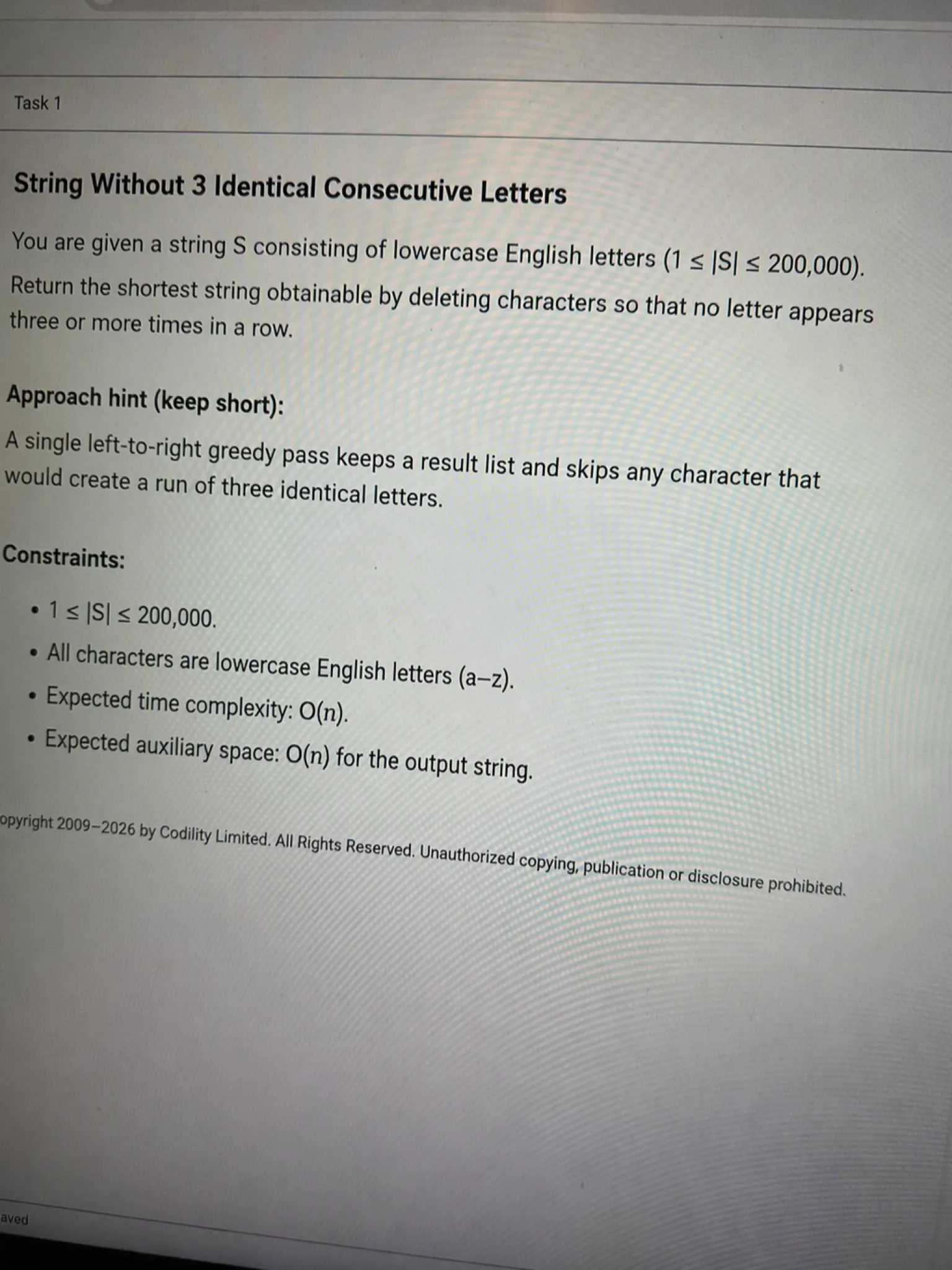
The problem I got: Codility handed me a string of lowercase letters and asked for the shortest string I could build by deleting characters so that no letter ever appeared three times in a row. The input length reached 200,000 and the string was already lowercase, so the only rule was the triple-repeat ban.
My approach: I scanned left to right and built a result list. Whenever the next character would create a run of three identical letters, I dropped it instead of appending. Everything else went straight into the result. This greedy pass needs a single sweep, so it safely clears the largest input.
def solution(S):
    res = []
    for ch in S:
        if len(res) >= 2 and res[-1] == ch and res[-2] == ch:
            continue
        res.append(ch)
    return ''.join(res)
Time complexity: O(n) | Space complexity: O(n)
This one felt like a warm-up. I finished in roughly 18 minutes and moved on with time to spare.
Question 2. Maximum Sum of Three Non-Adjacent Elements
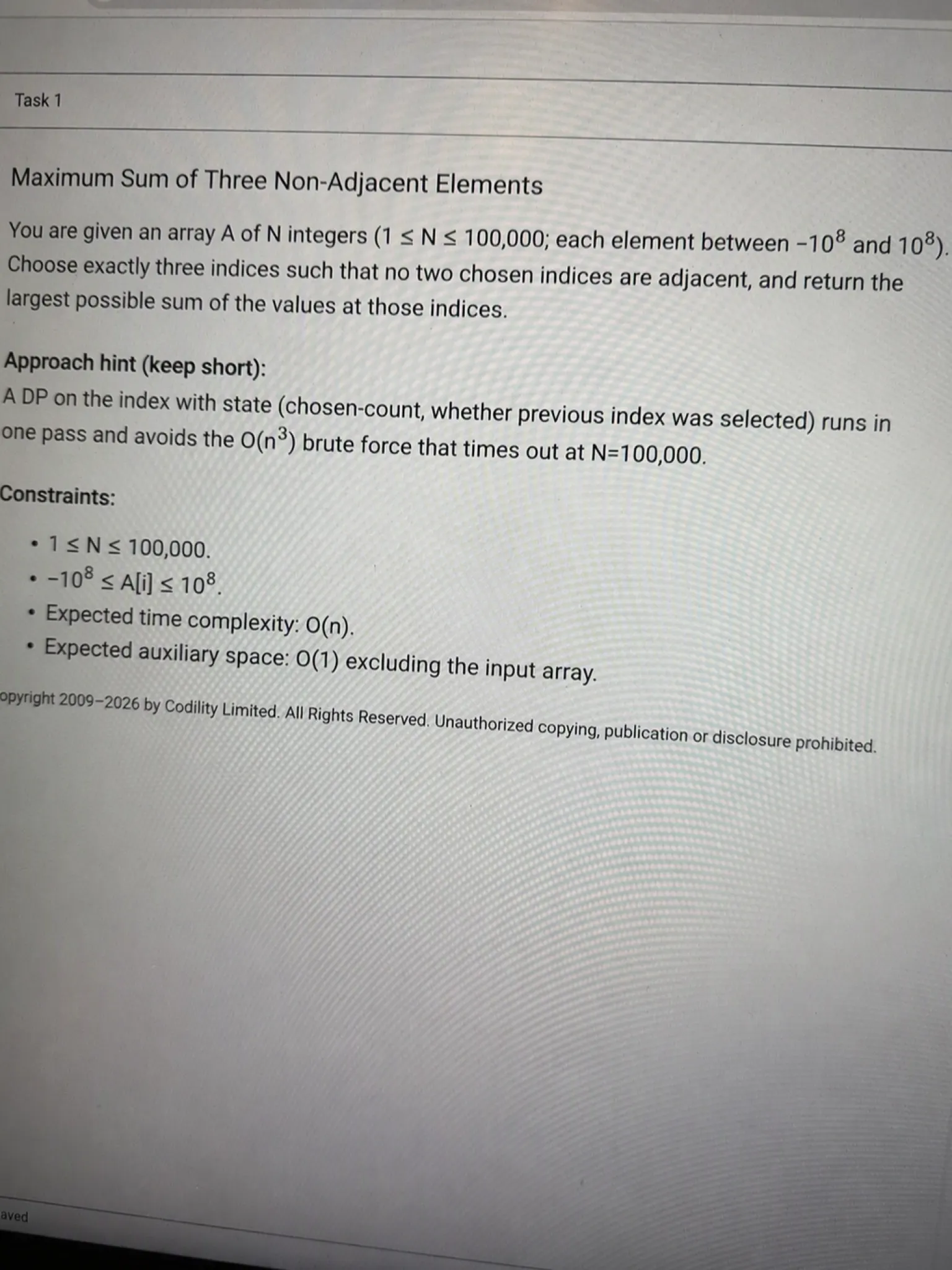
The problem I got: I received an array of up to 100,000 integers, each between negative 100 million and positive 100 million. I had to pick exactly three entries where no two shared an adjacent index, and return the largest possible sum.
My approach: My first instinct was to lock the first chosen index and search the rest with nested loops. That was an O(n cubed) idea, and at N equals 100,000 it would never finish.
The sample tests still warned me about the time limit on a lighter O(n squared) version. I was stuck, so I scribbled on scratch paper. The choice at each index only depends on how many I had taken and whether the previous index was used. That realization gave me a small DP table of size four, running forward in one pass.
def solution(A):
    N = len(A)
    INF = -10**18
    # dp_not[c]: max sum with c chosen, current index not chosen
    # dp_sel[c]: max sum with c chosen, current index chosen
    dp_not = [0] + [INF] * 3
    dp_sel = [INF] * 4

    for i in range(N):
        new_not = [INF] * 4
        new_sel = [INF] * 4
        for c in range(4):
            new_not[c] = max(dp_not[c], dp_sel[c])
            if c >= 1 and dp_not[c - 1] > INF // 2:
                new_sel[c] = max(new_sel[c], dp_not[c - 1] + A[i])
        dp_not, dp_sel = new_not, new_sel

    return max(dp_not[3], dp_sel[3])
Time complexity: O(n) | Space complexity: O(1)
I lost about 25 minutes chasing the slow versions before the DP clicked. My hands were shaking as the timer slipped past the halfway mark, and I submitted with only a few minutes left.
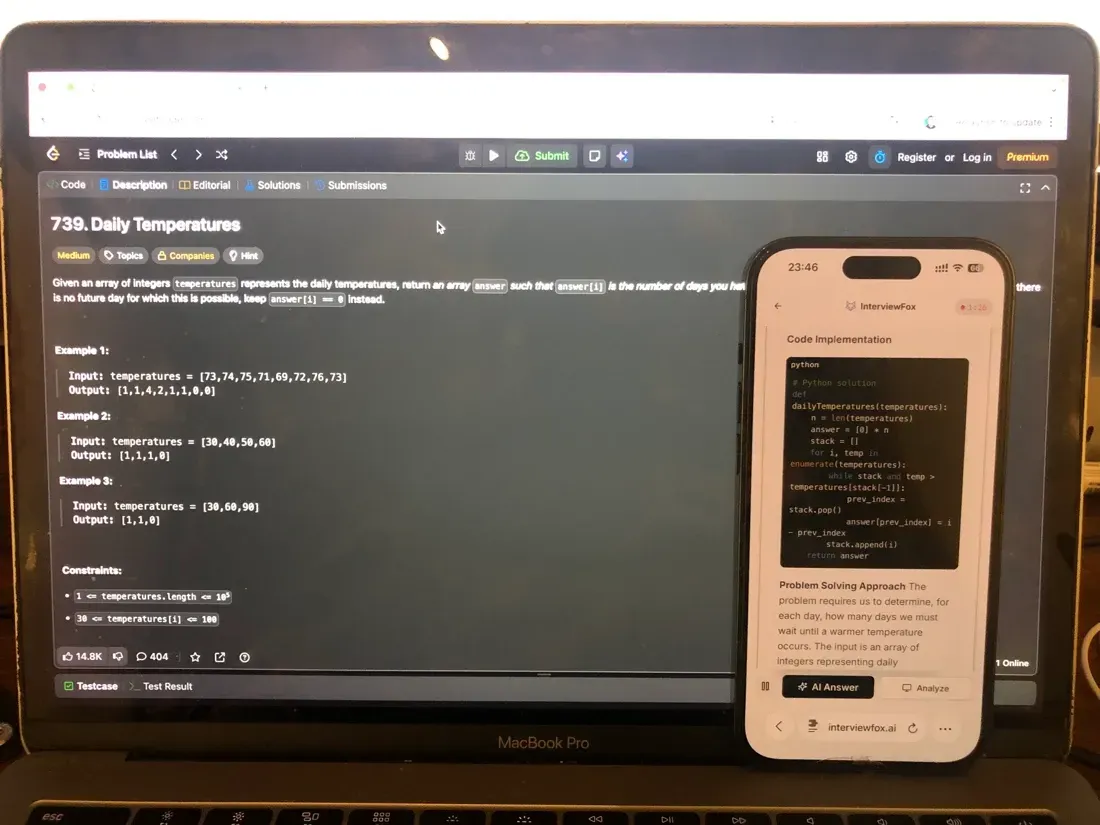
That stuck moment on Question 2 is exactly why I never opened a desktop overlay. An overlay would have put the answer on the same screen the proctoring system monitors, hidden by a basic rendering trick, and I did not want that uncertainty while the clock ran. Instead I pressed the InterviewFox shortcut, the screen auto-captured, and the worked DP transition landed on my phone while the laptop stayed on the Codility editor. The approach cleared and I finished with minutes to spare.
Land offer with Safer AI Interview Assistant
Skip the risky invisible apps. Our dual-device mode keeps it simple and undetectable. You crush the interview, we handle the answers.
Get started. It's freeLoved by 100,000+ candidates
Microsoft's Proctoring Policy for Codility
What the Platform Can Monitor
Codility's monitoring is configurable, and a recruiter turns each signal on per test. The platform can log copy-paste into the editor and record tab switches away from the Codility tab. It also flags attempts to copy the task description, a common AI-tool signal. It also watches for unusually fast completion as a behavioral marker.
Codility also takes webcam snapshots at intervals and on flagged events, kept for 30 days, with optional continuous audio and video recording. If you are wondering what the webcam actually films during a test, our guide to what Codility's webcam captures on an OA breaks it down.
The optional continuous screen and AV recording is the part most candidates ask about. Knowing exactly what gets captured helps you plan your setup. what Codility's screen recording actually captures covers the current behavior.
All of these signals feed Codility's Integrity Risk score, which ranges from None to High based on identity, behavior, and plagiarism checks. Codility's own proctoring documentation lists each capability and how a recruiter enables it.
What Was Actually On for Microsoft
Microsoft's exact proctoring set is not public, which leaves the question of how a test gets flagged open. What we can confirm is that a September 2025 campus-cycle test showed focus-loss logging and an unusual-activity notice live. That maps onto Codility's documented behavioral signal.
For the full picture of how Codility decides a test was compromised, we track the current detection behavior. Proctoring defaults to off, so the signals present on your test depend on what the Microsoft recruiter enabled.
What Microsoft's Codility Test Format Actually Looks Like
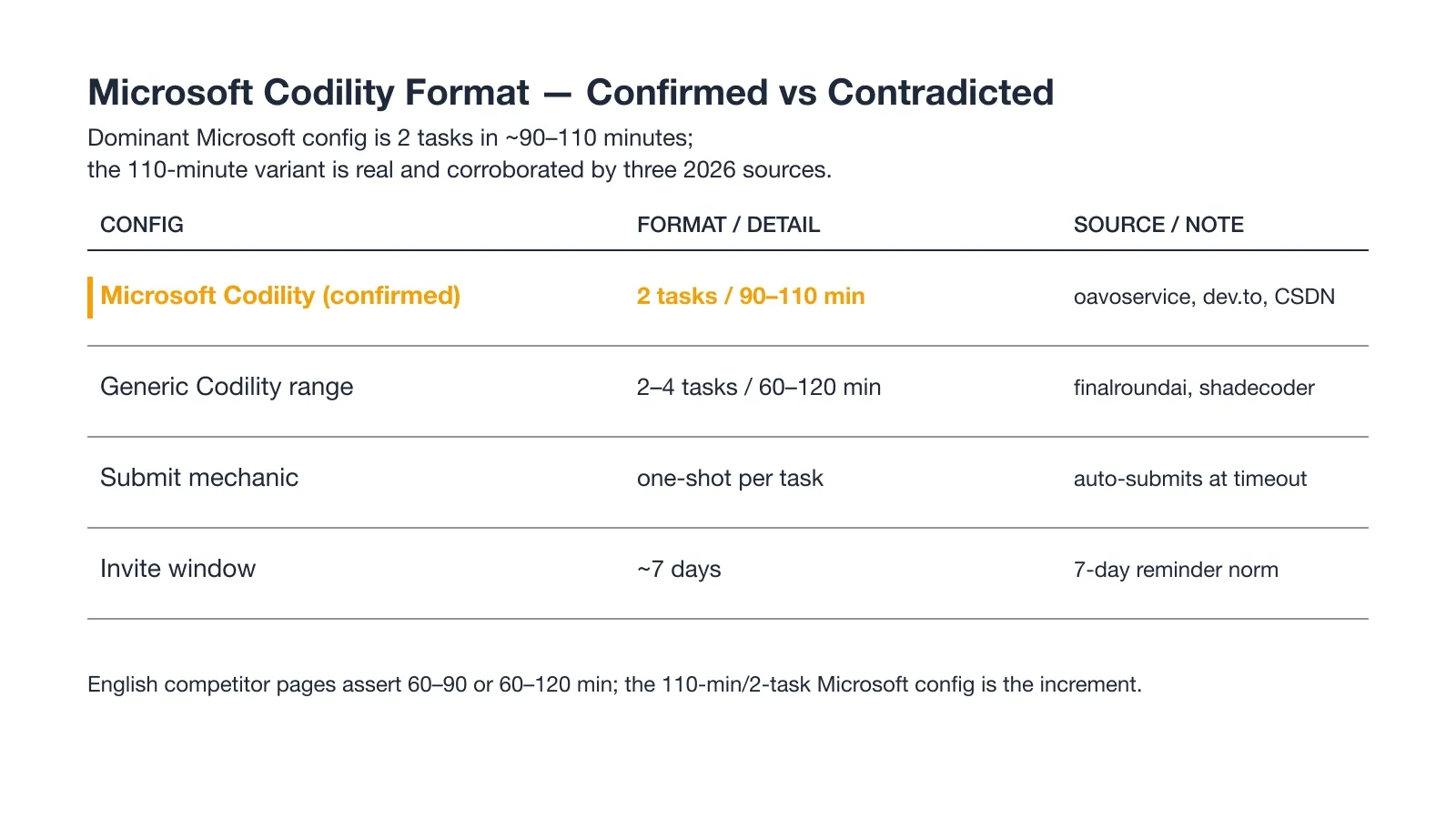
The dominant config is two tasks in about 90 to 110 minutes. The 110-minute, two-task setup shows up across more than one 2026 source.
Each task is one-shot: you submit once and the editor contents auto-submit at the timeout. You re-enter through the invite link until you submit. The invite typically stays open for about seven days.
The 2026 tasks are pure coding and DSA, with no multiple-choice or debugging rounds in the confirmed reports.
How Microsoft's Codility Scoring Works
Codility scores on two axes: correctness and performance, plus a similarity indicator. Each task runs at least six test cases, and your task score is the percentage of assessed cases you pass.
Correctness vs Performance (the dual axis)
Correctness measures how many assessed cases your solution passes. Performance measures whether it passes within the time and memory limits. A correct but slow solution loses the second axis and can drop the task score.
Codility's candidate-report scoring explains how the two axes combine into the report a recruiter sees. Microsoft's specific pass threshold is not published by any primary source. The common 60 percent claim comes only from prep vendors, so treat it as unverified.
Why You Usually Never See Your Score
The submit is blind: the report goes to the recruiter, and most candidates never see their own score. Do not read a clean submit as a pass, because the result stays confidential on the admin side.
Why Candidates Fail the Microsoft Codility Assessment
Invisible-App Results Get Voided (AI-tool detection)
"For my September 2025 campus-cycle assessment, I kept a transparent AI answer overlay open. While I was opening the first coding prompt, the test window lost focus repeatedly and then showed an unusual-activity notice. My attempt ended before submission, and no score was issued."
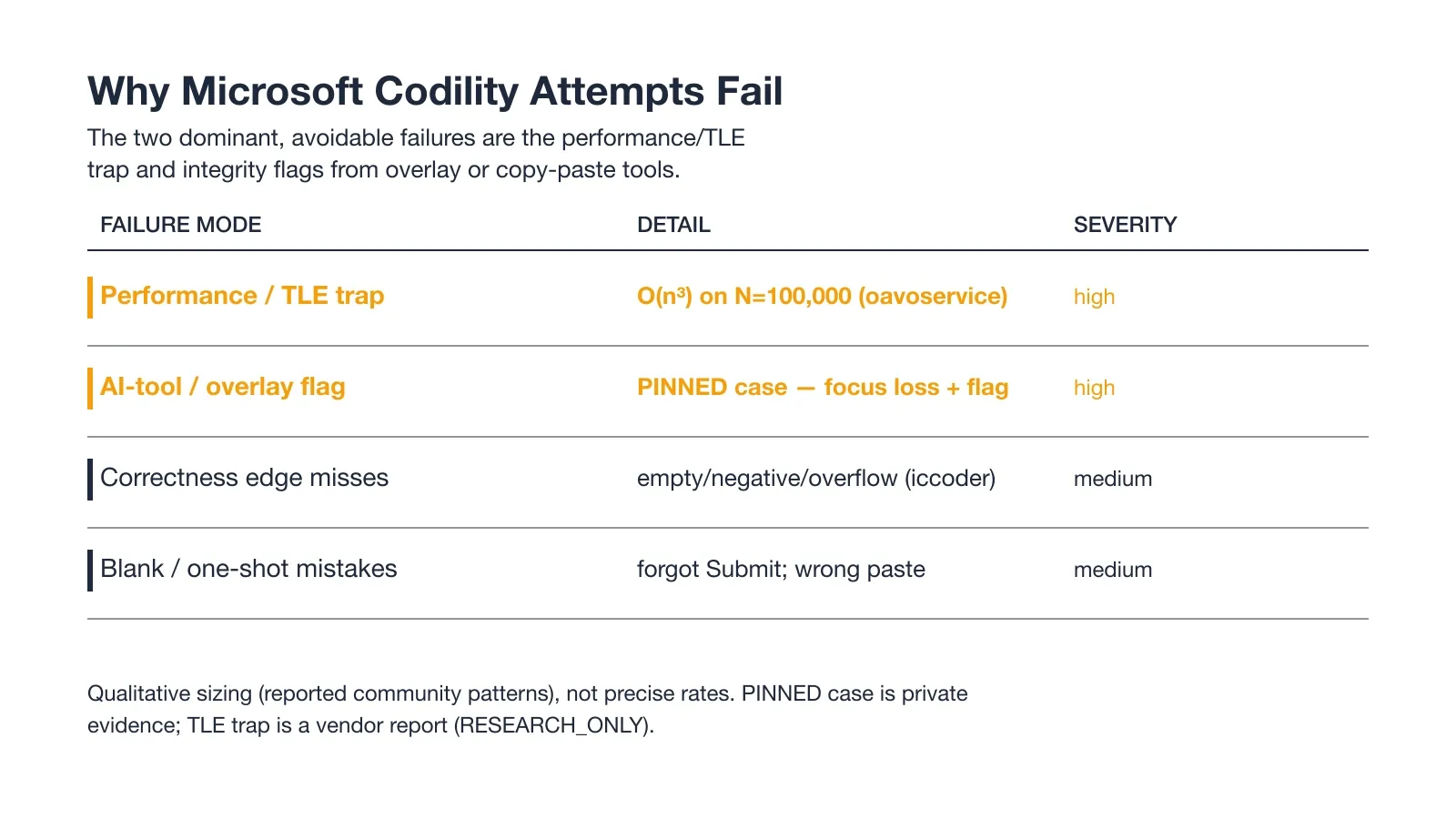
At least one candidate was flagged for keeping a transparent AI overlay open during the Microsoft test. The overlay rendered the answer on the same screen the proctoring system monitors, hidden by a basic OS-layer trick.
So the window stayed out of view but never left the machine. InterviewFox works differently: the answer goes to my phone, a physically separate device that no screenshot, screen recording, or session monitoring can reach by design.
Land offer with Safer AI Interview Assistant
Skip the risky invisible apps. Our dual-device mode keeps it simple and undetectable. You crush the interview, we handle the answers.
Get started. It's freeLoved by 100,000+ candidates
The TLE Trap on Large Inputs
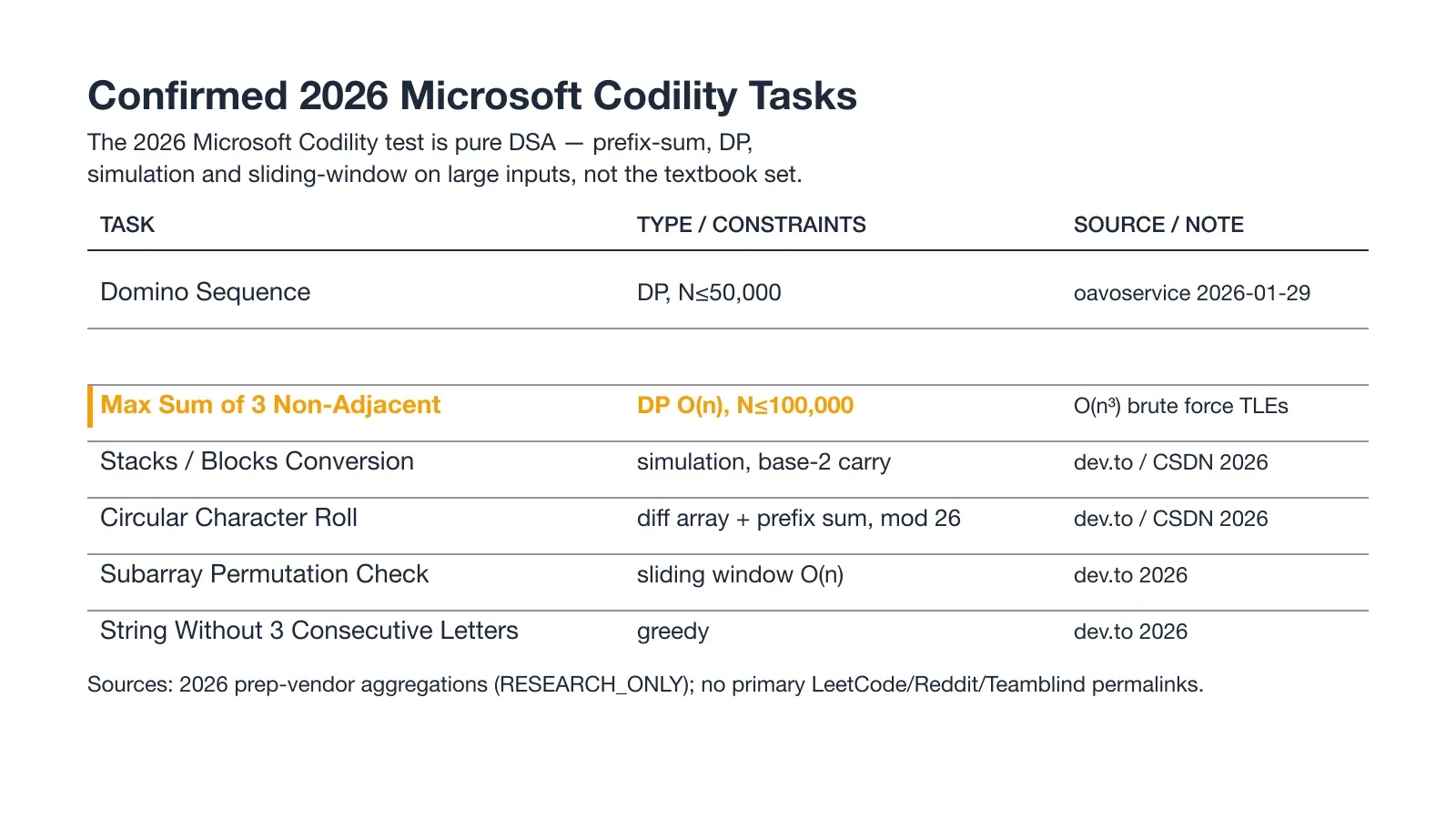
The Max Sum of Three Non-Adjacent problem accepts arrays up to 100,000 integers, and an O(n cubed) brute force times out there. One prep vendor reports roughly 90 percent of candidates fail at that scale. The fix is to derive an O(n) or O(n log n) plan before you write code and never ship an O(n squared) solution on large input.
Blank and One-Shot Submission Mistakes
Codility submits the editor contents once at timeout, so a half-finished draft becomes your final answer. Forgetting to press Submit, or pasting the wrong version, costs the attempt. Bracket your last minutes for a clean submit.
How to Prepare for the Microsoft Codility in 7 Days
Days 1-2: Codility Prefix-Sum & Caterpillar Drills
Real 2026 tasks like Circular Character Roll (difference array plus prefix sum) and Domino Sequence (DP) use patterns that LeetCode under-drills. Solve six to eight prefix-sum, difference-array, and caterpillar problems on a timer. Success check: a difference-array string roll and a caterpillar problem solved correctly under 25 minutes. Skip system-design prep and broad LeetCode tag grinding, because this OA is two DSA problems only.
Days 3-5: O(N) Discipline on N=100k Inputs
The Max Sum of Three Non-Adjacent problem hits N up to 100,000, where an O(n cubed) brute force times out. For every problem, derive the complexity before you code and mentally test it at N=100,000. Success check: zero O(n squared) solutions on any practice problem with N at or above 50,000.
Days 6-7: Codility-Editor Warm-Up & One-Shot Submit Drill
Codility's editor and submit flow differ from LeetCode, and fumbling them wastes in-exam minutes. Do three to five practice problems in the real Codility editor and drill submitting before the timeout. Success check: a confident Run and Submit flow with your best code in the editor before time expires.
In the days before the OA, I used the Prep Agent from InterviewFox over WhatsApp and SMS, sending it the confirmed question patterns for this test and getting a personalized drill plan back. It sat alongside my timed practice as one practical tool, not a pitch.
What Happens After You Submit the OA
The Wait and the Next Stage
If you are shortlisted, expect to wait one to two weeks, and many candidates hear nothing explicit at the OA stage if they are not moved on. The next round is a virtual onsite with coding, system design, and behavioral parts. Keep the onsite loop out of scope here.
What You Usually Don't See (result-blind)
You usually do not see your score, because the report goes to the recruiter and may stay confidential. A quiet inbox after the OA is normal, not a signal of failure by itself.
FAQ
Q: How many questions and how much time is the Microsoft Codility OA?
The Microsoft Codility screen is two algorithmic coding tasks with about 90 to 110 minutes on the clock. The 110-minute, two-task config shows up across multiple 2026 candidate reports. Each task is one-shot, so plan the minutes before you start.
Q: Is the Microsoft Codility test proctored / does it watch my screen?
Proctoring is configurable per test, and it defaults off, so the Microsoft recruiter chooses what runs. When enabled, Codility can log copy-paste and tab switches, take webcam snapshots, and optionally record your screen. What was live on a confirmed September 2025 Microsoft test was focus-loss logging plus an unusual-activity notice.
Q: Can I use an AI tool or invisible app during the Microsoft Codility OA?
Desktop overlay tools put the AI's answer on your computer screen, rendered as a hidden layer above the browser. Whether the current monitoring catches it is not something you can verify.
Proctoring software keeps adding detection as AI tools spread, so the exposure is not fixed. InterviewFox pushes the answer to your phone, a physically separate device no screenshot or session monitoring can reach by design. That keeps the laptop screen on the exam editor unchanged.
Land offer with Safer AI Interview Assistant
Skip the risky invisible apps. Our dual-device mode keeps it simple and undetectable. You crush the interview, we handle the answers.
Get started. It's freeLoved by 100,000+ candidates
Q: What score do I need to pass the Microsoft Codility OA?
Microsoft's specific pass threshold is not published by any primary source, and the common 60 percent claim comes only from prep vendors, so treat it as unverified. Codility scores each task on correctness and performance, and your result is usually hidden after submit. Aim for a clean correctness plus performance pass on every assessed case.
Q: How long until I hear back after the Microsoft Codility OA?
If you are shortlisted, expect to wait one to two weeks, and many candidates get no explicit rejection at the OA stage. The next step is a virtual onsite with coding, system design, and behavioral rounds. The OA score itself rarely reaches you directly.
When you sit down for your own Microsoft Codility screen, the part that matters is keeping your laptop on the exam editor while you still get help. A dual device AI interview assistant pushes answers to a phone, so nothing ever renders on the machine the test is watching.