

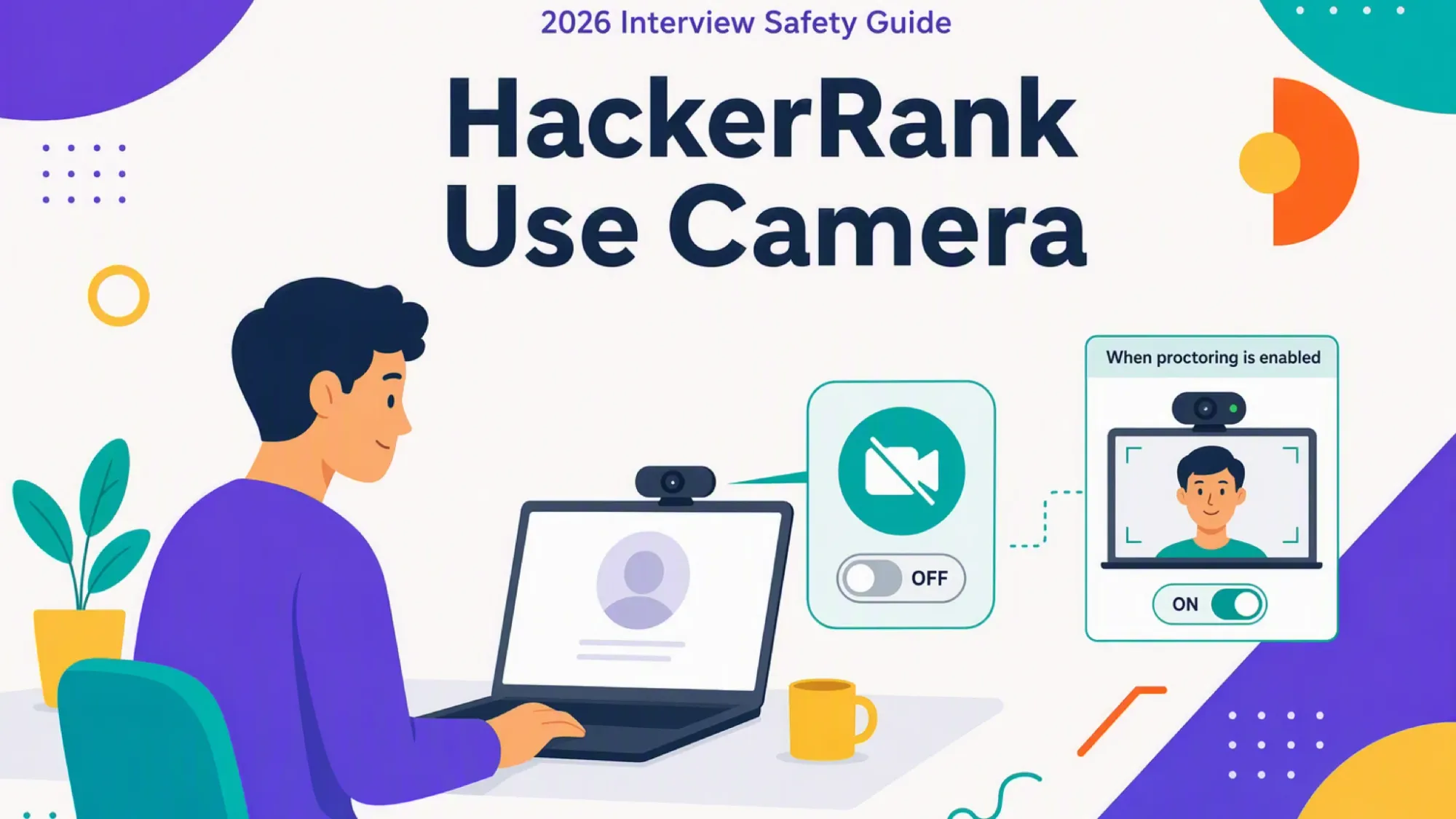
You are about to start a HackerRank test. You are weighing whether a little AI help will be visible on camera. The real question, therefore, is what the webcam would expose if it turns on.
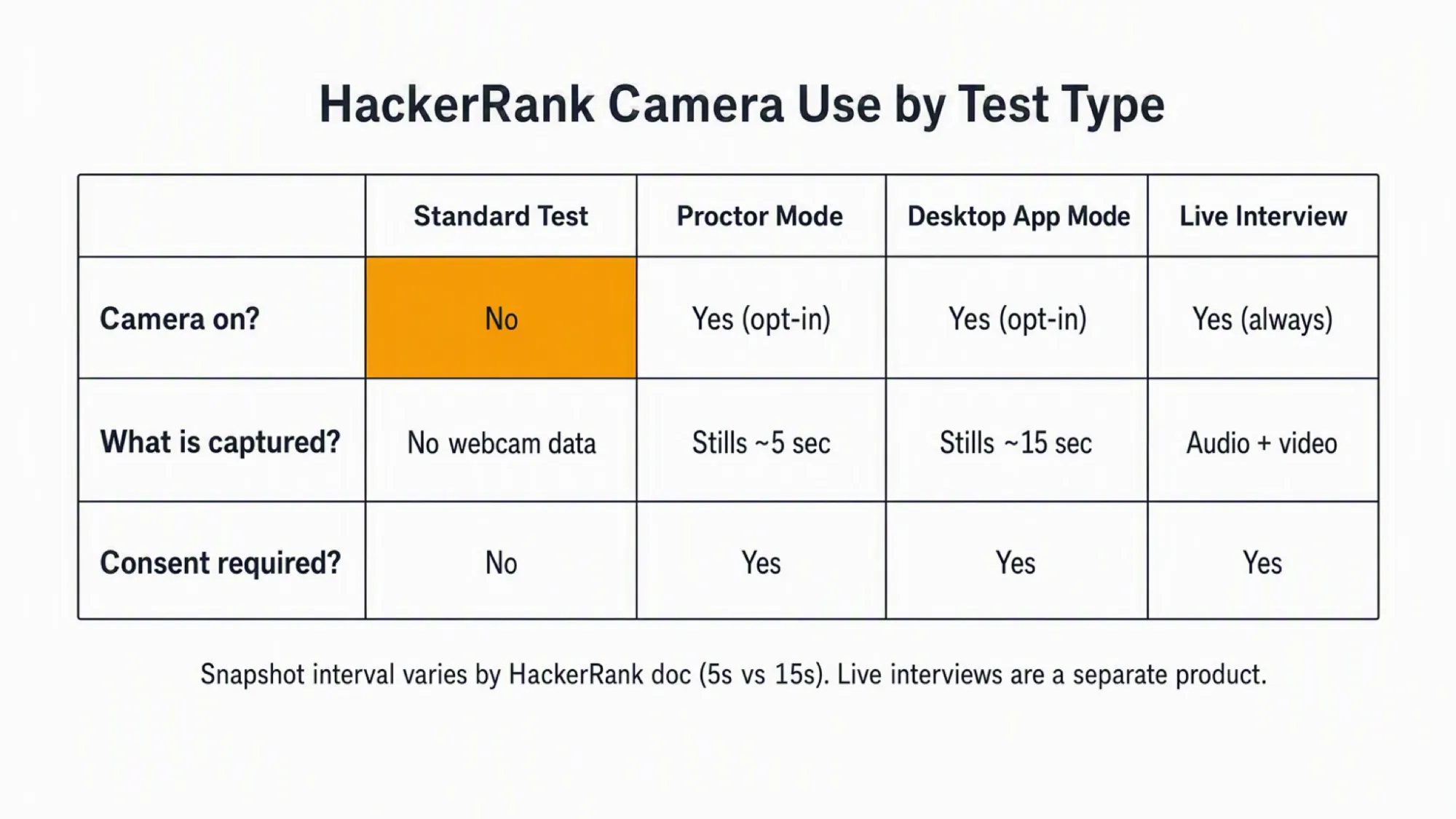
No. HackerRank does not use your camera by default. It activates only when the employer enables Proctor Mode, Desktop App Mode, or Image Proctoring.
That does not make every aid on your computer safe once proctoring is on. A proctored session records your full screen and periodic webcam images on the same device. Any on-device help is therefore exposed.
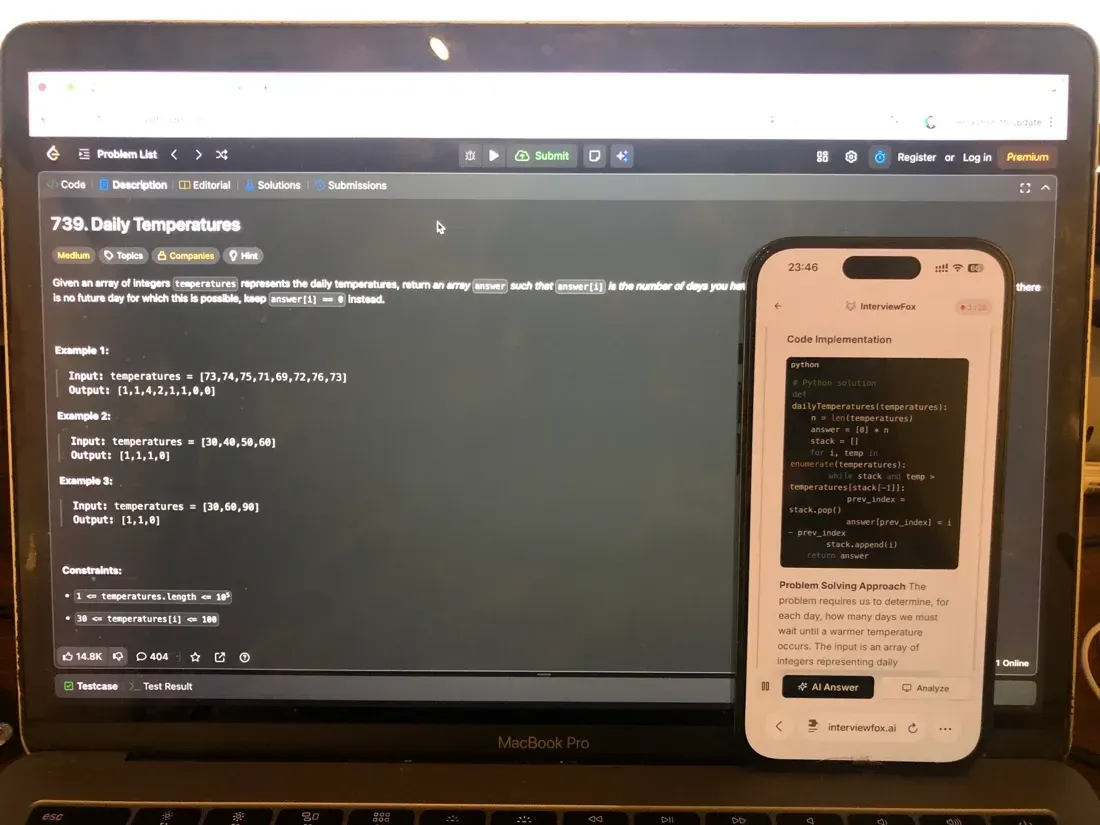
A dual device setup keeps the answer off the computer that is recorded. A dual device AI interview assistant shows replies on your phone. The monitored laptop runs no InterviewFox process, so it cannot detect the answers.
When HackerRank actually turns your camera on
A standard coding test captures no webcam data. Secure Mode, for example, adds only in-browser checks like tab switches and copy-paste.
The webcam activates only when the employer enables a proctored mode. Specifically, three modes can turn it on.
Proctor Mode and Desktop App Mode are set at the company and test level. In addition, Image Proctoring and Photo Identification are add-ons.
Read your invitation for the words "Proctor Mode." HackerRank's Proctor Mode help center documents when the camera turns on. If the words are absent, no camera is involved.
The live-interview exception (CodePair / Chakra)
A separate product line records true audio and video. CodePair and Chakra, for example, are live interview tools, not automated assessments.
That covers only assessments, not the live interview product.
What the camera captures instead of live video
When proctoring is on, HackerRank does not stream continuous video. It captures periodic still images instead.
Proctor Mode captures a frame about every five seconds. In contrast, Desktop App Mode captures one about every fifteen seconds.
HackerRank's own docs are not fully consistent on the interval. Still, treat the exact number as mode dependent.
Each image runs through Amazon Rekognition. The service confirms the same person stays in frame. Specifically, it flags a missing, extra, or different face.
Because the proctored laptop records your screen and webcam together, any aid on that device is exposed. A dual device AI interview tool keeps answers on your phone. The recorded laptop runs no InterviewFox process, so it cannot detect the answers.
You can place the phone near the laptop camera. This avoids the sideways glance a phone in your lap would create.

Answers On Your Phone, Not Your Shared Screen
Skip the risky invisible-overlay tricks. Our dual-device mode keeps answers on your phone, never on the screen you're sharing or recording. Nothing for a platform or interviewer to catch, because there's nothing on the shared screen to find.
Get started. It's freeLoved by 100,000+ candidates
You are told first, and you choose to allow it
HackerRank asks for webcam permission before a proctored test begins. The request also appears in the invitation and an in-product prompt.
You must grant access before the test can start. Otherwise, declining means the proctored session cannot begin.
HackerRank does not capture the webcam without your approval. The camera stays off until you approve it in the prompt.
Before test day, confirm the format from your invitation. If proctoring is listed, prepare for the webcam and quiet room it requires. Furthermore, InterviewFox's Prep Agent can build a practice plan once you know the test format.
Prepare Once, Walk In Ready
The durable fix isn't a cleverer hiding trick, it's going in prepared. Our Prep Agent reviews your resume, builds a study plan, and runs mock interviews with you over WhatsApp or SMS, so you rehearse the content before it counts.
Get started. It's freeLoved by 100,000+ candidates
What the webcam is actually checking for
The camera's job is identity continuity, not constant surveillance. The system specifically checks that one person stays in front of the screen.
It looks for a missing face, a second face, or a face that differs from the start. It also detects a phone or tablet in view.
Gaze detection exists in some proctored setups. It runs only in limited availability and yet flags only high-confidence deviations.
What the webcam does not flag
HackerRank's Image Detection Notice states Rekognition matches faces to each other. It does not try to identify who you are by name.
The system does no emotion or expression analysis. A brief look away is also not an automatic failure.
Ordinary objects near the desk are not the target. The detector focuses specifically on phones and tablets.
Flags go to a human reviewer. A flag is therefore a signal, not an automatic rejection of your test.
Privacy retention and biometric law for camera images
HackerRank processes the images as a service provider for the employer. It discloses them only to that employer and to AWS.
Retention follows the employer agreement. HackerRank therefore keeps the images for as long as that contract permits.
Illinois residents get a backstop. Specifically, if the images count as biometric data, HackerRank destroys them within three years.
Your rights run through the employer. Therefore, ask the company that sent the test about access, deletion, or correction.
What else does HackerRank monitor?
Webcam monitoring is just one part of how HackerRank detects cheating. The platform tracks several other signals during a test.
- Periodic screen capture takes screenshots of your test screen at regular intervals, not continuous video. AI models analyze those images for outside tools or leaked solutions. The capture rate speeds up when you leave the test window.
- Tab and window switches are logged in Secure Mode. The system records every exit from the test tab or window. It does not see the content of other tabs. Proctor Mode also tightens its screenshot cadence when you switch away.
- Clipboard activity is tracked inside the test environment. Employers configure whether pasting is allowed. Every paste event gets logged when it occurs.
FAQ
How do I know if my test is proctored? Check the invitation email first. The employer names Proctor Mode or Desktop App Mode when it is enabled. No such wording, therefore, means a standard test.
Can I take the test without the camera? Declining webcam access blocks the proctored session. You cannot start that specific test without granting it. A standard test, however, needs no camera at all.
Does HackerRank record audio? Public documentation does not say proctored sessions record audio. The microphone appears only as a connectivity check. Do not assume, therefore, that audio is captured or safe from it.
Does HackerRank track eye movement? Gaze detection exists in limited proctored setups. It flags only high-confidence deviations and runs in limited availability. It is not standard, however, on every test.
Do Amazon or IBM use the HackerRank camera? The platform is the same for every employer. Each company chooses whether to enable proctoring. If they do, therefore, the camera turns on for their tests.
Does HackerRank use the camera for take-home work? Take-home assignments are standard tests by default. They capture no webcam data unless the employer adds a proctoring mode. So read the brief to confirm.