
I Aced the Meta CoderPad Interview in 2026: Real Questions, Prep Plan

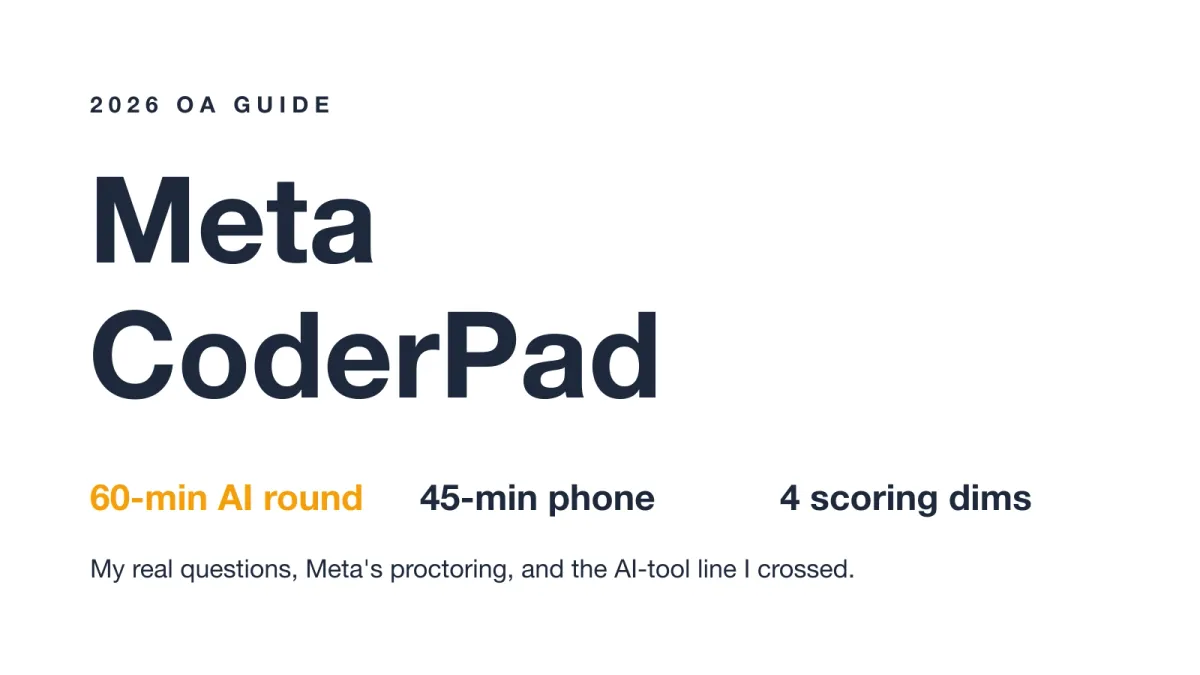
Quick Facts
| Platform | CoderPad (phone screen + AI-enabled coding round) |
| AI-enabled round | Launched Oct 1 2025 · 60 min · 1 multi-file codebase, 3–4 stages |
| Traditional phone screen | 45 min · 2 problems · code cannot run |
| Authorized AI | Built-in CoderPad sidebar (lightweight models only) |
| Evaluation | 4 dimensions: Problem Solving, Code Dev, Verification, Communication |
| Proctoring | Live screen-share; built-in AI sees all code; external overlay = termination |
I sat the Meta CoderPad AI-enabled coding round in early February 2026. It was my first Meta screen, and I had prepped for months. The invite promised a 60-minute session inside a multi-file codebase.
That setup felt different from a normal test. I had been drilling with an AI interview assistant to learn how these rounds behave. Still, nothing prepared me for the live proctor watching every keystroke.
The real questions are what most people want to know. Below I walk through exactly what I faced, task by task. I also share the moment my session ended early.
The Real Questions on My Meta CoderPad Test
The AI-enabled round ran for 60 minutes. I worked inside one shared codebase with several files. A built-in AI sidebar sat on the right side of the editor.
Question 1:
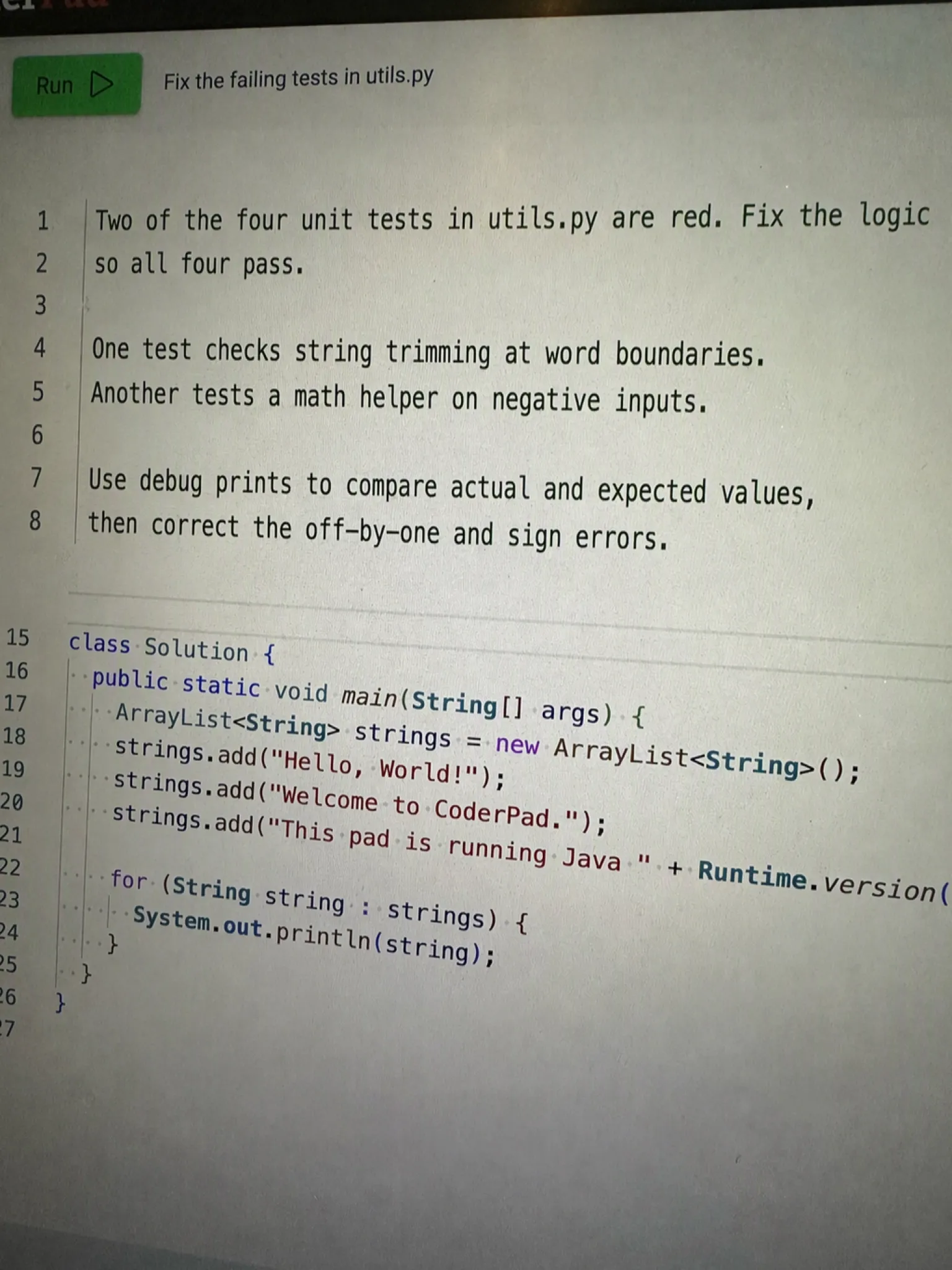
My first task was to fix failing tests in utils.py. Two of the four unit tests were red. One test checked string trimming at word boundaries. Another tested a small math helper on negative inputs.
I used debug prints to see the actual values. The bugs were minor logic errors, not deep bugs. After a few runs, both tests turned green. That felt like a clean start.
However, the second task tested me in a different way.
Question 2:
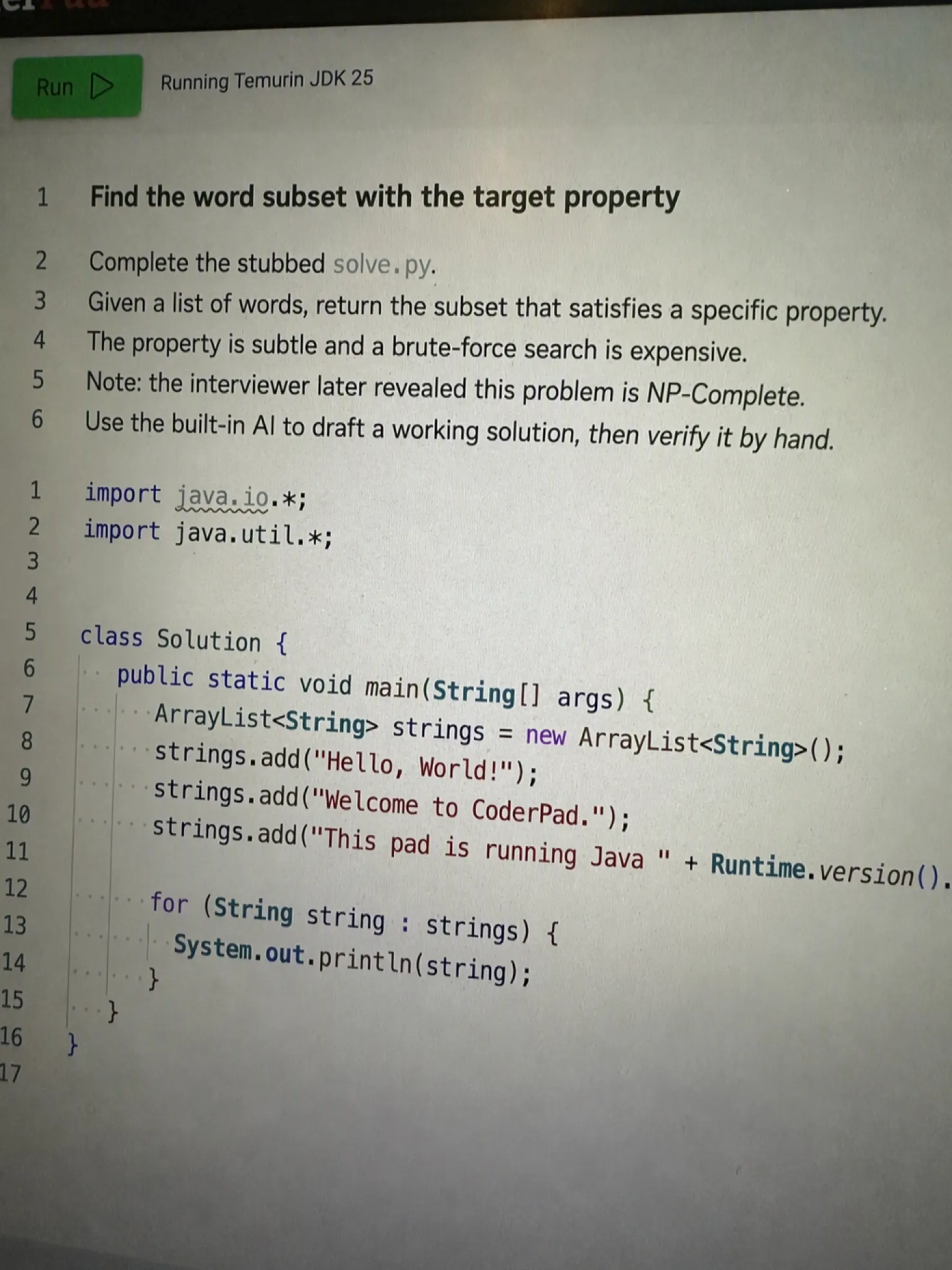
My second task gave me a stubbed solve.py. I had to take a list of words and return the subset meeting a specific property. The property was subtle and the brute force looked expensive.
I got stuck on the right approach.
Land offer with Safer AI Interview Assistant
Skip the risky invisible apps. Our dual-device mode keeps it simple and undetectable. You crush the interview, we handle the answers.
Get started. It's freeLoved by 100,000+ candidates
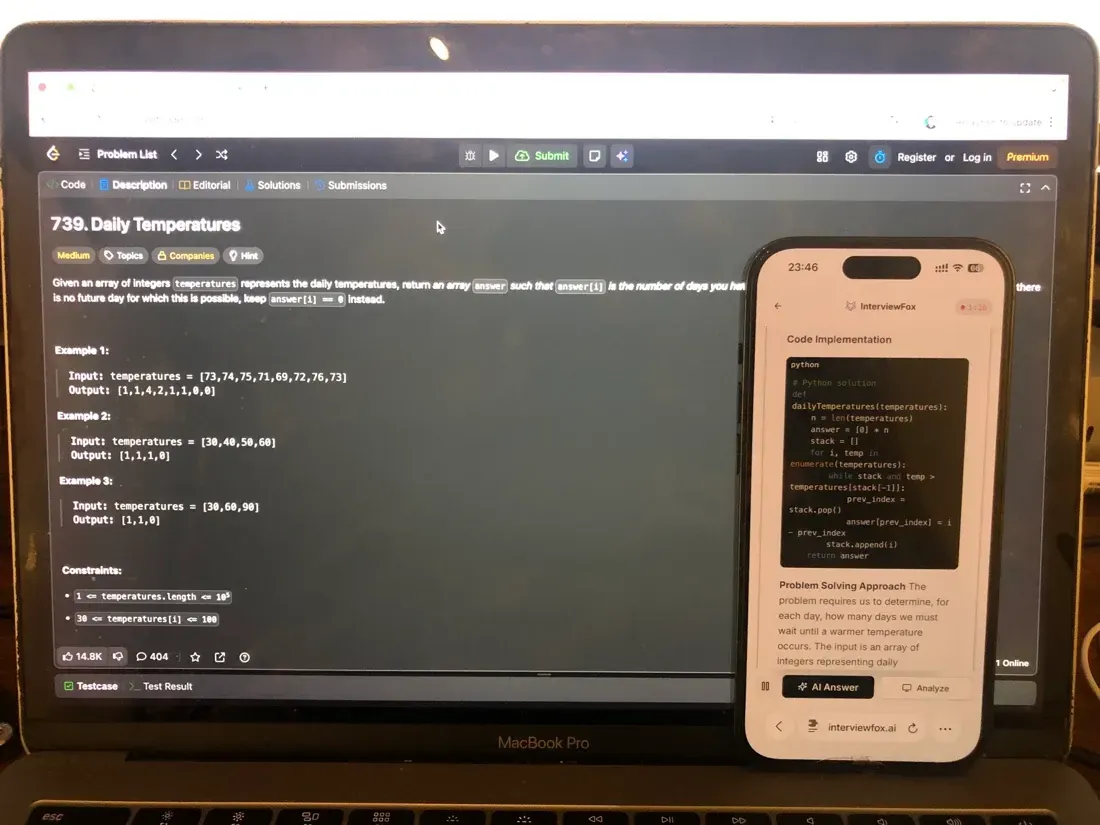
I opened the built-in Claude Haiku 3.5 from the sidebar instead. I typed a short prompt describing the function. The model returned working code in one or two shots.
The interviewer later revealed the problem was NP-Complete. That explained the strange difficulty. I had a passing solution without fully proving it.
Then the session broke. I used a hotkey-activated invisible app in my early February 2026 assessment and saw no issue at first. As the second question loaded, the supposedly invisible panel flashed when I switched back to the editor. The interviewer closed the pad and ended the technical evaluation without feedback.
That ended my Meta CoderPad session early. The questions above were the real ones I faced.
Meta's Proctoring Policy for CoderPad
Meta proctors the CoderPad round with a live human. The interviewer shares your screen through the whole session. You also see them on video.
What the interviewer can see
They see your editor, your terminal, and your test output. They watch every keystroke in real time. The built-in AI sidebar is also visible to them.
The authorized-AI line (and where it ends)
Meta authorizes the built-in CoderPad assistant only. It uses lightweight models like Claude Haiku 3.5. Anything outside that sidebar crosses the line. An external app or overlay is not allowed. You can read more about whether CoderPad flags an unauthorized overlay tool.
What happened when I crossed it
I broke that rule during my own round. Here is exactly what happened:
I used a hotkey-activated invisible app in my early February 2026 assessment and saw no issue at first. As the second question loaded, the supposedly invisible panel flashed when I switched back to the editor. The interviewer closed the pad and ended the technical evaluation without feedback.
One flash was enough. The session ended with no feedback and no second chance. Stay inside the built-in assistant only.
Two More Confirmed Meta CoderPad Task Types
Other candidates report different task shapes. These are not my own session. They come from community write-ups and shared experiences.
Rebuild a structure from a traversal (reported)
One reported task rebuilt a binary search tree from a preorder traversal. The catch was handling duplicate values. The tree could also be unbalanced. You had to recover the exact shape from limited input.
Build a feature on an existing codebase (reported)
Another reported task built a card game feature. You draw N cards and find three that sum to 15. A separate reported task built an in-memory database with TTL, scan, and backup. These test how you extend real code.
What Meta's CoderPad Test Format Actually Looks Like
The format depends on which round you got. The AI-enabled round and the phone screen feel very different.
The 60-minute AI-enabled environment
You open a file tree with 3 to 8 files. Codebases range from 200 to 3,000 lines. For example, a Python project may include main.py, solve.py, utils.py, and test.py. A test runner shows pass or fail.
The AI sidebar sees all your code, so no copy-paste is needed. A terminal is available too. CoderPad's own docs confirm the built-in AI Assist runs in the pad and saves every prompt for interviewer playback (CoderPad AI Assist docs).
The 45-minute traditional phone screen
This older round lasts 45 minutes with two problems. You cannot run your code at all. The interviewer reads it by eye instead. Pace matters more than tooling here.
CoderPad quirks you should know
The output panel does not always clear between runs. Check the timestamps before you trust a result. Also remember the AI sidebar sees your code. What you type is never private from the proctor.
How Meta's CoderPad Scoring Works
Meta scores the round on four clear dimensions. Each one maps to a real behavior they watch for.
The four evaluation dimensions
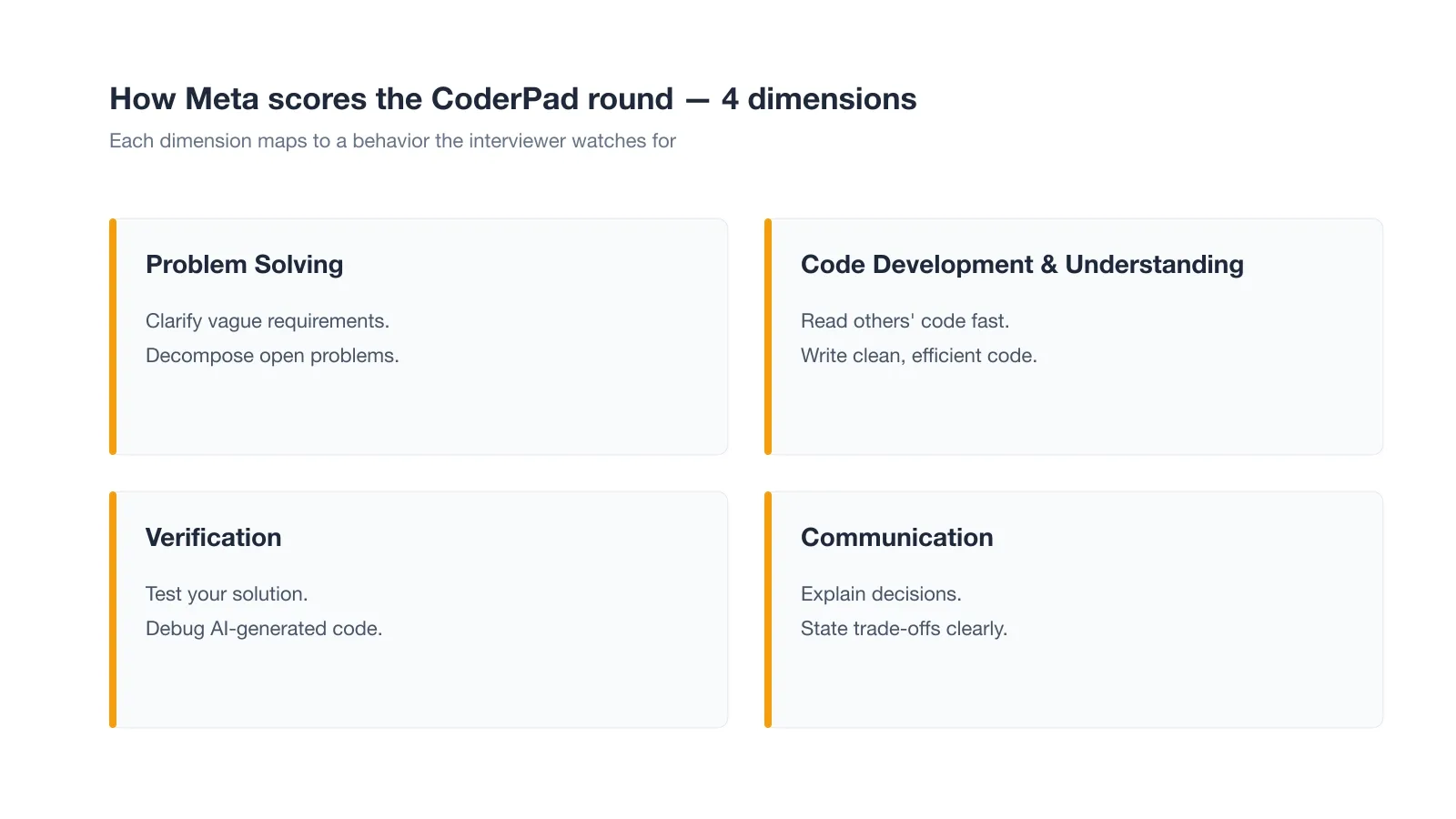
Problem Solving: clarify vague needs and decompose open problems. Code Development and Understanding: read others' code fast and write clean code. Verification: test your solution and debug AI output. Communication: explain decisions and trade-offs clearly.
What "verification" actually scores
Verification is about trust, not speed. You must test what the AI produced and catch its mistakes. Because verification matters, I always reran the suite before I claimed a pass. A Meta engineering manager put it plainly: "We evaluate the same competencies as traditional interviews — AI is a tool, not the subject of evaluation."
Meta CoderPad Exam-Day Strategy
A plan helps more than raw practice. Here is how I would spend the 60 minutes.
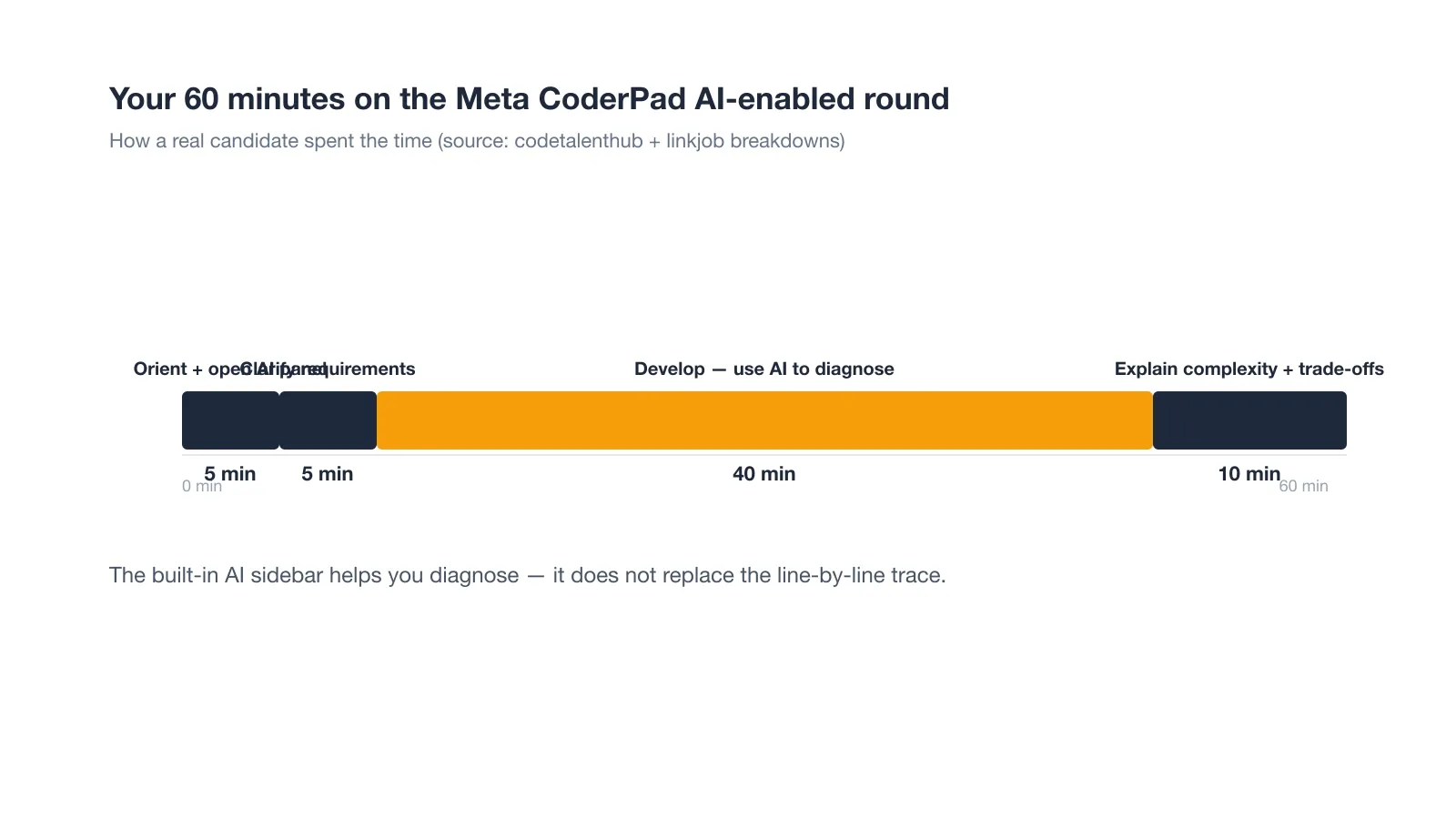
How I spent the first five minutes
I opened the file tree and read the entry point first. I clicked the AI panel to confirm it was active. Then I skimmed the tests to learn what "correct" meant.
Using the built-in AI without losing the thread
I treated the AI as a junior partner, not the driver. I pasted the failing context and asked for a diagnosis. Still, I wrote the final logic myself. That kept me ready for follow-up questions.
The output-panel trap
Old output can look like new output if the panel never cleared. I reran the suite before I claimed a pass. I also noted the timestamp on each result. That small habit saved me from a false green.
Why Candidates Fail the Meta CoderPad Assessment
Most failures trace back to a few patterns. I learned some the hard way.
The unauthorized-tool detection pattern
Meta scopes authorized AI to the built-in assistant only. Anything else gets flagged. In my own round, the overlay flashed once and the interviewer ended everything.
I used a hotkey-activated invisible app in my early February 2026 assessment and saw no issue at first. As the second question loaded, the supposedly invisible panel flashed when I switched back to the editor. The interviewer closed the pad and ended the technical evaluation without feedback.
Trusting the AI too far
Blind trust is the most-reported failure. Candidates paste AI output and ship it unverified. The proctor then asks why a line works, and they cannot answer. Always trace the generated code before you submit.
Running out of time
The 60 minutes pass faster than they feel. Multi-stage tasks eat the clock. I budgeted the develop phase tightly and still felt the squeeze. Practice the full length before the real day.
Failing the line-by-line trace
Interviewers stop you mid-explanation to ask a variable's value. If you cannot dry-run your own code, you lose points. I rehearsed tracing loops out loud so the habit was natural.
How to Prepare for the Meta CoderPad in 7 Days
Seven days is enough if you prep the right skills. Skip what does not transfer.
Days 1-2: Read unfamiliar codebases fast
I cloned small open repos and read them cold. I traced one function end to end each day. Speed at reading strangers' code mattered more than memorized patterns.
Days 3-5: Write debug prompts, not LeetCode patterns
Describing bugs to an AI in plain words was the daily exercise. Short, specific prompts found the fault faster. The goal was always a diagnosis, never a full rewrite.
Day 6-7: Simulate the 60-minute multi-stage run
I built a fake pad with three linked tasks and a timer. I ran the whole thing once on day six and again on day seven. The repetition killed my nerves.
What I did NOT prep (and why)
I did not grind LeetCode patterns for this round. The AI-enabled format rewards reading and debugging, not template recall. Meta's own pilot frames this round as real engineering, not trivia recall (CoderPad on Meta's AI-enabled pilot).
That said, the traditional phone screen is still pure DS&A pace. If you face that round, LeetCode drill returns to the plan.
What Happens After You Submit the OA
The wait is the worst part. Here is what to expect after you finish.
The decision timeline
A recruiter usually decides within about one week. That is faster than some peer companies. I refreshed my email far too often during that window.
Land offer with Safer AI Interview Assistant
Skip the risky invisible apps. Our dual-device mode keeps it simple and undetectable. You crush the interview, we handle the answers.
Get started. It's freeLoved by 100,000+ candidates
What the next rounds look like
If you pass, the onsite loop follows. It includes one traditional coding round and one AI-enabled round. You also face a system design round and a behavioral round. Each tests a different muscle.
FAQ
Does Meta record my CoderPad session with a webcam?
Meta does not publish a CoderPad webcam spec. The round uses live screen-share with your interviewer. The built-in AI also sees all your editor code. If you wonder if your CoderPad session is recorded, the screen-share is the real monitor.
Can I use ChatGPT or an external AI during the CoderPad round?
No. Only the built-in CoderPad assistant is authorized. External tools or overlays end the session. My own round ended exactly that way. Use the sidebar or solve it yourself.
Is the AI-enabled round easier than the traditional one?
Not easier, just different. The AI-enabled round tests reading and verification. The traditional phone screen tests DS&A pace without running code. Both can fail you.
What language should I use in the CoderPad?
Use the language you know best. Python is common because the codebase examples use it. Pick the one where you trace bugs fastest. Consistency beats novelty here.
How many problems are on the Meta CoderPad phone screen?
The traditional phone screen has two problems in 45 minutes. You cannot run the code. The AI-enabled round instead uses one multi-stage codebase. Plan your pace for the format you got.