
I Took the Pfizer HireVue Interview in 2026: Real Questions and a Study Plan

Quick Facts
| Assessment | Pfizer HireVue interview questions, behavioral video |
| Platform | HireVue |
| Role | Software Engineer (New Grad) |
| Year | 2026 |
| Question type | Behavioral video (values-based) |
| Question count | 5–8 questions |
| Total time | ~20–30 minutes |
| Prep time per question | 30 seconds to 3 minutes |
| Answer time per question | 2–3 minutes |
| Attempts per question | 1 (recorded, not live) |
| Scoring | Competency-based AI evaluation |
| Pfizer values tested | Courage, Excellence, Equity, Joy |
I took the Pfizer HireVue interview questions for a software engineering new grad role in 2026 and answered five behavioral video questions. What follows is the complete process and how I prepared for it.
During the last question, my prep timer ran out before I could organize a single thought, the recording started anyway, and I was rambling when the two-minute warning flashed across the screen. An AI interview assistant helped me recover by pushing a structured STAR outline to my phone, which I break down in the walkthrough below.
I collected confirmed questions from candidates who took the Pfizer HireVue in 2026, along with official hiring process details from Pfizer's own careers page. Below is what I faced, how I answered, and what I would do differently.
The Real Pfizer HireVue Questions I Got in 2026
I had 127 LeetCode problems logged when I got the Pfizer application status update. I assumed it was a CodeSignal link for a coding OA. Instead the HireVue page loaded and my laptop camera turned on and asked me to tell it a story.
I was applying for a software engineering new grad role. The format was five behavioral questions with 30 seconds of prep and two minutes per answer. No code editor, just my webcam and a countdown timer. Here is exactly what I got.
Question 1: Recognizing a Bold Idea
The question I got: "Describe a time when you recognized someone else's bold idea and brought it to life."
How I answered: During my senior capstone, a teammate wanted to build a sign language recognition tool using computer vision. The rest of the team pushed for a standard web app, the safe choice four weeks before demo day. I told the group my teammate's idea was the only one that would stand out in a room of twenty projects.
I volunteered to prototype the computer vision component over a weekend. I built a working demo with OpenCV that detected basic ASL gestures through a webcam feed. I showed it to the team Monday morning. The project lead stared at the screen for a few seconds, then said, "okay, we're doing this."
We pivoted the entire project. The prototype became the core engine. We won the department showcase that semester, and my teammate who first proposed the idea got to present it on stage.
The prep timer felt generous for this one. I had the full 30 seconds because I knew exactly which story was coming. I finished my answer with about ten seconds left on the recording clock.
Question 2: Holding Someone Accountable
The question I got: "Tell me about a time when you held someone accountable for their commitments."
How I answered: In my databases course, our team was building a course registration system. One member missed three sprint deadlines in a row, and the integration branch kept breaking because his code was absent. The team was frustrated, but no one wanted to be the one to say something.
I asked him for a private call and led with curiosity instead of blame. I listed the specific commits that were missing and asked what was going on. He admitted he was drowning in another class and had been too embarrassed to ask for help.
I proposed restructuring his remaining tasks into smaller pieces with check-ins every two days instead of weekly. He agreed. He shipped every task on time for the rest of the semester. The project earned an A minus.
When peer evaluations came around, he wrote that someone treating him like a person instead of a problem was the reason he did not drop the course. I had not expected that sentence. It stayed with me.
The prep countdown for this one cut deeper. The word "accountable" made me freeze. I spent the first ten seconds panicking about whether my story sounded like I was throwing someone under the bus. By the time I committed to it, I had maybe fifteen seconds left to organize anything.
Question 3: Including a Different Perspective
The question I got: "Tell me about a time when you achieved a better outcome by including a different perspective."
How I answered: At a hackathon, I was building a mental health check-in app with a team of CS majors. We designed the notification flow ourselves. The copy read: "Your anxiety level appears elevated. Consider breathing exercises." It made sense to four engineers.
Early testing flopped. People opened the app once and never came back. I reached out to a psychology graduate student I knew from a campus mental health club. She looked at our notifications and told us the phrasing read like a medical diagnosis, not a check-in. She suggested framing around "small wins" with warmer, more conversational language.
We rebuilt the notification flow overnight. The hackathon judges specifically mentioned the UX tone as what set our app apart. We won second place. I still have the original notification text saved on my laptop. It reminds me that four people who think the same way miss the same things.
The prep timer was enough for this one. The story was clean in my head: before and after, with a concrete detail anchoring each half. I actually smiled during the recording, which I do not think I did on any other question.
Question 4: Bringing Energy to a Struggling Team
The question I got: "Tell me about a time when you brought energy or positivity to a team that was struggling."
How I answered: During my summer internship, the team was three weeks into a legacy system migration. The work was tedious: hundreds of endpoints to audit, each a slightly different flavor of the same task. People ate lunch at their desks in silence. The daily standup was a rotation of "still working on the same thing."
I started a Friday demo ritual. The rule was simple: anyone could show one thing they fixed that week, no matter how small. The first Friday, two people participated. I showed a SQL query I had shaved from eleven seconds to under one.
By the third Friday, people were competing to find the ugliest bug they had killed. The energy shifted from dread to something approaching fun. The migration finished on time.
My manager told me during my exit interview that two full-time engineers had named the Friday demos as the reason the project did not burn them out. One said he had forgotten he liked the work until someone reminded him.
The prep timer on this one caught me off-guard. "Joy" was not a category I had a story pre-loaded for. I spent the full 30 seconds cycling through possibilities and settled on this one with maybe five seconds left. I had no plan for how to end it when the recording started.
Question 5: Choosing the Harder Path
The question I got: "Describe a time when you chose the harder path because it was the right thing to do."
How I answered: In an algorithms course group project, I found that a teammate had copied code from a public GitHub repository without attribution. The submission deadline was 48 hours away. The copied code sat inside one module, isolated from the rest of the codebase. Nobody would have noticed.
I asked him to meet me in the library. I pulled up the GitHub repo on my laptop and told him I had seen it. He got defensive. He said the assignment was unfair, the workload unreasonable, everyone borrowed code. I told him I understood the pressure, but passing someone else's work as our own was a line I could not cross.
I offered two options: rewrite the module himself or let the group help rewrite it together. He chose to rewrite it, and I stayed up with him both nights helping. We submitted on time with completely original code. The professor never knew about the original version.
He told me later no one had ever held him accountable like that. He said he had expected me to report him or say nothing. The third option, the one that cost me two nights of sleep, had not occurred to him as something a classmate would do.
The prep timer for this one broke me. The question appeared and I had two competing instincts: tell the safe story about a minor inconvenience, or tell the real one. I spent the full 30 seconds deciding and the recording started before I had a structure ready.
I launched into the Situation fine, but by the middle of the Action section I repeated the word "basically" three times in one sentence. I could hear myself rambling. When the two-minute warning flashed I was still talking. I finished mid-thought, the recording cut off, and I sat still for a few seconds staring at my own face on the screen, just breathing.
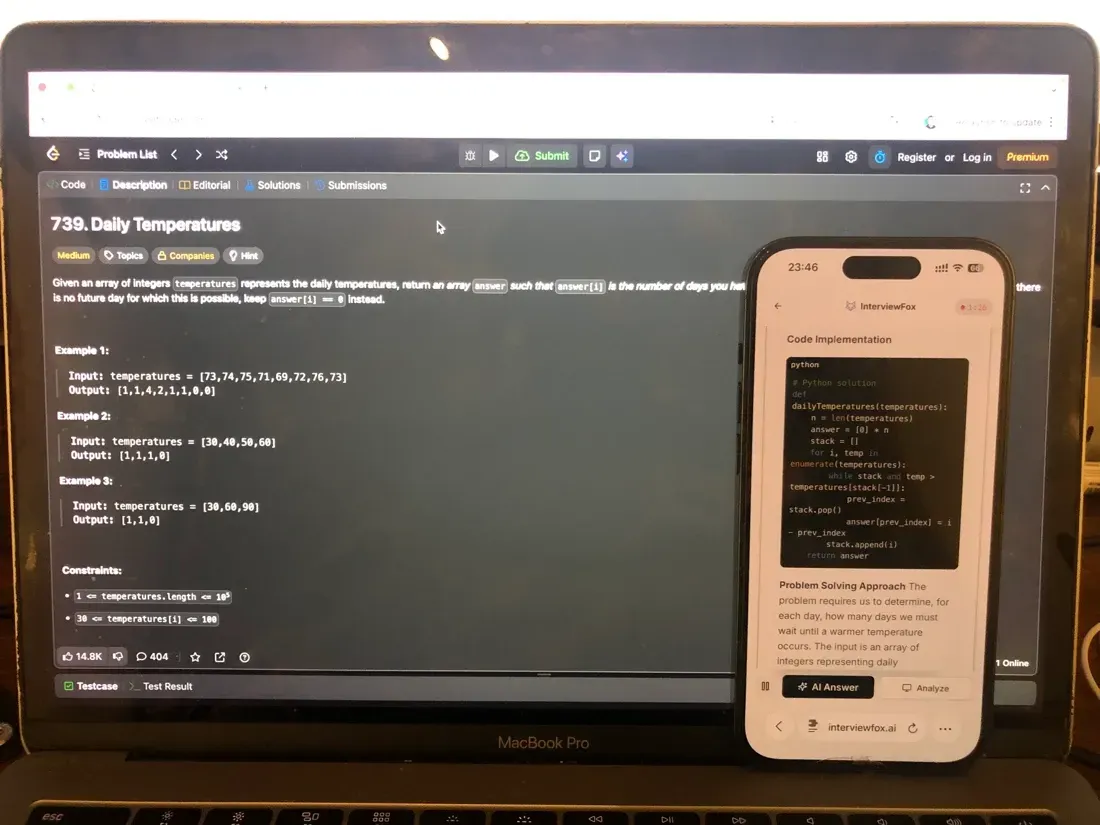
I didn't want to use a desktop overlay. The answer would have been on the same screen HireVue's browser monitoring was tracking, hidden by a basic rendering layer. I hit a keyboard shortcut, the tool auto-captured the question, and the answer pushed to my phone. My laptop screen stayed unchanged. The browser focus tracker saw nothing; the answer was on a separate device outside HireVue's browser focus tracking.
Land offer with Safer AI Interview Assistant
Skip the risky invisible apps. Our dual-device mode keeps it simple and undetectable. You crush the interview, we handle the answers.
Get started. It's freeLoved by 100,000+ candidates
Pfizer's Proctoring Policy for HireVue
HireVue monitors what happens on screen. It does not use facial recognition or eye tracking. The platform explicitly denies both. But it tracks browser focus, captures periodic candidate images, and enforces a disclosure agreement before question one appears. This is the gate, and it watches your screen activity across the entire session.
Browser Focus Tracking logs every tab switch and window change during the assessment. Step away from the interview window and the system records it. Knowing what the reviewer actually sees when you leave the tab — versus what isn't captured — changes how you assess the risk. The event records that you left, not what you opened or where you went.
Candidate Image Capture takes snapshots at intervals to confirm identity and flag suspicious behavior.
Before the first question, you check a box confirming you will answer in your own words. That disclosure is not boilerplate. It is part of the detection record.
HireVue publishes details on how each detection signal operates, specifically confirming Browser Focus Tracking, Candidate Image Capture, and customizable Disclosure Agreements as active mechanisms in every recorded assessment.
You get one attempt per question. No retake button exists. The format is recorded, not live. Connection loss does not kill the session. You can resume with the same link. But nothing lets you redo a question you already answered.
A candidate used an Invisible App to generate answers during the recorded HireVue assessment; the attempt was flagged in review, and the candidate received a rejection email the next day stating that the assessment result had been invalidated.
The overlay was not a browser tab. It was not visible to screen sharing. Even so, the system flagged it anyway. The assessment was voided. In under 24 hours, the outcome arrived.
What the Pfizer HireVue Format Actually Looks Like
HireVue is a recorded video interface, not a live call with an interviewer on the other side. You sit in front of your camera, a question appears on screen, a countdown timer starts, and the recording begins. No human watches in real time. The AI evaluates later.
The format from HireVue's own documentation: 5–8 questions, 20–30 minutes total to complete, so budget 45 minutes for setup and practice. Each question comes with prep time that varies. Anywhere from 30 seconds to 3 minutes, depending on what the company configured. Answer time runs 2–3 minutes per question with a visible on-screen timer.
One attempt per question. Once you finish recording a response, it locks. You cannot go back.
Some roles may include a written section: one prompt, roughly 50 minutes, about 500 words. This surfaced in only one data point from a commercial-track source. It is not confirmed for SWE positions. I did not get a written prompt.
You can take the assessment on a computer, tablet, or phone. Minimum internet speed is 350 Kbps download and upload. If your connection drops, the link lets you resume where you left off without losing completed answers.
The interface feels clinical. A question card loads. A prep countdown ticks. The recording starts automatically when time runs out. You speak. A visible timer counts your remaining answer time. Then the next question loads. No pause button. No human feedback. Just the camera light and the clock.
Exact question count, prep time, and answer duration vary by role and by company settings. The numbers above are the most common ranges across confirmed sources. Your specific assessment, however, may differ.
How Pfizer's HireVue Scoring Works
HireVue does not produce a numerical score. There is no 200-600 GCA, no pass/fail threshold, no percentile ranking you ever see. The AI generates a competency-based profile that ranks candidates against a benchmark calibrated for one specific role at one specific company. That profile goes to the recruiter. You never see it.
The AI evaluates two categories. Hard skills cover the job competencies listed in the role description. Soft competencies include communication clarity, conscientiousness, problem-solving approach, team orientation, and initiative.
HireVue describes its evaluation model as context-based rather than keyword-based. The AI considers the whole response, not just whether you said the right buzzwords.
Each assessment model is built for one type of job role. Instead, your answers are measured against a benchmark calibrated for that role at Pfizer, not against a generic candidate pool. The model ignores demographic attributes: no age, race, gender, GPA, or college name factors into the evaluation.
What this means in practice: a structured STAR answer that demonstrates one specific Pfizer value will outscore a generic answer packed with action verbs. Delivery clarity and concrete personal examples matter more than vocabulary. Rehearsed responses with perfect phrasing but no specific detail do not score higher under context evaluation. The AI is listening for evidence, not scripts.
The scoring serves as a first-cut filter. The AI ranks candidates into tiers. Top-tier profiles advance to live interviews. Recruiters review the ranked list, not raw responses. The AI makes recommendations. Human reviewers make decisions.
Why Candidates Get Rejected After the Pfizer HireVue
Most rejection posts online mention weak STAR structure, no Pfizer values in answers, or poor camera presence. Those reasons are real. But the rejection category nobody writes about is detection.
A candidate used an Invisible App to generate answers during the recorded HireVue assessment; the attempt was flagged in review, and the candidate received a rejection email the next day stating that the assessment result had been invalidated. Invisible to screen sharing, the overlay ran on the recording device. Still, the system flagged it. The assessment was voided. Within 24 hours, the entire application ended.
At least one candidate was flagged for using a desktop overlay tool during the recorded HireVue assessment; the attempt was flagged in review, and a rejection email arrived the next day stating the assessment result had been invalidated. The tool renders the AI's answer on the same computer screen HireVue monitors, hidden by a basic OS-layer trick.
InterviewFox pushes the answer to your phone instead, a dual device AI interview tool that keeps the answer on a physically separate device outside HireVue's browser focus tracking and candidate image capture.
Land offer with Safer AI Interview Assistant
Skip the risky invisible apps. Our dual-device mode keeps it simple and undetectable. You crush the interview, we handle the answers.
Get started. It's freeLoved by 100,000+ candidates
Industry data from 2026 shows a 38.5% flagging rate across 19,368 interviews and 48% for technical roles. Tool adoption climbed from 15% to 35% in six months. Detection systems weigh over 20 distinct signals at roughly 85% accuracy. Flatline response timing, consistently 3-5 seconds regardless of question difficulty, is, however, one of the tells across all signal types.
Beyond detection, candidates fail for predictable reasons. Answers that do not map to a Pfizer value score low because values-fit drives the competency model. STAR stories missing a concrete Result read as incomplete. Rehearsed delivery with generic phrasing and no personal details triggers the same context-evaluation flags that catch AI-assisted responses.
Camera presence matters. Mumbling, not looking at the lens, and filler words lower the communication score.
How to Prepare for the Pfizer HireVue in 7 Days
I did not start from zero. I had stories from internships, hackathons, and group projects. However, what I lacked was a system for pulling the right story under a 30-second timer with a camera recording my face.
The prep splits into five layers. First, inventory your experiences and map each one to a Pfizer value. Second, shape every story into STAR format with a concrete metric. Third, record yourself delivering answers under timed conditions. Fourth, configure your physical setup to match HireVue's platform requirements. Fifth, run one complete mock assessment under real conditions.
I used InterviewFox's Prep Agent over WhatsApp before I even opened the assessment link. I sent the confirmed question patterns, behavioral prompts mapped to Pfizer's four values (Courage, Excellence, Equity, Joy) in STAR format, and got back a personalized drill plan that told me exactly which stories to rehearse and which gaps to fill.
The agent maps your experiences to specific value categories and generates STAR outlines from what you describe. I fed it a dozen stories and it sorted them into Courage, Excellence, Equity, and Joy without me writing a script for any of them. That turned a disorganized stack of memories into a searchable answer bank.
Here is exactly how I structured each phase, with what worked and what I would skip.
Days 1-3: Build Your Pfizer Values Story Bank
Pfizer publishes five values-mapped behavioral question templates on its official careers page. Mine 2-3 concrete personal experiences per value dimension. Each story needs to be real and specific. A project with a name, a teammate with a role, an outcome with a number.
I skipped LeetCode entirely. I had done over 100 problems and used none of them. This is a behavioral video interview, not a coding OA.
I did not bother with general interview books. Cracking the Coding Interview covers technical interviews, not values-based behavioral video assessments. The STAR chapter in any career guide covers the format, but Pfizer-specific value mapping matters more than generic advice.
I skipped memorizing answers verbatim. HireVue evaluates context and delivery, not exact wording. Rehearsed scripts flag as potentially AI-generated under context evaluation. I wrote STAR outlines instead: one sentence per letter. Situation, Task, Action, Result. That was enough.
Training action: Write STAR outlines for at least 8 stories, 2 per value dimension, covering Courage's three sub-themes (Think Big, Focus on What Matters, Speak Up), Excellence, Equity, and Joy. Each outline stays at one sentence per STAR letter.
Success check: You can recall each story's Situation, Task, Action, and Result in under 10 seconds without reading notes.
Days 4-5: Record and Review Mock HireVue Sessions
HireVue's AI evaluates both content and delivery. The platform scores competency demonstration and communication clarity as separate dimensions. Recording yourself under timed conditions exposes what your outline hides: filler words, rambling transitions, and answers that run past the two-minute mark.
Training action: Randomly pick 5 STAR prompts from your story bank. Set a 30-second timer for prep, then record a 2-minute answer. Watch every recording. Note one thing to fix per answer. Not everything, just the single worst issue. Fix it in the next take. Repeat until the bank holds 5 answers you can deliver cleanly.
Success check: You no longer cringe at your own playback. Every answer fits within 2 minutes and follows clear STAR structure. No filler words. No rambling.
Days 6-7: Environment Setup and Final Run-Through
HireVue's platform rules require minimum internet speed and a functional device. Use the built-in practice tool available through the assessment link before you open the real questions. It tests lighting, audio, and framing without recording anything that counts.
Training action: Run HireVue's practice tool. Check background, lighting, audio clarity, and internet speed above 350 Kbps. Position the camera at eye level. Remove everything from frame except you and a blank wall. Run one complete timed mock, 5 questions back-to-back with no breaks, under the exact lighting and audio conditions you will use for the real thing.
Success check: Your setup passes the practice tool's self-check. You can deliver 5 answers consecutively without fatigue, distraction, or technical problems. You know exactly what the interface looks like before the real assessment starts.
What Happens After You Submit the HireVue
HireVue is screening, not the final word. Specifically, it replaces the initial phone screen. The AI ranks candidates by competency fit against the role benchmark. Top-tier profiles move to live interviews. The recruiter sees a ranked list, not your raw video. You never see your score or your ranking position.
Expect 1-3 weeks before hearing about next steps. Pfizer does not publish a specific turnaround window for HireVue results. Some candidates hear back within a week. Others wait longer. No public timeline is confirmed.
If you advance, live interviews follow with 3-5 colleagues including the hiring manager. Each interview runs about 45 minutes in either one-on-one or panel format. The questions stay behavioral and values-aligned, matching the same Courage-Excellence-Equity-Joy framework. Depending on the role, some technical discussion may enter the conversation, but the HireVue stage itself contains no technical assessment.
Interview source data from Glassdoor shows 63% applied online, 14% through employee referral, 6% via recruiter, and 6% through campus recruiting. Overall, candidates broadly rate Pfizer's hiring process as very positive.
SWE new grad compensation at Pfizer estimates total compensation around $120-180k, with interns at $35-45/hr. These are general reference numbers, not confirmed offers.
However, do not send follow-up emails every few days. One polite check-in after two weeks of silence is reasonable. If three weeks pass with no response, the result is likely a pass rather than a lost message. The process moves forward for candidates who advance. Silence means the ranking did not cross the interview threshold.
FAQ
Does Pfizer use HireVue for interviews?
Pfizer uses HireVue for early talent screening, including new grad and intern roles. The company also publicly confirmed its adoption in 2021, stating the platform helps consider more applicants with greater consistency and reduced bias. HireVue replaces the initial phone screen before live interviews with the hiring team.
What kind of questions are on the Pfizer HireVue?
Pfizer HireVue questions are behavioral video prompts aligned to the company's four values: Courage, Excellence, Equity, and Joy. Expect "Tell me about a time when..." format questions. No coding or technical assessment happens during the HireVue stage. Every question asks for a personal experience structured around STAR delivery.
How does a Pfizer HireVue interview work?
The Pfizer HireVue is a recorded video assessment, not a live interview. You receive a link, log in, and respond to 5-8 behavioral questions on camera.
Each question gives 30 seconds to 3 minutes of prep time and 2-3 minutes to record your answer. One attempt per question. No human interviewer watches in real time. The AI evaluates responses afterward and ranks candidates for recruiter review.
Can AI tools be detected during the Pfizer HireVue?
AI tools running on the same device as the HireVue assessment face active detection. HireVue monitors browser focus, captures periodic candidate images, and enforces disclosure agreements. A confirmed case involved an Invisible App overlay. For example, the candidate was flagged and rejected within 24 hours with the assessment invalidated. Detection is not theoretical. It has happened.
Can I use an AI tool or invisible app during the Pfizer HireVue interview?
Desktop overlay tools put the AI's answer on your computer screen, rendered as a hidden layer above the browser using a basic OS-layer trick. HireVue monitors browser focus and captures periodic candidate images, and detection capabilities keep improving; therefore, the risk exposure isn't fixed.
InterviewFox pushes the answer to your phone instead, a physically separate device that no browser monitoring can reach by design. If you plan to use AI assistance during the assessment, keeping the answer on a separate device entirely removes it from the screen HireVue is watching.
Land offer with Safer AI Interview Assistant
Skip the risky invisible apps. Our dual-device mode keeps it simple and undetectable. You crush the interview, we handle the answers.
Get started. It's freeLoved by 100,000+ candidates