
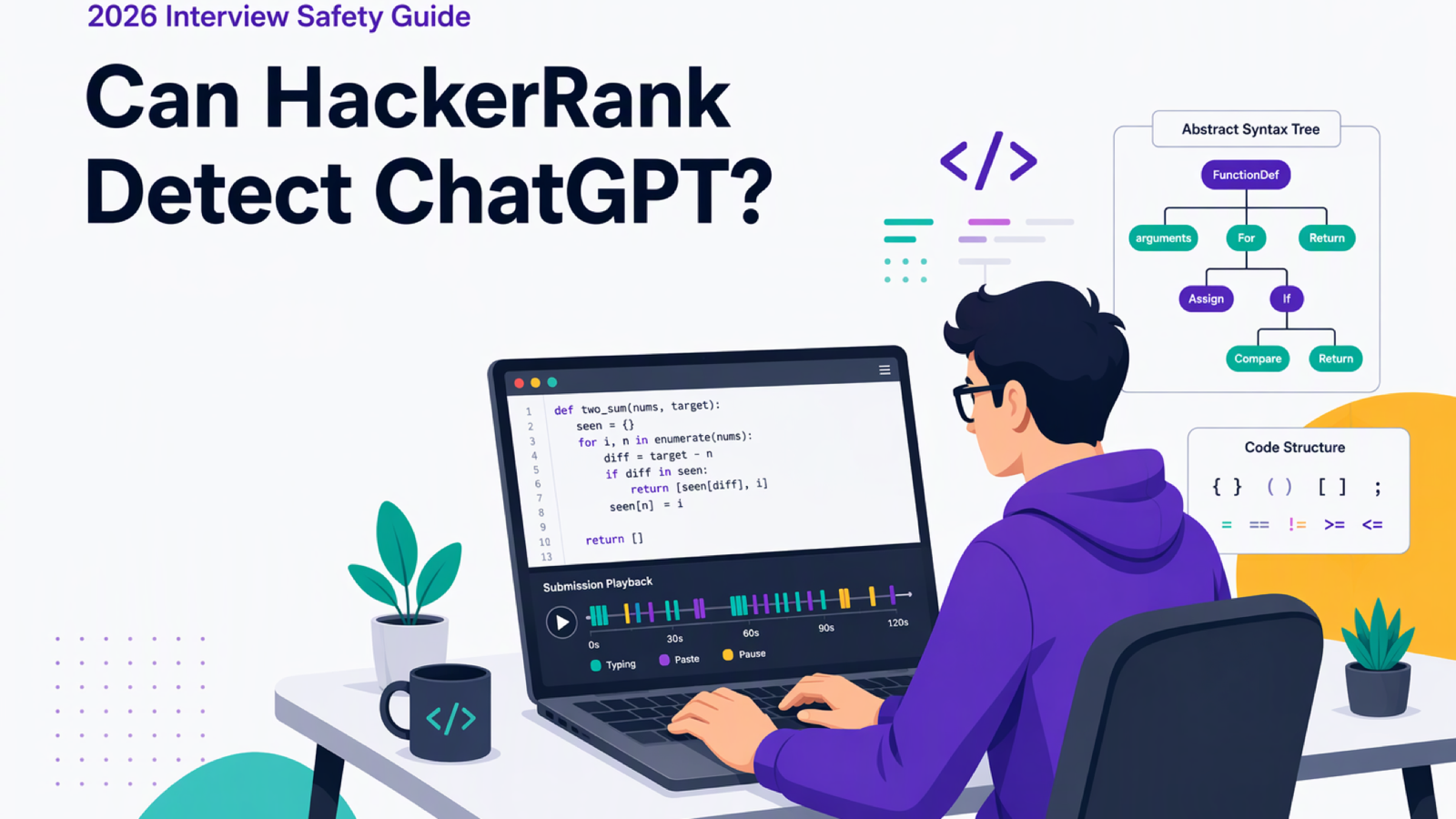
You are preparing for a timed HackerRank coding test. The real question is whether using ChatGPT will trigger cheating flags. You must decide if outside assistance is worth the risk.
Yes, potentially. HackerRank detects ChatGPT code through pattern models and typing telemetry, but flags route to recruiters. Final decisions remain human.
Screen captures in Proctor Mode and code syntax classifiers in all modes expose same-device AI tools. Do not assume standard browser tests let you hide assistance. A secure setup must keep assistance off the test machine.
Running assistance on a separate mobile phone leaves zero software footprint on your interview computer. InterviewFox solves this problem through physical device separation. A dual device real time AI interview assistant keeps your screen and background processes clean.
How HackerRank detects AI-generated code
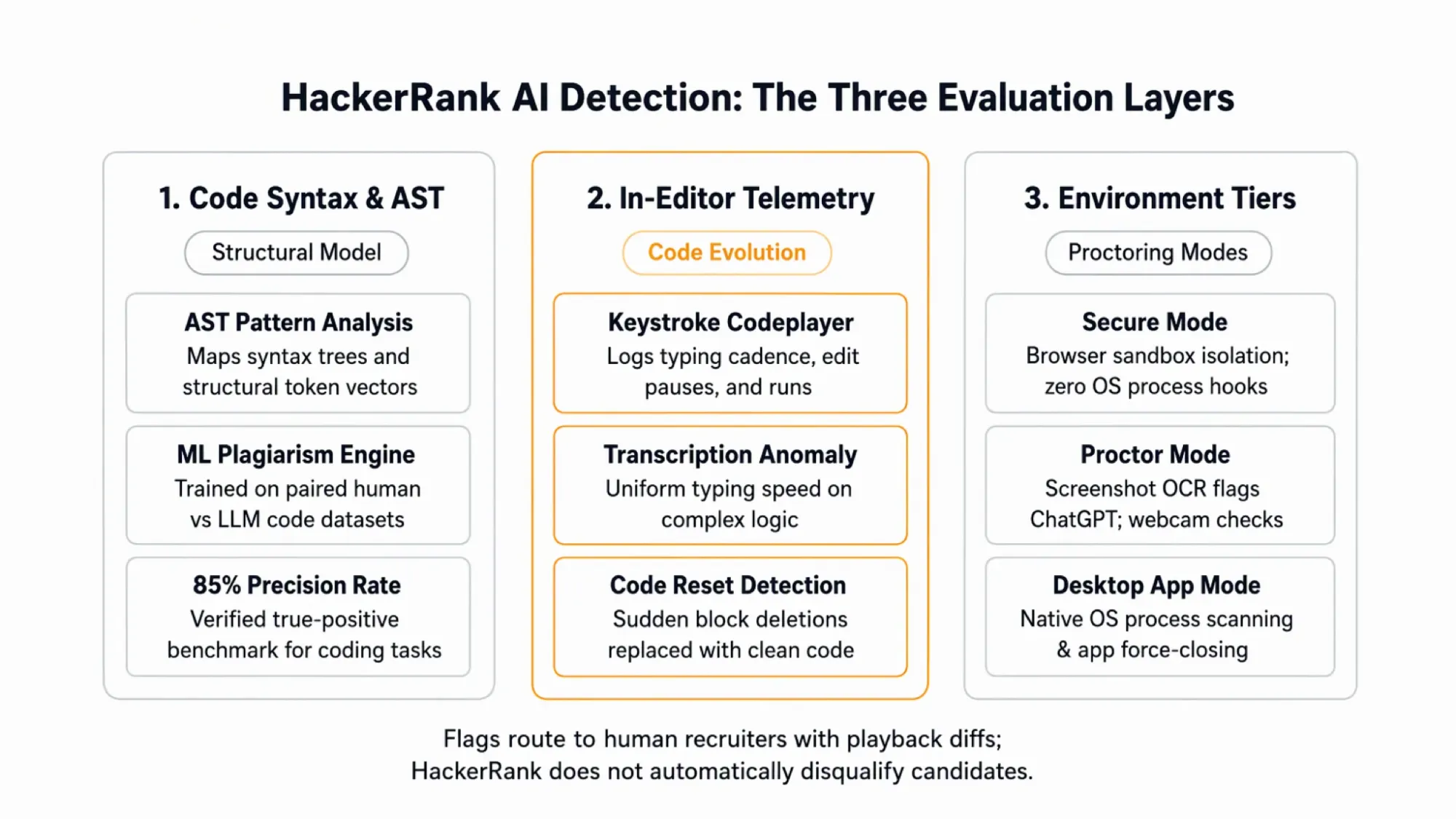
HackerRank evaluates code using structural syntax patterns rather than simple text matching. This check spots AI code fast.
Machine learning detection vs traditional MOSS
Old plagiarism checks use the Measure of Software Similarity algorithm, known as MOSS. MOSS matches matching word tokens across test files.
MOSS catches copied code. But it fails against modern AI models. Tools like ChatGPT rewrite logic, rename variables, and change statement order while keeping core logic intact.
HackerRank added a machine learning model to solve this detection gap. It trains on paired sets of human and AI code.
According to HackerRank's official AI plagiarism documentation, flags are right 85 percent of the time.
About 15 percent of flags are false alarms. Because of this, human hiring teams review flagged sessions manually. Recruiters check whether code patterns show real cheating or normal coincidence.
Structural AST vectors and syntax signatures
The detection system turns submitted code into an Abstract Syntax Tree. This tree maps the tree shape of your code.
AI tools write code with clear syntax habits. For example, language models favor specific loop designs, starter templates, and helper functions.
Renaming variables or moving functions does not hide these core patterns. The parser strips away formatting to check syntax directly.
As a result, code from ChatGPT creates clear vector marks in the evaluation pipeline. The model checks match scores against known AI patterns.
This syntax check applies only to coding tasks with at least ten lines of logic. Short code blocks lack enough tokens for this check.
Does retyping ChatGPT code by hand prevent detection?
Typing out code by hand does not stop detection. HackerRank tracks typing speed alongside final code.
Keystroke Codeplayer and Code Evolution tracking
Many candidates think that avoiding copy-paste makes outside code invisible. However, HackerRank tracks how solutions grow over time inside the editor.
It logs keystrokes, paste events, and code runs. These metrics form Code Evolution data. Recruiters can replay your whole session like a video.
Human software engineers write code step by step. They pause and erase mistakes. Then they test edge cases and build logic slowly.
In contrast, copying an answer produces steady typing speed without natural syntax tests. That flat speed signals copied text rather than real problem solving.
Suspicious code resets and linear typing anomalies
HackerRank also tracks sudden code deletions through an event called Suspicious Code Resetting. This marker flags candidates who delete their code and replace it with a clean solution.
For example, deleting twenty messy lines and typing clean code creates an obvious diff. Recruiter reports show these shifts with timeline flags.
Because the editor records every buffer change, manual retyping fails to hide outside help. They spot the difference between real trials and copied text.
How HackerRank's proctoring tiers change what it can see
Outside the editor, detection depends on the active proctoring mode. Before checking mode limits, candidates should understand how HackerRank detects cheating overall across all test modes.
Secure Mode browser sandbox and clipboard controls
Secure Mode runs directly inside standard web browsers like Google Chrome. Web browsers run in sandboxes. Because of this, sites cannot see background apps.
Therefore, Secure Mode cannot scan your open desktop apps or local network traffic. Instead, it logs browser focus events. It also tracks clipboard actions.
Pasting text logs timestamps and character counts. Secure Mode also uses browser screen APIs to verify single screens.
Proctor Mode webcam snapshots and screen OCR
Proctor Mode adds webcam snapshots for extra security. It also captures screen images. The system captures camera frames at random times during the test.
Image models check these snapshots to detect unauthorized objects, including mobile phones. If a phone appears in view, the system flags the test.
At the same time, Proctor Mode takes periodic screenshots of your shared desktop screen. Automated OCR scans screen images for banned tools like ChatGPT.
If a ChatGPT window appears on your shared screen, the OCR model flags the capture. Recruiters review these flagged images on their dashboard.
Desktop App Mode process scanning and app blocks
Desktop App Mode requires installing a native program on your computer. It runs natively on your machine. Therefore, it inspects active process lists.
The app spots and shuts down blocked tools. This includes chat apps and desktop AI models. Running AI tools on that computer triggers an instant app close.
Desktop App Mode also blocks second screens. It stops virtual machines and blanks screenshots. It locks down the testing environment.
Physical device separation keeps assistance invisible
These checks catch any tool running on your interview machine. Same-device tools remain open to screenshot OCR. They also face process scans.
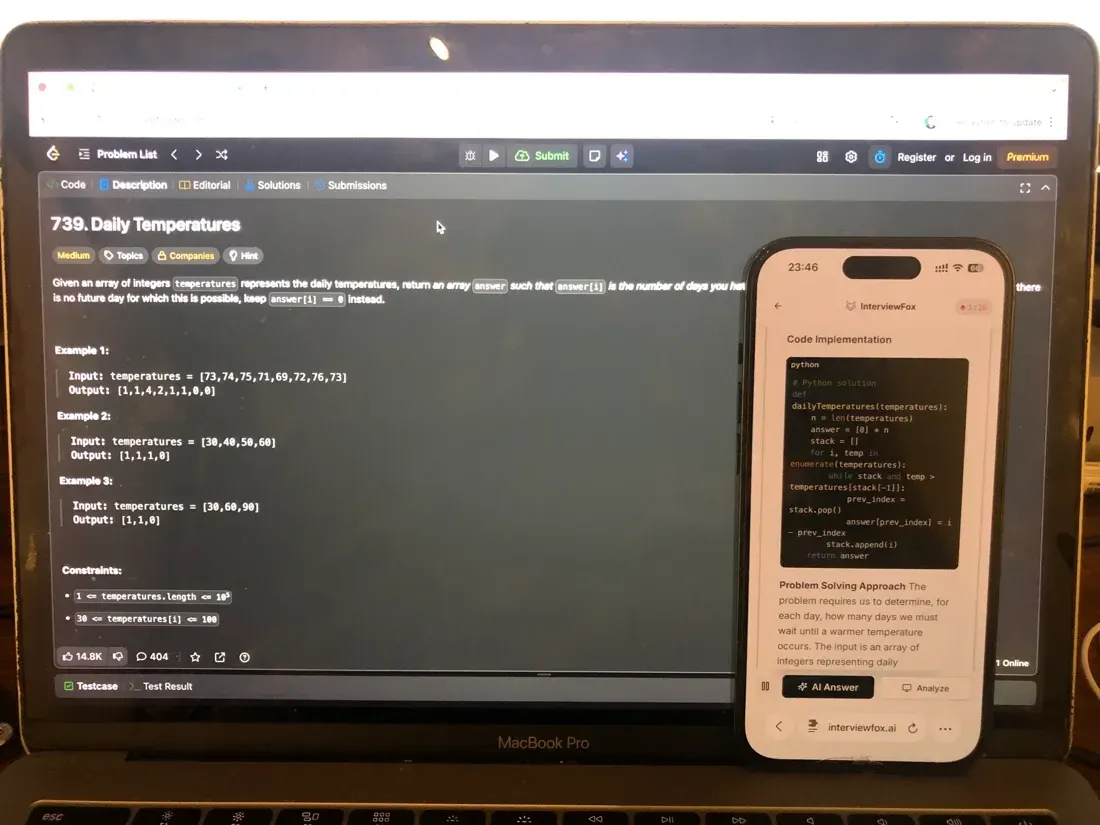
InterviewFox removes this risk by separating your devices. InterviewFox's dual-device mode is undetectable by software running on the monitored interview computer.
Questions are handled live. Answers appear on your phone. No helper code runs on your laptop. Therefore, an AI interview helper avoids on-machine checks.
Place your phone near your laptop webcam. This keeps a forward sightline during video calls. It avoids looking down at a phone in your lap.

Answers On Your Phone, Not Your Shared Screen
Skip the risky invisible-overlay tricks. Our dual-device mode keeps answers on your phone, never on the screen you're sharing or recording. Nothing for a platform or interviewer to catch, because there's nothing on the shared screen to find.
Get started. It's freeLoved by 100,000+ candidates
What happens when HackerRank flags your assessment for AI
An AI flag does not cause an instant fail. Instead, HackerRank sends data to hiring teams for review.
What recruiters see in the candidate integrity report
When the machine learning model spots suspicious code, it creates an Attempt Activity Suspicion Score. Scores range from five for Medium suspicion to eight through ten for High suspicion.
Hiring teams get a report listing all flagged events. The report includes code match diffs, paste counts, and flagged screenshot images.
They scrub through the playback to check exact typing speed. HackerRank withholds these plagiarism scores and flags from candidates.
Human recruiter review vs automated disqualification
Many candidates worry after hearing rumors of instant automated failures. In practice, HackerRank never automatically disqualifies a candidate based on algorithmic flags.
Platform integrity policies require human hiring teams to evaluate flagged evidence manually. This human-in-the-loop rule matches an independent bias audit under New York City Local Law 144.
The independent audit verifies legal compliance for Automated Employment Decision Tools used in hiring. Recruiters review the diff before making a choice.
Everyday behaviors that do not get you flagged
Knowing what HackerRank ignores saves candidates from needless worry. The platform looks for cheating patterns, not normal coding habits.
Offline contemplation and physical scratch paper
Candidates worry that pausing to think looks bad. However, pausing for ten minutes to plan code triggers no AI flag.
The models look for odd jumps, like pasted blocks. Inactive periods without typing simply reflect honest thought.
Sketching logic on scratch paper also remains safe. Resume typing at normal speed. Offline planning causes zero integrity flags.
Browser sandbox limits and external hardware
Standard browser tests cannot detect second devices on your home Wi-Fi. The sandbox stops websites from scanning home Wi-Fi networks.
Writing standard starter code also remains safe. Standard language templates fall below similarity cutoffs.
Real preparation remains the best path to success. Practice with an unlinked tool like Prep Agent to master core code.
Answers On Your Phone, Not Your Shared Screen
Skip the risky invisible-overlay tricks. Our dual-device mode keeps answers on your phone, never on the screen you're sharing or recording. Nothing for a platform or interviewer to catch, because there's nothing on the shared screen to find.
Get started. It's freeLoved by 100,000+ candidates
What else does HackerRank monitor?
Beyond AI-generated code detection, HackerRank tracks multiple behavioral surfaces across its assessment modes.
- Clipboard actions: The editor tracks copy and paste actions, recording external text, timestamps, and character counts.
- Window focus: The platform logs when your test window loses focus, tracking total exit counts and out-of-window duration.
- Webcam monitoring: In Proctor Mode, random camera snapshots verify candidate identity and flag unauthorized objects like phones.
- Screen capture: When employers enable screen proctoring, candidates often ask how periodic screenshot capture detects unauthorized desktop windows.
- Desktop applications: Desktop App Mode scans running system processes, force-closing unauthorized messaging and artificial intelligence software.
FAQ
Can HackerRank detect ChatGPT if you use a second monitor? In browser Secure Mode, HackerRank checks display counts and prompts you to disconnect extra screens. In Desktop App Mode, dual monitors are blocked entirely. To see how HackerRank detects screen mirroring, note that the desktop app continuously polls display settings.
Can HackerRank detect ChatGPT if you use your phone or a separate laptop? In standard browser modes, HackerRank cannot scan local Wi-Fi networks to spot secondary devices. However, Proctor Mode uses computer vision on your webcam feed to flag visible mobile phones. Placing a phone out of camera sightlines avoids image recognition flags.
Does HackerRank record your screen or webcam to catch ChatGPT? Standard browser tests do not record continuous video or capture desktop screens. These monitoring tools require employer-configured Proctor Mode. When active, the system takes periodic webcam snapshots and desktop screenshots rather than streaming continuous video.
Can employers adjust HackerRank's AI detection sensitivity? Employers can enable or disable AI Plagiarism Detection within test settings. Hiring teams also filter exported reports based on suspicion thresholds. Many recruiters review only High suspicion scores while ignoring borderline Medium flags.