
How I Solved Datadog HackerRank in 2026: Real Questions and Prep

Quick Facts
| Company | Datadog |
| Platform | HackerRank |
| Year | 2026 |
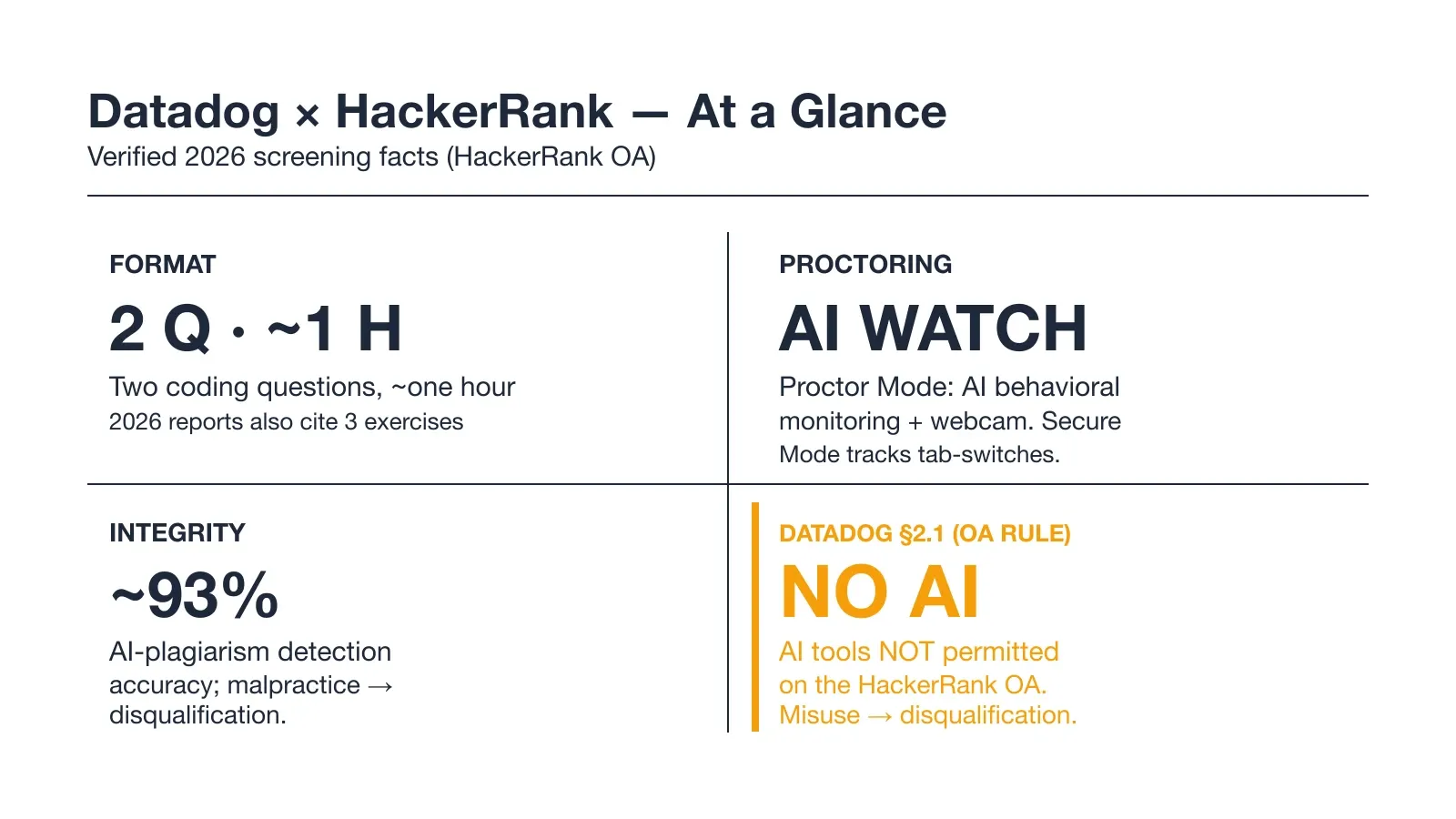
| Format | About 1 hour, 2 coding questions (widely reported; some 2026 reports say 3) |
| Proctoring | Webcam required; HackerRank Proctor Mode AI monitoring on |
| AI tools | Not permitted on the OA (Datadog guideline section 2.1) |
| Devices | PC or laptop, modern browser (no mobile or iPad) |
I took the Datadog HackerRank assessment for a new-grad role in early 2026. In the end, I solved both coding questions within the one-hour window. Here is the full process and how I prepared.
On question two I hit a wall. The task needed a sliding-window 95th-percentile over a high-volume event stream. My first instinct, however, would have timed out. I used an AI interview assistant to find the right structure. It pointed me to a two-heap windowed approach, which I walk through below.
Before my test I read every Datadog HackerRank post from the last two years. I also checked Reddit, LeetCode Discuss, and Teamblind. What I found matched my own experience. The biggest lesson was the mistakes that get people flagged or rejected.
The Real Questions on My Datadog HackerRank Test
The Datadog HackerRank test I took followed the shape I had read about. Overall, it was about one hour with two coding questions. The editor was HackerRank's own, with built-in execution. No proctor joined a call. The webcam light stayed on, and the tab-switch counter was live.
Question 1: the buffer and parse
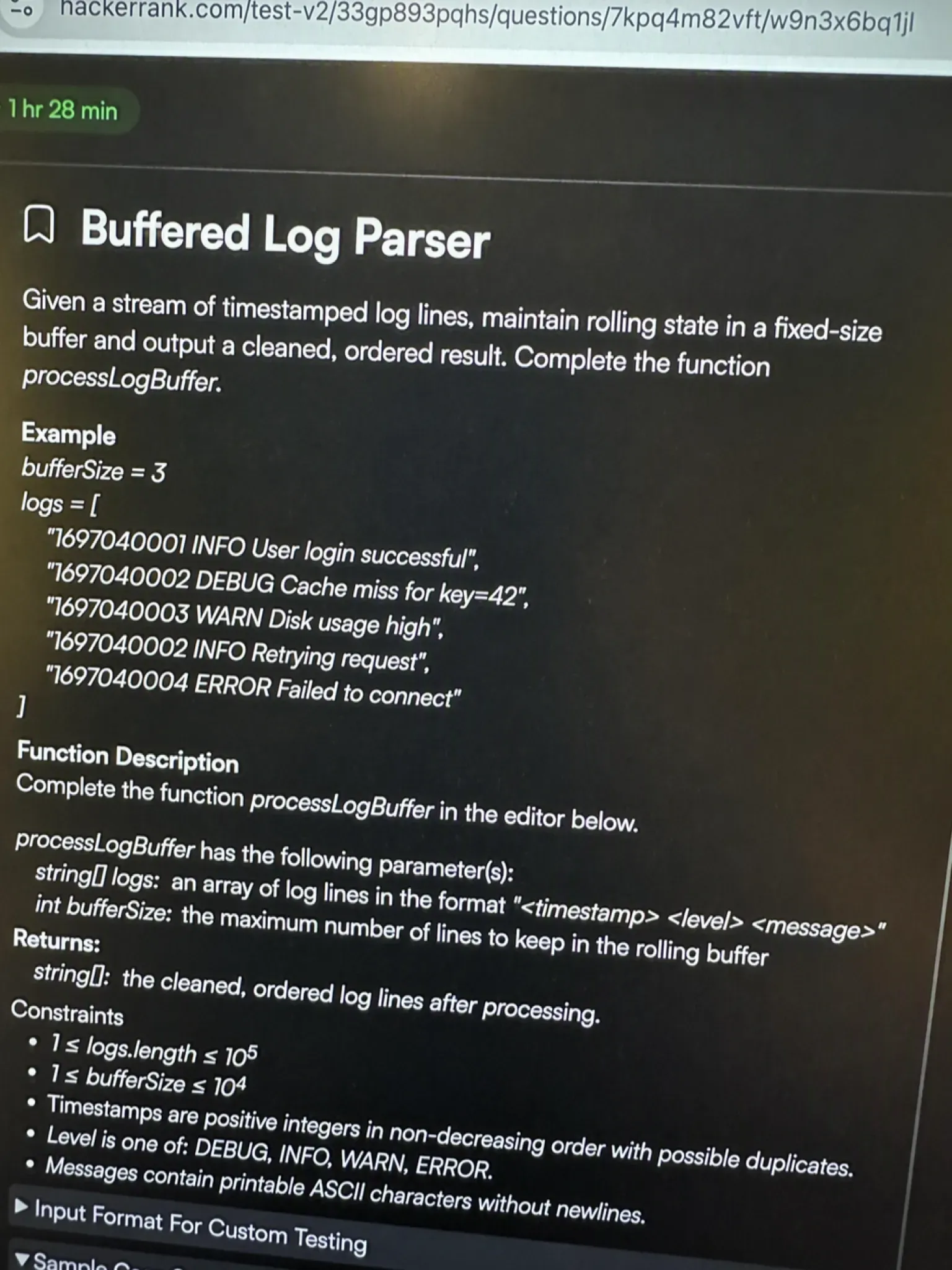
The first question was a log and buffer problem. Input arrived as a stream of timestamped lines. I had to keep rolling state and emit a cleaned, ordered result.
It felt like the practical task Datadog is known for. The point, though, was not a clever algorithm. It was parsing imperfect input and keeping state correct. I built a parser that buffered lines and tracked a fixed window. It flushed in order. The sample cases passed on the first run, and I moved on with about twenty-five minutes left.
Question 2: the rolling-percentile stuck moment
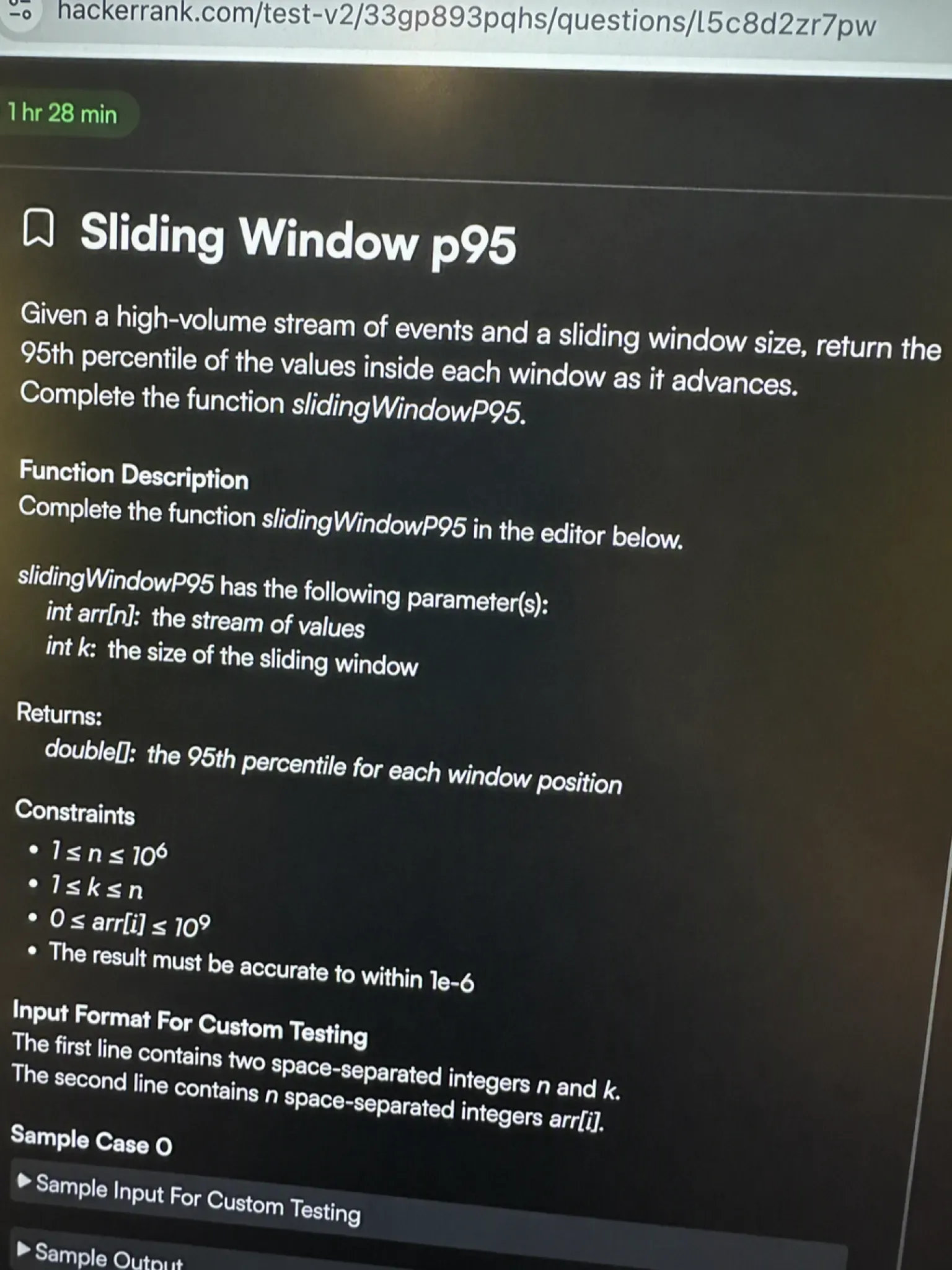
The second question is where I stalled. It was a streaming log problem in the same family as rolling-percentile and merge-K-streams. Those are patterns candidates keep describing. There was a twist I missed at first.
I needed the 95th percentile of a sliding window over a high-volume stream. My first instinct was to sort the window at every step. That would obviously time out on the larger cases. Minutes were slipping away, and the editor still showed a half-written loop.
I did not want to lean on a desktop overlay. In fact, the answer would sit on the same screen the proctoring system watches. A basic rendering trick might hide it, but the risk was real.
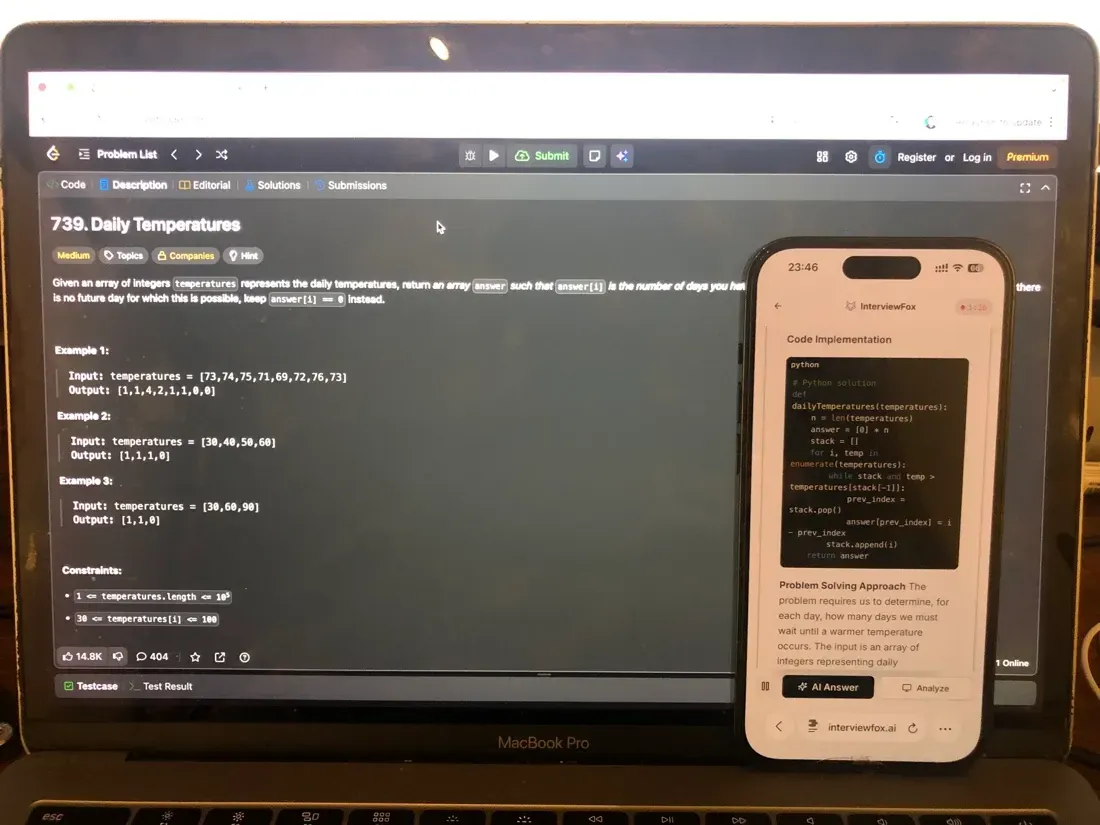
Instead I pressed the keyboard shortcut. It captured the problem and pushed the answer to my phone. That is a separate device, outside the platform's screenshot monitoring. About thirty seconds later I finally had the approach: a two-heap sliding-window structure.
It evicts the smallest values as the window slides. The p95 element stays at the boundary. I typed it in, the hidden tests turned green, and the timer had about six minutes left.
Land offer with Safer AI Interview Assistant
Skip the risky invisible apps. Our dual-device mode keeps it simple and undetectable. You crush the interview, we handle the answers.
Get started. It's freeLoved by 100,000+ candidates
What the format gives you to work with
Most reports describe a one-hour test with two coding questions. That is not universal, though. Some 2026 reports, meanwhile, mention three basic implementation exercises. Role and region can change the count, timing, and difficulty.
Treat two questions in sixty minutes as the baseline. But expect variation. HackerRank uses this as the first screening step. Passing it qualifies you for an online coding interview on HackerRank Interviews.
Recurring question themes candidates keep reporting
No primary-source post lists the exact Datadog HackerRank question text. The themes below, however, are recurring, competitor-curated leads. They are not confirmed problem statements. I mark them as unverified on purpose.
The patterns candidates name are practical data-processing work. They include rolling p95 over a stream, merge K sorted log streams, and fixed-window rate limiter. Also service-dependency cycle detection, log dedup, and span-tree reconstruction. In the end, they matched the feel of the two questions I got.
The chart maps nine recurring themes by how often guides report them. Every bar is still an unverified lead, not a confirmed question. Read it as a study priority list, not a promise of what you will see.
Datadog's Proctoring Policy for HackerRank
What HackerRank monitors during the test
HackerRank Proctor Mode is AI-powered behavioral monitoring. However, it is available for tests built after July 2025. It covers coding, MCQ, database, and project question types. Secure Mode is narrower, though. It restricts the environment to tab-switch detection for all tests.
For proctored Datadog tests, a web-camera-enabled computer is required. The invitation email tells you so.
HackerRank's candidate FAQ states a web camera is required for proctored tests. It also says the test must run on a PC or laptop with a modern browser. HackerRank's official candidate FAQ lists the exact device and browser rules.
When the invitation says a webcam is required, you may wonder what happens next. The natural question, then, is what HackerRank does with that camera during the session. what HackerRank does with your webcam explains how the feed is used for proctoring.
What Datadog says about AI tools on the OA
Datadog's own AI interview guidelines place the HackerRank OA in section 2.1. It is a "technical assessment" where AI tools are not permitted. Misuse or non-disclosure can also lead to disqualification. Datadog's AI interview guidelines explains the boundary directly.
Datadog also offers a narrow AI-assisted coding interview for certain roles. AI use is expected there, but only if you are told in advance. That is the exception, though, not the standard OA.
What's allowed vs flagged
HackerRank's in-test Help and the execution environment stay open during the test. You are, in fact, meant to use them. What gets flagged is malpractice. Copy-paste of external content and other dishonest actions are captured in the test report. They can lead to disqualification.
Knowing how paste actions get caught helps you avoid an accidental fail. The test report, for example, records more than your final code. how HackerRank catches pasted code breaks down what the environment monitors.
What Datadog's HackerRank Test Format Actually Looks Like
Question count, time, and link mechanics
Most reports describe one hour with two coding questions. Some 2026 reports, however, mention three basic implementation exercises. HackerRank treats this as the first screening step. Clear it and you move to an online coding interview.
The editor has built-in code execution and supports multiple languages. The test also runs on a PC or laptop with a modern browser.
How difficulty actually lands
Difficulty reports range from easy-medium to medium-hard, overall. Practical implementation and clean reasoning matter as much as obscure algorithms. My questions rewarded correct state handling and orderly output. A clever trick was not the goal. That is why parsing and buffering practice pays off more than grinding the hardest LeetCode problems.
How Datadog's HackerRank Scoring Works
What "scoring" means here (no published cutoff)
HackerRank scores through hidden tests and produces a test report. Datadog, however, does not publish a numeric pass threshold for this OA. I will not invent one.
Still, the honest framing is simple. In short, there is no public cutoff number to aim at. The visible goal is a clean, fully solved submission, not a target score.
Why the integrity side matters more than a number
The real gate, then, is integrity, not a magic number. HackerRank's AI-powered plagiarism detection runs at about 93 percent accuracy on code similarity. Malpractice captured in the test report can still disqualify you.
After a session is voided for a hidden app, the question is how HackerRank catches AI-generated code. how HackerRank detects cheating walks through the two-layer defense and, ultimately, the plagiarism wall.
Why Candidates Fail the Datadog HackerRank Assessment
The invisible-app detection case (real account)
The clearest failure I can name is a November 2025 new-grad-cycle assessment. I left a hotkey-activated invisible app active for that assessment. As the second question loaded, a forbidden-application banner appeared. The editor locked. HackerRank suspended the session, and I could not reopen it from the invitation link.
That is a private, first-hand account, not a public post. There is no link to cite. The lesson is plain. Any tool that shows an answer on the same machine the proctor watches is a direct risk. It does not matter how well it hides.
InterviewFox works differently, though. The answer goes to my phone instead, a physically separate device. No screenshot, screen recording, or session monitoring can reach it by design.
Land offer with Safer AI Interview Assistant
Skip the risky invisible apps. Our dual-device mode keeps it simple and undetectable. You crush the interview, we handle the answers.
Get started. It's freeLoved by 100,000+ candidates
Behavioral and tab-switch flags
Recruiters see external tool usage patterns, typing cadence, and behavioral anomalies. Tab proctoring, meanwhile, flags excessive tab switches. This is the subtler failure mode.
Still, you can be flagged in the test report without ever seeing a forbidden-app banner. It can happen from abnormal cadence or repeated tab exits.
The section above flags excessive tab switches as a failure mode. It does not show, though, how the counter trips or what counts as one. how HackerRank tracks tab switching covers the mechanics behind that flag.
Plagiarism and the 93% wall
HackerRank's defense has two layers. One is MOSS-style code similarity. The other is machine learning. So-called invisible overlay tools still leak signals. The disqualification risk is structural, not hypothetical. Ultimately, a clean, original session is the only reliable way through.
How to Prepare for the Datadog HackerRank in 7 Days
Days 1–2 Parse Imperfect Input for Log Streams
I drilled the recurring data-processing patterns on HackerRank's own environment. I also practiced rolling p95, merge K streams, and fixed-window rate limiter. The success test was simple. Parse messy input and produce correct output within one timed question.
I treated each pattern as a small state-machine problem, not an algorithm puzzle. That is what the real test rewarded. In the days before the OA I also used the Prep Agent from InterviewFox over WhatsApp. I sent it the confirmed Datadog question patterns. It eventually returned a personalized drill plan and strategy.
Days 3–5 Timed Two-Question Simulations
I simulated the one-hour, two-question block under a real timer. I also used HackerRank's in-test Help and execution environment exactly as it appears live. The success test was finishing both questions with time left to re-read my edge cases.
I stopped caring about leaderboard difficulty. Finishing clean was the only goal.
Days 6–7 Lock the No-AI Discipline and Buffer
I rehearsed a clean, AI-tool-free session. Editor only, no overlays, no hotkeys, no second windows. The success test was a full dry-run with zero forbidden-app exposure.
I skipped generic LeetCode "blind 75" grinding. It has nothing to do with the log, stream, and buffer themes Datadog uses. I also skipped AI-assist tooling practice. Datadog's OA forbids it under guideline 2.1. Building muscle memory around it, then, is wasted and risky.
What Happens After You Submit the OA
The interview sequence after the OA
Clearing the OA moves you into Datadog's full loop. There is an initial screen, then several rounds of face-to-face interviews. Some roles get a take-home project. Others, meanwhile, get an executive interview. It ultimately ends in a selection meeting.
One step is expected in person, and interviews run over Zoom. The OA, then, is the screening gate, not the whole process.
What to expect while you wait
I did not find Datadog-specific wait-time data from candidates. I will not guess at a number. Turnaround, however, varies by role and region. The best use of the wait is to keep your follow-up rounds sharp. Do not refresh your email all day.
Datadog's Opt-in AI Interview vs the AI-Forbidden OA
The narrow exception (section 1.3)
Certain Datadog roles get an AI-assisted coding interview. AI use is expected there, but only if you are told in advance. That carve-out exists in the official guideline as a specific, pre-announced case. It is not general permission, though.
Why this doesn't apply to your OA (section 2.1)
The HackerRank OA is a "technical assessment" under section 2.1. That means AI is forbidden unless explicitly stated. However, do not confuse a possible later AI-assisted round with the screening OA you are taking now. The rule that governs your test is the forbidden one, not the exception.
FAQ
Can I use an AI tool or invisible app during the Datadog HackerRank OA?
No. Desktop overlay tools put the AI's answer on your computer screen. They render it as a hidden layer above the browser instead. The answer stays on-screen, and the hiding is basic. Proctoring software keeps adding detection as AI tools spread, so the exposure is not fixed.
InterviewFox pushes the answer to your phone. That is a physically separate device. No screenshot, screen recording, or session monitoring can reach it by design. The laptop screen stays on the exam editor, unchanged. If you plan to use AI help during the OA, the dual-device design removes the answer from your screen entirely.