
How I Aced Jump Trading Codility in 2026: Real Questions and Prep

Quick Facts
| Assessment | Jump Trading SWE Codility OA, 2026 |
| Format | Codility-delivered, one sitting, no pause |
| Task count | 3 in my sitting; set per test and reported differently |
| Time limit | One whole-session timer; reported limits vary |
| Question mix | Interval union, sliding window, RPN stack machine |
| Scoring | Four report scores, hidden from the candidate |
| Passing bar | No published Jump Trading cutoff |
| Proctoring | Per-test switches; Jump Trading's set is not public |
I took the Jump Trading Codility assessment for an early-career software engineer role in 2026, ran every task in Python, and faced three problems under one unpausable timer. What follows is the complete process, the proctoring rules, and how I prepared for it.
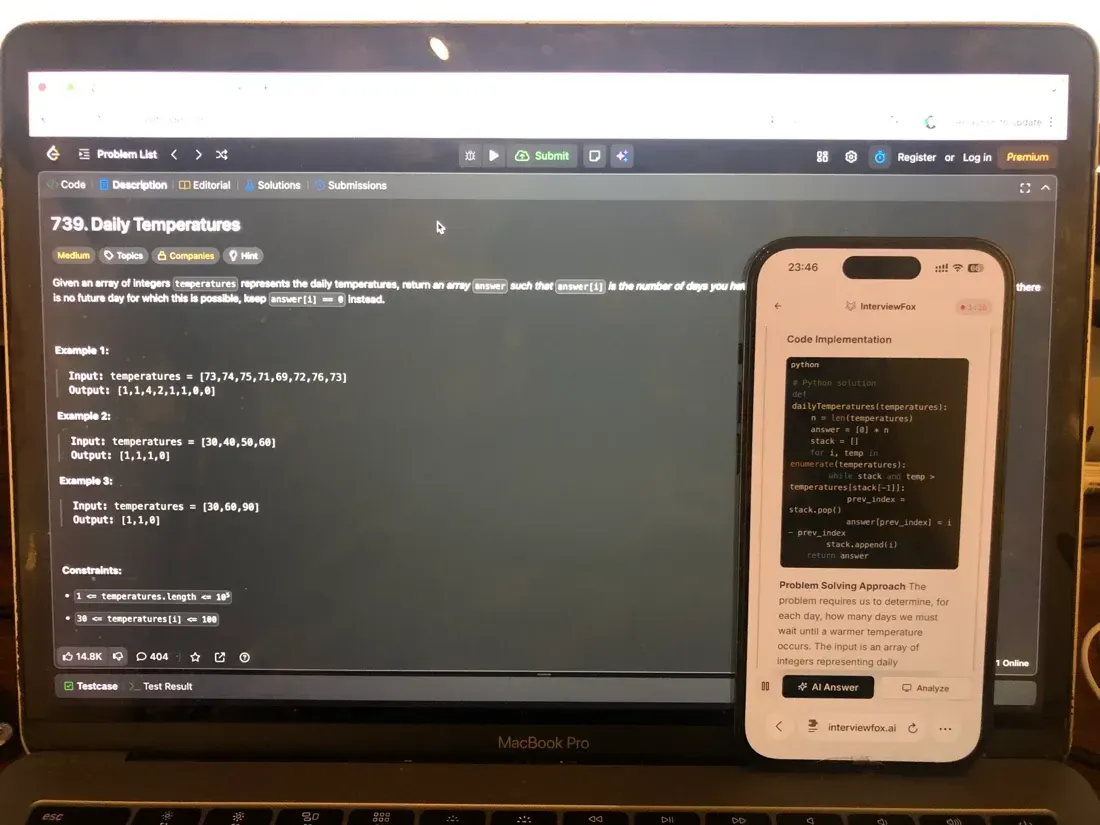
Forty minutes into the hard sliding-window task, one constraint still kept my window invalid. I used dual device live AI interview assistant to capture that task and read the repair condition off my phone. My final fix was built around what it returned, and the walkthrough below shows the full sequence.
Before my test, I went through every Jump Trading Codility post from the past two years on Reddit, LeetCode Discuss, and Teamblind. What I found tracks closely with what I experienced. The mistakes that get an attempt flagged or an application closed come up in detail below.
The Real Questions on My Jump Trading Codility Test
I took the Jump Trading Codility assessment in 2026 as an early-career software engineer, ran every task in Python, and faced three problems under one unpausable timer with auto-submit at the end. Here is exactly what landed in front of me, in the order I hit it.
Question 1: Total Length of a Union of Intervals
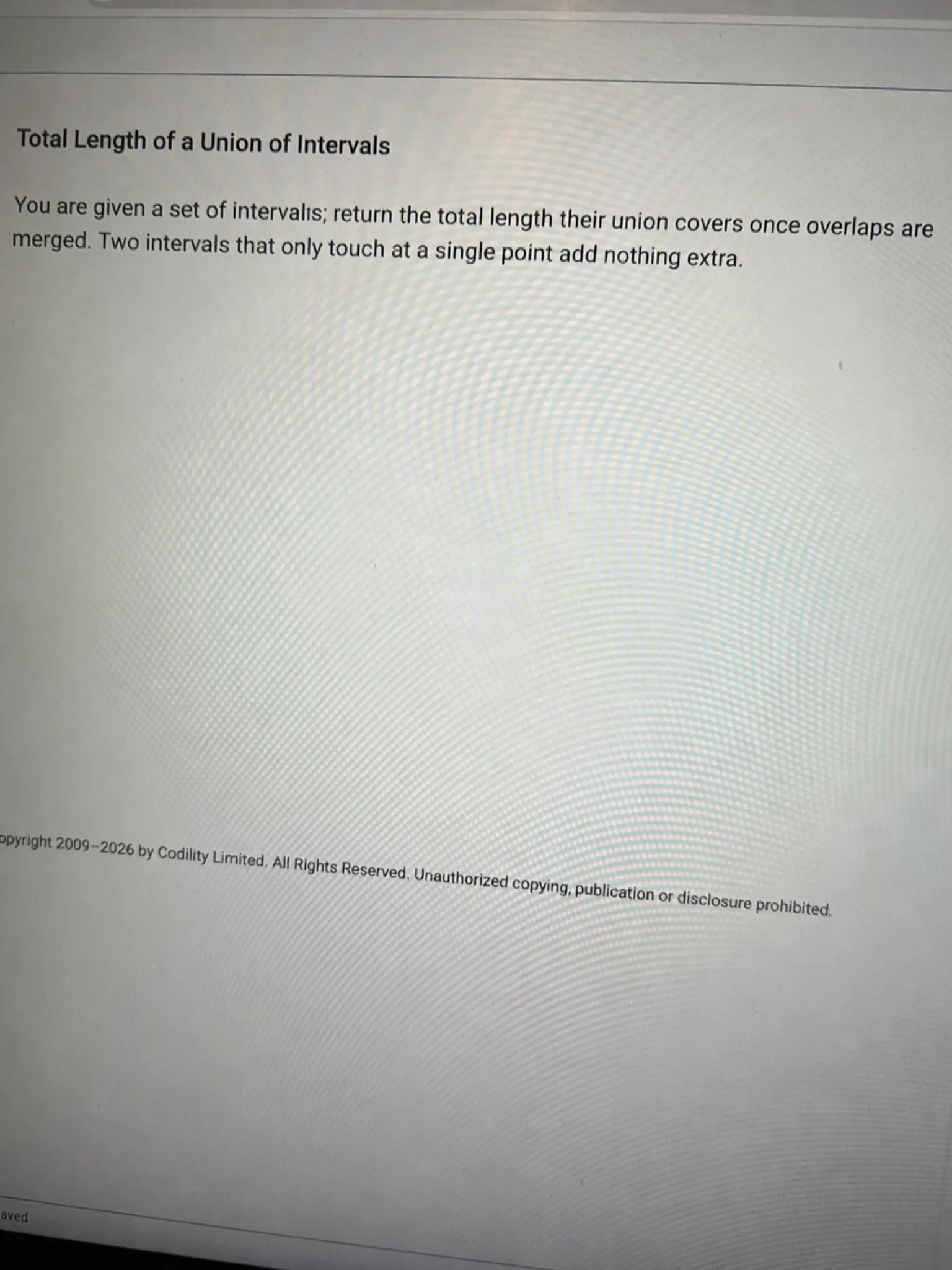
The problem I got: This was the interval task. No word-for-word statement for it is public, so what follows is the shape of the task rather than a reproduction of the exact prompt. The version candidates report comes down to this: I got a set of intervals and had to return the total length their union covers once overlaps are merged. One edge rule decides full versus partial credit, and it is that two intervals which only touch at a single point add nothing extra.
My approach: The instinct with a pile of intervals is to sort first, because once the list is ordered by start, overlap can only happen between neighbours. From there I swept left to right and kept one open run in two variables, its start and its end. For each next interval, if its start fell at or before the current end, the run extended to whichever end was larger. If its start fell past the current end, I closed the open run, banked its length, and started a fresh one. Because I only add a run's length when I close it, the touching case resolves itself: two intervals that meet at a point collapse into one run of the same total span, so the shared point contributes zero. I briefly weighed a heavier structure and set it aside, since the sorted sweep is what this family is built for and the clock did not reward over-engineering.
def total_covered_length(intervals):
    """Total length covered by the union of `intervals`.

    intervals: a list of (start, end) pairs.
    Returns the summed length of the merged union.
    """
    if not intervals:
        return 0

    # The sweep only works once the intervals are ordered by start.
    intervals = sorted(intervals, key=lambda iv: iv[0])

    total = 0
    cur_start, cur_end = intervals[0]

    for start, end in intervals[1:]:
        if start <= cur_end:
            # Overlap, or a bare touch: extend the open run.
            if end > cur_end:
                cur_end = end
        else:
            # A real gap: close the run and bank its length.
            total += cur_end - cur_start
            cur_start, cur_end = start, end

    total += cur_end - cur_start
    return total


if __name__ == "__main__":
    # My own checks for the template, not the task's examples.
    assert total_covered_length([(1, 4), (2, 6), (8, 10)]) == 7
    assert total_covered_length([(1, 2), (2, 3)]) == 2     # touching adds nothing
    assert total_covered_length([(1, 10), (2, 3)]) == 9    # nested
    assert total_covered_length([(5, 6), (1, 2)]) == 2     # unsorted input
    assert total_covered_length([]) == 0
    print("ok")
Time complexity: O(n log n) | Space complexity: O(n)
I finished this one clean in about twenty minutes and moved on with time still in the bank. It was the calmest stretch of the whole sitting.
Question 2: Sliding-Window Problem
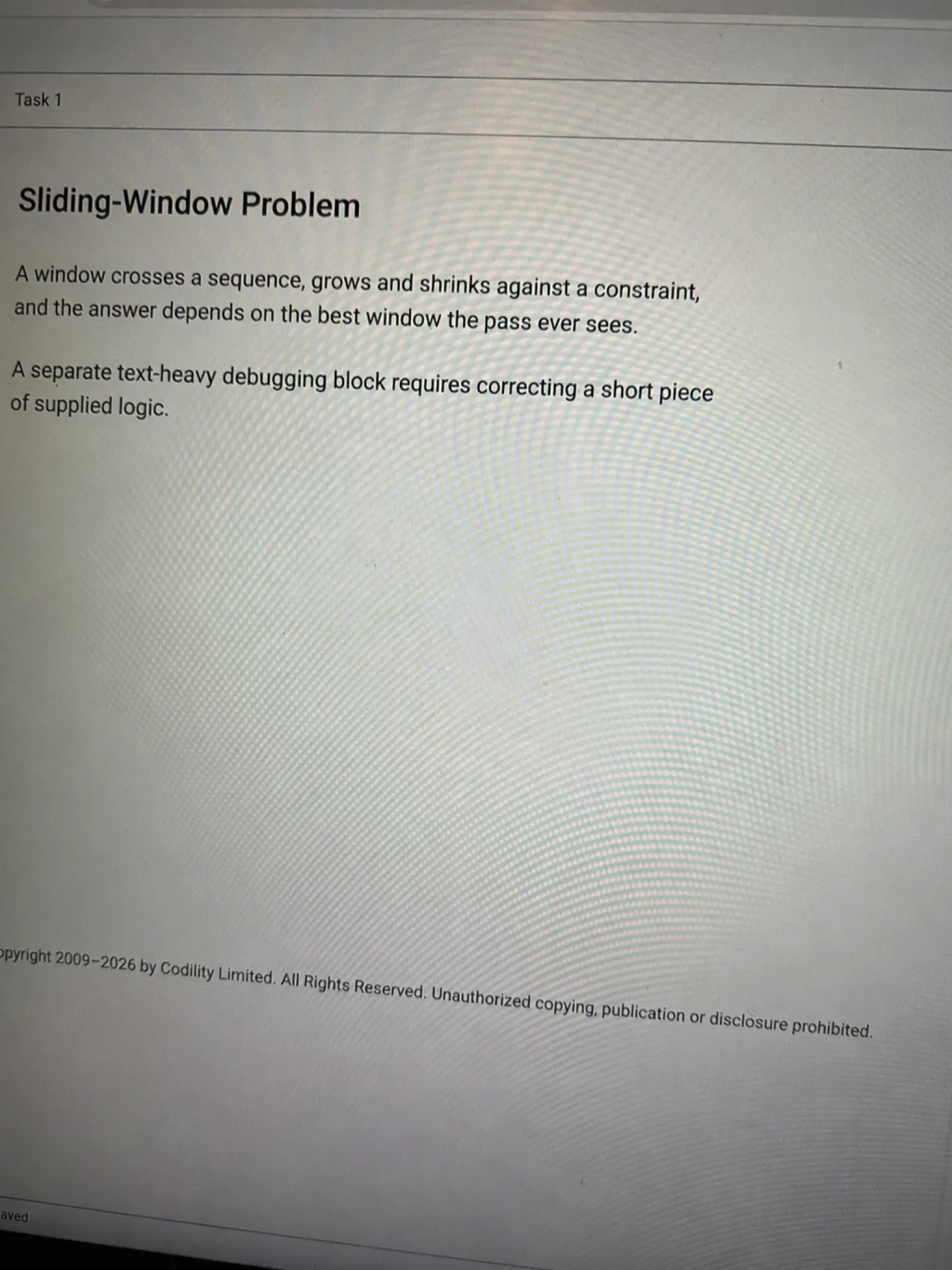
The problem I got: The second task was the hard sliding-window problem, as it was described in the thread, and it arrived bundled with a separate debugging portion under a wall of narrative text. The exact variant is not public, so I am describing the shape of the task rather than reproducing it. Strip away the prose and it was the sliding-window family: a window crosses a sequence, grows and shrinks against a constraint, and the answer depends on the best window the pass ever sees. The debugging half came as its own text-heavy block, where a short piece of supplied logic had to be corrected.
My approach: Every problem in this family runs on the same skeleton, so I wrote the skeleton first and let the specific constraint plug into it. I held a left pointer and grew a right pointer in one loop, tracked the window's contents in a count map, and shrank from the left only while the window was invalid. The moment the window became valid again, I recorded its length against the best so far. The hard version is never hard because of the skeleton; it is hard because you have to know exactly which condition makes the window invalid and which change repairs it, and that is where most of my time went. I treated the debugging block the same way: read it, find the one line whose behaviour contradicts the description, fix that line, and leave the rest alone.
from collections import defaultdict


def longest_window_at_most_k_distinct(seq, k):
    """Longest contiguous window holding at most k distinct values.

    The skeleton I keep ready for the family: grow the right edge,
    shrink the left edge only while the window is invalid, and record
    the best length in the middle of the pass.
    """
    if k <= 0:
        return 0

    counts = defaultdict(int)
    left = 0
    best = 0

    for right, value in enumerate(seq):
        counts[value] += 1

        # Repair the window until the constraint holds again.
        while len(counts) > k:
            counts[seq[left]] -= 1
            if counts[seq[left]] == 0:
                del counts[seq[left]]
            left += 1

        best = max(best, right - left + 1)

    return best


if __name__ == "__main__":
    # My own checks for the template, not the task's examples.
    assert longest_window_at_most_k_distinct([1, 2, 1, 2, 3], 2) == 4
    assert longest_window_at_most_k_distinct([1, 1, 1, 2], 1) == 3
    assert longest_window_at_most_k_distinct([], 3) == 0
    print("ok")
Time complexity: O(n) | Space complexity: O(k)
This is the task that ate my clock. The skeleton came together quickly, but the text-heavy debugging block pulled me out of the flow twice, and I caught myself rereading paragraphs to pin down which behaviour was expected. When the timer tightened, my loose ends were all here, not on the interval task.
How I got unstuck. I had already ruled out a desktop overlay, because its answer renders on the same screen a screenshot or a session recording would cover. A basic OS-layer trick keeps that window out of view, and I could not test it against whatever detection was enabled. With the window still invalid, I hit my capture shortcut and the sliding-window task went to my phone.
The capture came back on a physically separate device that no screenshot, screen recording, or session monitoring can reach by design. The laptop screen never left the Codility editor, and my final fix grew out of the repair condition I read on my phone.
Land offer with Safer AI Interview Assistant
Skip the risky invisible apps. Our dual-device mode keeps it simple and undetectable. You crush the interview, we handle the answers.
Get started. It's freeLoved by 100,000+ candidates
Question 3: RPN Stack-Machine Evaluation
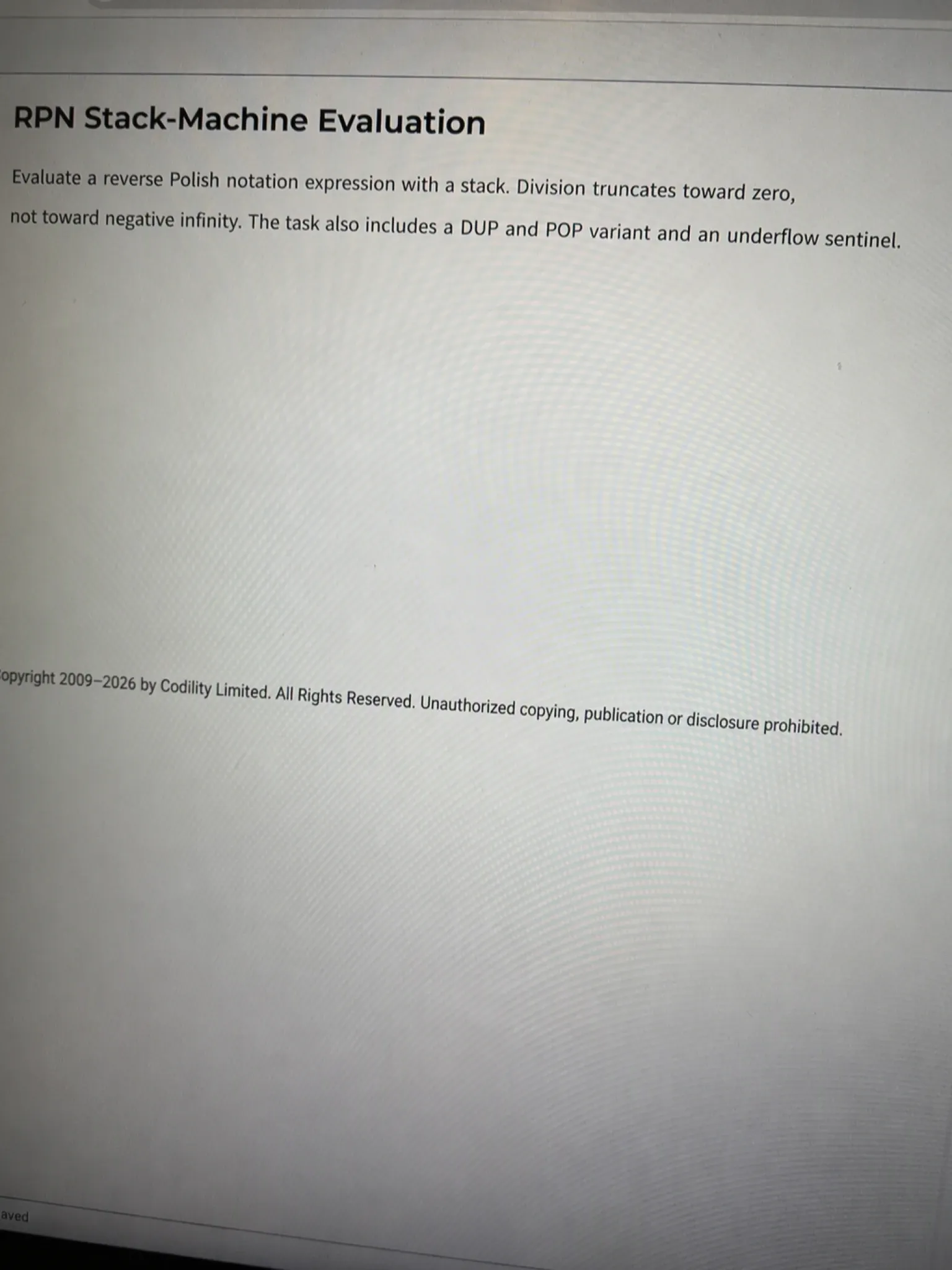
The problem I got: The third task was the reverse Polish notation stack machine. The only version of it I ever found was a third-party sketch, never the platform's own wording, so treat this as the shape of the task rather than a reproduction. It evaluates a reverse Polish notation expression with a stack, and it carries one detail that decides whether the division cases pass: division truncates toward zero, not toward negative infinity. It came with a DUP and POP variant and an underflow sentinel, so I built both in.
My approach: A stack machine is a straight scan, so the whole task is about getting the small rules right. I walked the tokens once: a number pushed, a two-argument operator popped its right operand first and its left operand second, computed, and pushed the result back. DUP pushed a copy of the top and POP discarded the top, and both needed an emptiness check first. The trap is the division rule, because Python's floor division rounds toward negative infinity. I wrote a small helper that divides the magnitudes and reapplies the sign, which truncates toward zero the way the sketch specifies. For the underflow case I returned a single sentinel value rather than throwing, since the sketch calls for a sentinel but never names it, so the exact value is my own choice.
def trunc_div(a, b):
    """Integer division that truncates toward zero, unlike Python's //."""
    if b == 0:
        raise ZeroDivisionError("division by zero")
    quotient = abs(a) // abs(b)
    return quotient if (a < 0) == (b < 0) else -quotient


def eval_rpn(tokens, underflow=-1):
    """Evaluate an RPN program on an integer stack.

    Supports +, -, *, / (truncating toward zero), DUP (duplicate the top)
    and POP (discard the top). Returns `underflow` when an operation does
    not have enough operands to run.
    """
    stack = []
    for token in tokens:
        if token == "DUP":
            if not stack:
                return underflow
            stack.append(stack[-1])
        elif token == "POP":
            if not stack:
                return underflow
            stack.pop()
        elif token in ("+", "-", "*", "/"):
            if len(stack) < 2:
                return underflow
            right = stack.pop()
            left = stack.pop()
            if token == "+":
                stack.append(left + right)
            elif token == "-":
                stack.append(left - right)
            elif token == "*":
                stack.append(left * right)
            else:
                stack.append(trunc_div(left, right))
        else:
            stack.append(int(token))
    return stack[-1] if stack else underflow


if __name__ == "__main__":
    # My own checks for the template, not the task's examples.
    assert eval_rpn(["2", "3", "+"]) == 5
    assert eval_rpn(["7", "2", "/"]) == 3
    assert eval_rpn(["-7", "2", "/"]) == -3    # truncates toward zero
    assert eval_rpn(["5", "DUP", "*"]) == 25
    assert eval_rpn(["5", "POP"]) == -1        # underflow sentinel
    print("ok")
Time complexity: O(n) | Space complexity: O(n)
I got this one working but submitted it with less margin than I wanted, because the second task had already spent my buffer. The logic never fought me; the clock did.
Jump Trading's Proctoring Policy for Codility
Jump Trading's Codility assessment runs on the platform's standard integrity surface. The exact set of checks attached to a given invite is the only list that applies to that sitting. Codility treats integrity as per-test switches, so the configuration that matters is the one your own invitation carries.
The Integrity Checks Codility Runs
Codility documents the platform-level layer well, and it is where the real risk sits. Photo ID verification, network and IP detection, similarity and plagiarism checks, and leaked-task alerts all run on submitted work. Optional proctoring stays off unless the employer turns it on.
A separate behavioural tier records copy-paste, tab switching, time on task, task-description copies, and typing pattern. When the employer enables live multimedia, it adds webcam snapshots, screen capture, and a full session recording.
Knowing what a webcam snapshot can actually hold tells you whether a plain background matters at all. What Codility's camera layer captures during a session is the detail behind that check.
What Jump Trading Enabled Is Not Public
Jump Trading does not publish which of those Codility signals it turns on or off. Treat your own disclosure screen as the only company-specific monitoring statement that exists.
5 Other Confirmed Jump Trading Codility Questions
A handful of other Jump Trading OA items are tagged as confirmed beyond my own sitting. Each exists only as a title or a short sketch, so here is what each one is and how thin the detail behind it runs.
- Card Set Detection carries a Coding OA tag in an aggregated index of Jump Trading questions, and the title and the tag are the whole record, leaving no spec to reproduce or solve against.
- Executable File Query Analyzer carries the same Coding OA tag, last logged about a month before the September 2026 crawl, and nothing beyond the title and the tag accompanies it.
- User Creation Endpoint is the third Coding OA-tagged title from that index, and no statement, constraints, or solution detail comes with it.
- File Syncing and Workflow Management shows up as an OA task title on a company-page listing, and it is a title with no attached problem detail.
- Interleave the Digits of Two Numbers has slightly more shape, an aggregator sketch that asks you to interleave two numbers' digits most-significant-bit first and then append the longer number's remaining tail, so treat the exact rules as unconfirmed.
What Jump Trading's Codility Test Format Actually Looks Like
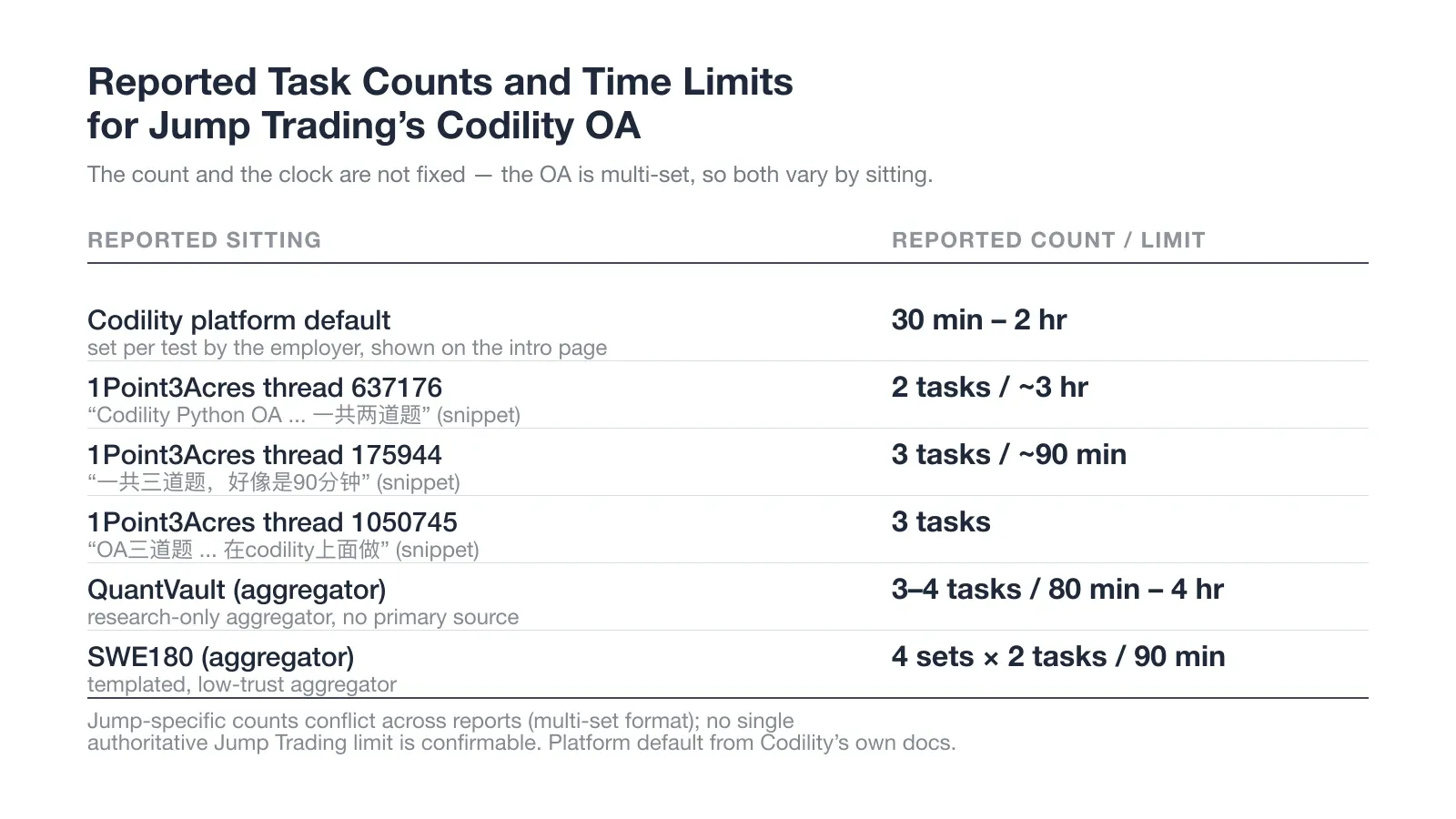
The OA runs on Codility in every account I found, and the clock is where the accounts split. The chart below lines up the task counts and time limits each source reports, including the rows that disagree.
The Whole-Assessment Timer and Auto-Submit
On Codility the timer covers the whole assessment rather than one task at a time, and it cannot be paused. When it expires, the editor submits whatever code is in place, so an unfinished file still goes in.
Time on a task does not feed the automated score. That is why a fast finish reads as a behavioural signal rather than a scoring advantage.
Reported Task Counts and Limits Vary
The accounts disagree on both numbers, and the disagreement is structural rather than a mistake. The OA runs as multiple sets, so the count and the limit follow whichever set that sitting drew.
Your own invitation card is the one place that settles both numbers before the clock starts. Open it early and read the task count and the time off the intro page.
How Jump Trading's Codility Scoring Works
Codility builds a structured report for the employer and shows the candidate none of it. The four components below are what the platform computes, and no Jump Trading score, cutoff, or percentile exists in public.
| Component | What it measures |
|---|---|
| Overall | The combined result across all tasks |
| Individual task | The score for one task on its own |
| Performance | Running-time behaviour on large datasets |
| Correctness | Correct output on moderate inputs, corner cases included |
The Four Scores in Your Report
The report leads with an Overall score and breaks it down by task, then splits each task into Performance and Correctness. Performance measures how a solution behaves on large datasets. Correctness measures correct output on moderate inputs, corner cases included.
Where the platform cannot assess performance at all, correctness becomes the only contributor. How Codility structures that candidate report walks through each section. The same report carries a Task Timeline that replays the sitting step by step.
Jump Trading publishes no cutoff, percentile, or pass bar. Codility documents the report format; the employer's decision bar stays private.
Why Candidates Fail the Jump Trading Codility Assessment
The failures here come in two shapes. One is a hidden overlay that ended an application. The other is a set of quiet signals that route a candidate to a human reviewer, and only the first involves deliberate concealment.
The Overlay-Tool Case That Ended an Application
This is the case I would want a reader to sit with. A candidate in the same cycle entered the October 2025 internship assessment with a click-through desktop overlay hidden behind the browser window. With one problem still unfinished, the platform flagged the session.
The review asked for an explanation, and the application closed afterward. The consequence landed after the sitting, not as a popup in the moment. These reviews follow that pattern.
At least one candidate in that cycle was running a click-through desktop overlay when the platform flagged the session. The tool renders the AI's answer on the same computer screen the proctoring system monitors. A basic OS-layer trick keeps the window out of visible view while leaving it on-screen.
InterviewFox works differently. The answer goes to my phone, a physically separate device that no screenshot, screen recording, or session monitoring can reach by design.
Land offer with Safer AI Interview Assistant
Skip the risky invisible apps. Our dual-device mode keeps it simple and undetectable. You crush the interview, we handle the answers.
Get started. It's freeLoved by 100,000+ candidates
The Signals That Route a Candidate to Human Review
The quiet signals are the ones worth knowing before you sit down. Copying a task description reads as a possible look-up and a sign of AI tool use. The platform highlights an abnormally short time on a task as suspicious.
The candidate's Timeline shows every paste and every switch away from the test tab. If I leave the Codility tab for a second, is that an instant failure? What a single switch away from the test tab records is narrower than the panic suggests.
A pasted line is logged either way. The open question is how a reviewer reads it. Whether a paste counts as a flag or a note is the line between the two.
Codility also compares every submitted solution against prior submissions and known leaked tasks. Matches reach the platform's technical team, then the employer. A flag is not proof of cheating, which Codility's plagiarism and fraud-detection policy makes clear.
How to Prepare for the Jump Trading Codility in 7 Days
Seven days is the window I used, split into three priorities. They are the reported question families, the whole-timer mechanics, and an integrity-safe setup. The order follows the ranked evidence rather than a default ratio.
In the days before the OA, I sent the question patterns I had found to the Prep Agent in InterviewFox over WhatsApp. It sent back a personalized drill plan and a strategy for each family.
Days 1-2: Sweep-Line and Interval-Union Drills
The first two days went to the one family two independent sources name: the interval-union sweep. I built the sort-by-start, merge-and-sum pass from a blank file each time. The touching-intervals rule went in from the start.
My bar was ten interval-merge variants solved clean, each inside twenty-five minutes. Empty, single, touching, nested, and unsorted inputs all had to pass. If I had to re-read the prompt midway, the pattern was not mine yet.
What I skipped. I skipped probability and expected-value drilling. That belongs to the Quant Trader track, not this SWE Codility query. I also skipped broad LeetCode-tag grinding and system-design prep. Nothing in the confirmed OA evidence points to either.
Days 3-4: Sliding-Window and Stack/Parse Simulation
Days three and four covered the second and third reported families together: sliding-window aggregation and stack-based parsing. I drilled the window skeleton until the invalid condition and its repair were automatic. Then I worked RPN evaluation with truncation toward zero and an underflow sentinel.
My check was fifteen problems across both families, each passing on the first submission inside a timed mock.
Days 5-7: Timed Full-Assessment Simulation and Integrity-Safe Setup
I spent the last three days on full-length simulations on my own device, one screen, reading every task description before I started. Because the whole-assessment timer is irreversible, I trained the compile-first habit under the clock.
My bar was two timed mocks finished inside the window with no flagged behaviour.
What Happens After You Submit the OA
A phone or technical screen comes next, and the only concrete timing datapoint puts it about a week out. Later rounds exist in the record but without a confirmed schedule.
The First Screen Came About a Week Later
The first phone screen arrived roughly a week after the OA in one candidate's account. That screen covered the resume and a hands-on task: implementing a vector with push_back, pop_back, and resize.
The onsite and behavioural stages show up in later summaries. No confirmed schedule pins their order or timing.
Every Integrity Flag Routes to a Human Reviewer
Every flag on this platform runs through the same pipeline, and no band skips the human step. The chart below traces a signal from collection to a documented decision.
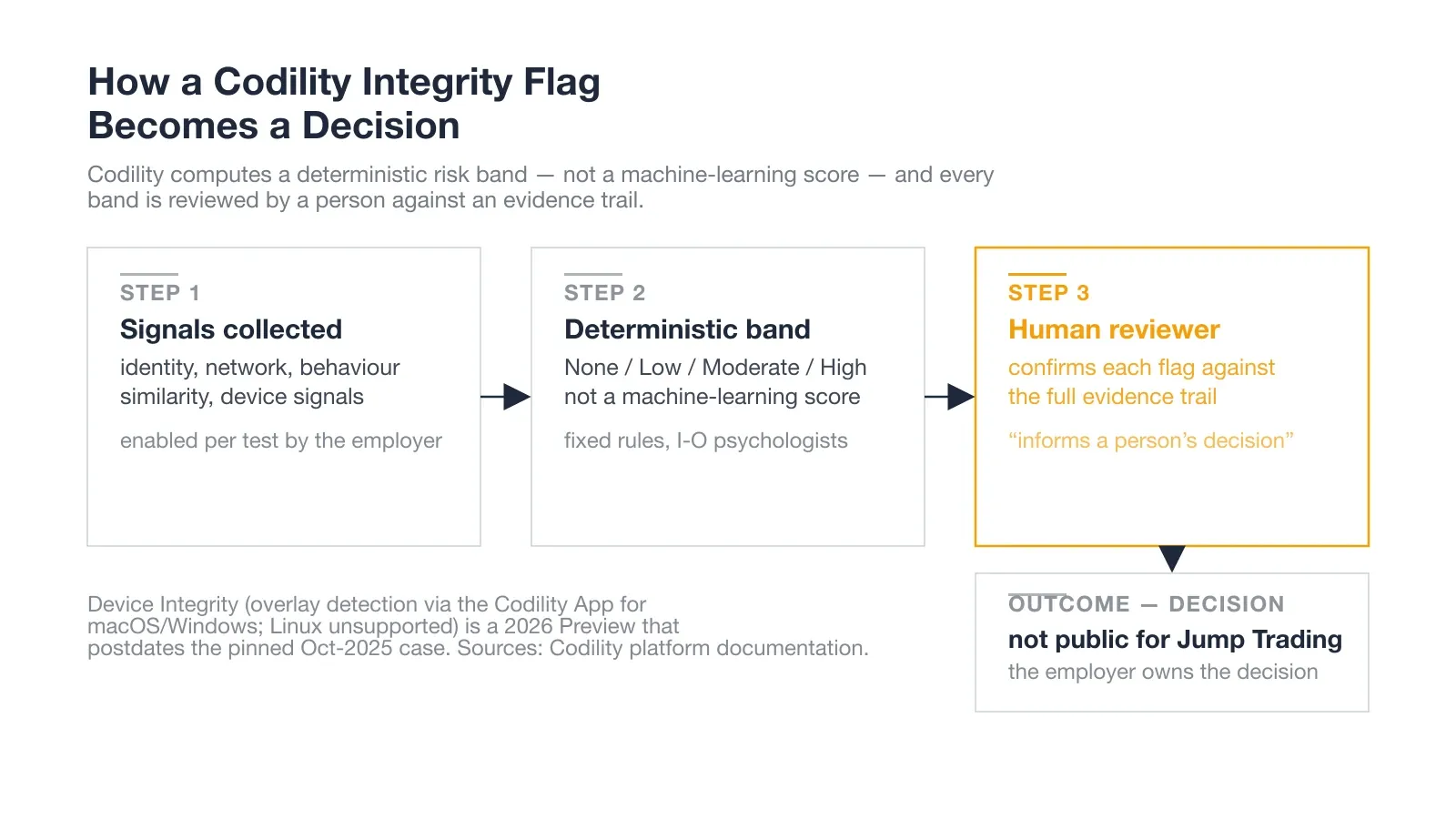
Seeing the full route from raw signal to a documented decision shows where a person enters the loop. How Codility turns those flags into one cheating verdict lays out that chain.
Four Risk Bands, Deterministic Not Machine-Learned
Codility computes a single risk band with fixed rules rather than machine learning. The band has four levels: None, Low, Moderate, and High. Codility developed the formulas with industrial-organizational psychologists, and every band routes to a human reviewer.
That reviewer confirms each flag against a full evidence trail before any decision moves to the employer. The rating informs a person's decision rather than replacing it.
Why Device Integrity Targets the Overlay Class
Engineers build hidden overlay tools to stay invisible to screen sharing. That is exactly why copy-paste and tab-switch signals miss them. Device Integrity addresses that gap by requiring the Codility App. The app runs on macOS and Windows, and it drops Linux support.
It is in Preview as of late 2026. It postdates the October 2025 case above, so it cannot explain that detection.
FAQ
How many questions are on the Jump Trading Codility assessment, and how long is it?
Reported counts and limits vary by sitting, and the format section above shows how the reports differ and where to read both off your own invitation.
What score do you need to pass the Jump Trading Codility OA?
No public Jump Trading pass score exists, and the scoring section above explains the report the employer receives and why the candidate never sees it.
Is the Jump Trading Codility assessment proctored?
Codility runs integrity as per-test switches, and the proctoring section above lists what it can record and what Jump Trading keeps private.
Can I use an AI tool or invisible app during the Jump Trading Codility OA?
Desktop overlay tools put the AI's answer on your computer screen. A hidden layer above the browser, kept out of view by a basic OS-layer trick, holds it there. The answer stays on-screen and the hiding is basic. Proctoring software keeps adding detection capability, so that exposure is not fixed.
InterviewFox pushes the answer to your phone instead. The phone is a physically separate device that no screenshot, screen recording, or session monitoring can reach by design. The laptop screen stays on the Codility editor. If you plan to use AI assistance during the OA, the dual-device architecture takes the answer off your screen entirely.
Land offer with Safer AI Interview Assistant
Skip the risky invisible apps. Our dual-device mode keeps it simple and undetectable. You crush the interview, we handle the answers.
Get started. It's freeLoved by 100,000+ candidates
Does Jump Trading let you retake the Codility OA?
The company grants a Codility retake, and a candidate cannot request one on their own. Jump Trading publishes no retake or reapplication policy, so the recruiter is the only reliable source for your own case.
How long does Jump Trading take to respond after the Codility OA?
Only one concrete timing datapoint exists, and the after-you-submit section above holds it while keeping the later rounds undated.