
ShadeCoder Review 2026: Safety, Speed & Price

ShadeCoder makes a narrow promise: help with coding interviews through a desktop overlay. I wanted to know whether that workflow still holds up when screen sharing and non-coding questions enter the picture.
My conclusion is mixed. The coding use case is clear, but the same-computer setup makes monitored interviews risky. A paid user also described coding-shaped answers for behavioral and system-design prompts.
The strongest safety signal comes from the sharing workflow. My Zoom footage includes a second-computer view of the shared screen, where the ShadeCoder sidebar remains visible.
I tested the Zoom sharing workflow and read reports from users about answer quality, Mac input, promotion, and refunds. This review covers detectability, speed, question recognition, answer quality, coding support, ease of use, and price. It gives me the full practical picture of ShadeCoder.
Quick Facts
| Detectability & Safety | It is not safe to rely on for a Zoom screen-shared interview: the overlay remained visible from a second computer in my test |
| Speed | It is slower to operate live than an automatic listener: each answer starts with a screenshot or solve hotkey |
| Question Recognition | It answers only what I capture: complex prompts need a clean interview window and manual splitting |
| Answer Quality | It is strongest for coding, but a paid-user report describes coding-shaped responses to behavioral and system-design prompts; verify non-coding output |
| Coding Support | It is designed primarily for coding rounds; verify edge cases and explain each change yourself |
| Ease of Use | It needs advance desktop setup and manual sidebar control, so it is not a last-minute interview tool |
| Price | The monthly price is unclear: official pages show $69 on the homepage and $29 in the Terms, so verify checkout and renewal terms |
Strengths
- Clear use case: coding interview practice.
- Listed meeting and assessment platforms support one prepared workflow.
- Five free credits make a basic trial possible.
Weaknesses
- Same-computer answer surface creates exposure risk.
- Manual sidebar control adds a rehearsal step.
- Conflicting monthly prices make checkout and renewal terms important.
Overview
I opened ShadeCoder's public pages and found a desktop AI assistant for coding interviews. The product uses a same-computer panel for hints and solutions.
Its hotkey list includes a sidebar toggle, and the platform pages name Zoom, Google Meet, CoderPad, and HackerRank. I treat those as stated capabilities, not proof for every monitoring layer.
I also checked the Terms, which name Evo Ventures Limited in Hong Kong. The product is aimed at difficult coding challenges rather than broad interview preparation.
Safety
I treat ShadeCoder as a controlled-setup tool, not a safe default for monitored interviews. Its answer surface is on the interview computer, and the hide step is manual.
Test - Zoom workflow
Method: I watched the InterviewFox-owned screen-share clip. It shows the host monitor during a Zoom share and then a second computer displaying the shared-screen view.
Result: The second-computer view shows the shared screen with the ShadeCoder sidebar and hotkey list still visible. In this Zoom setup, the overlay reaches the remote participant's view.
contains both the host-side sharing flow and the second-computer view. The remote view is the key safety finding. The manual sidebar control did not keep the overlay out of the shared screen in this setup.
I treat “invisible” as an interface label. Screen sharing, recording, proctoring, and platform monitoring inspect different surfaces, so the exact setup still needs checking before use.
When I need answers away from a shared computer, I would use InterviewFox's dual device AI interview copilot. Dual-Device Mode shows answers on a separate phone.
Land offer with Safer AI Interview Assistant
Skip the risky invisible apps. Our dual-device mode keeps it simple and undetectable. You crush the interview, we handle the answers.
Get started. It's freeLoved by 100,000+ candidates
If I'm Caught
I treat visible assistance as a rules problem. If the overlay appears, stop relying on it and follow the assessment's instructions.
Platform Detection
I treat HackerRank as a monitored environment. Its proctoring documentation lists external AI assistants and invisible overlays for screenshot analysis.
ShadeCoder names HackerRank publicly, but I follow the assessment's rules instead of relying on that label.
CoderPad focuses on copy/paste controls, code replay, plagiarism checks, IDE-exit detection, and webcam monitoring. I keep compliance and screen visibility as separate questions.
Speed
ShadeCoder adds a manual capture-and-solve trigger. I would not treat it as a fast-answer tool without rehearsal.
The public feature material lists Screenshot, Fast Solve, and Deep Solve hotkeys. I rehearse the full capture-and-response sequence before treating that workflow as ready for a live interview.
Recognition
ShadeCoder's capture-first workflow makes recognition depend on what is visible in the capture. Messy or multi-part prompts need cleanup before I trust the response.
I read its multimodal positioning, which covers screenshots, prompts, and diagrams. For a multi-part request, I split the questions and check every requested part.
Quality
ShadeCoder is most convincing on coding prompts; a paid-user account describes mismatches on behavioral and system-design prompts.
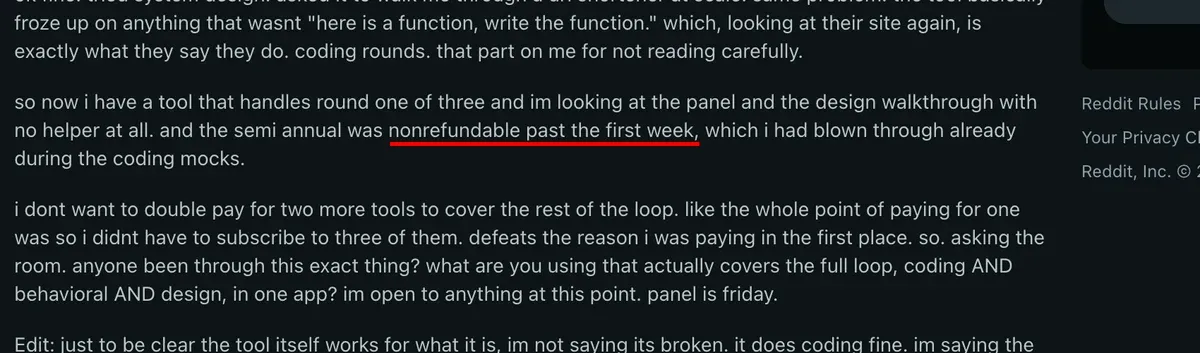
I read a paid user's Reddit account and treat it as a scope signal. Coding worked for that user. A behavioral prompt received a coding-hint-shaped response. System design had the same problem.
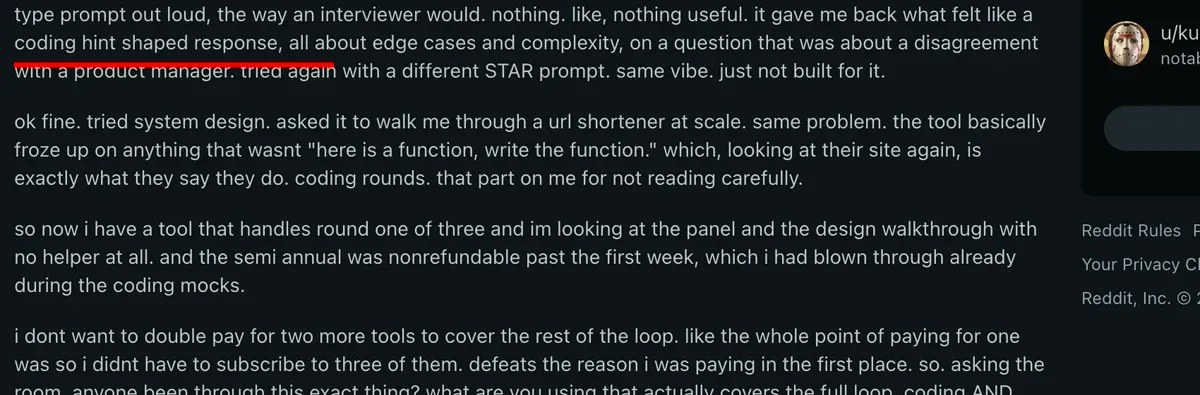
I would keep my own approach, constraints, and speaking style in the final answer.
Coding
ShadeCoder's clearest use is coding interview assistance, and I would keep its scope there. Its fit narrows when a loop includes behavioral or design rounds.
Its platform descriptions name CoderPad and HackerRank beside meeting tools. I verify every code change against the prompt and edge cases.
One paid user got coding help working, but described the broader interview loop as narrow after setup succeeded. That keeps the practical boundary around coding rather than full interview coverage.
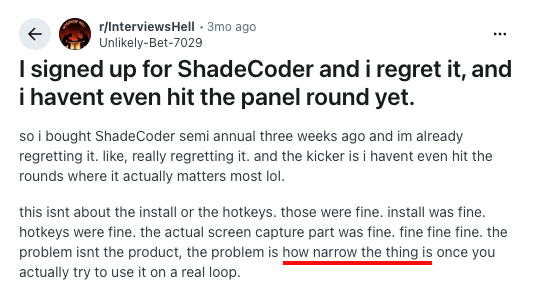
I explain the algorithm, trade-offs, and implementation choices myself.
Usability
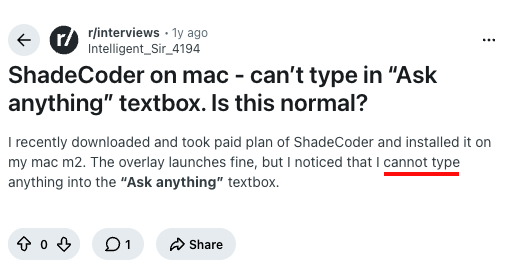
I find ShadeCoder's desktop workflow manageable when prepared; a paid Mac user could not type in the input box.
The app must be ready before the call, and screen sharing adds manual sidebar control. I rehearse the complete sequence before relying on it.
Pricing
I find ShadeCoder's pricing hard to trust because its homepage and Terms list different monthly prices.
The pricing block lists five free credits monthly, $39 weekly, $69 monthly, and $699 lifetime. The monthly plan also says unlimited credits.
I checked the Terms, which list Pro at $29 monthly with automatic renewal. They call fees non-refundable and non-creditable, except under the agreement, and name Evo Ventures Limited in Hong Kong.
A paid-user account describes a semiannual plan becoming nonrefundable after the first week. I check the refund window before choosing a longer term.
Before paying, I save the checkout price, read the renewal terms, and compare the first bill with the displayed price.
Should I Use It?
Skip It If
I skip ShadeCoder when the computer may be recorded, proctored, or inspected. Its answer surface stays on that computer.
I also skip it when I cannot rehearse the desktop flow. A nonrefundable pricing mistake may be hard to reverse.
Worth Considering If
For a prepared, single-computer coding workflow, I can see a case for ShadeCoder. I would control the meeting setup and practice the sidebar toggle.
That case is strongest when coding is the only assisted round. It is not a full-loop tool for behavioral and design prompts.
What I Found in User Reports
I treat ShadeCoder's independent public signal as a trust caution, not a satisfaction score.
I read an r/interviews discussion and treat its promotion warning as a trust signal. The discussion describes repeated recommendations as spamming and the replies as templated AI copy.
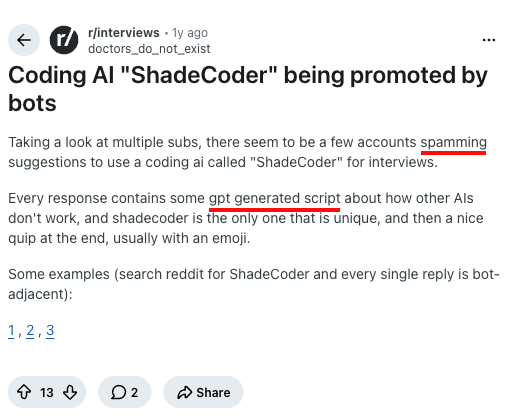
I weigh promotional visibility separately from product satisfaction. The useful buyer signal is a narrow coding fit, alongside setup and refund concerns. Repeated recommendations are not proof of a reliable full-loop experience.
Comparing ShadeCoder and InterviewFox
For a prepared coding workflow, I see ShadeCoder as a possible fit. The trade-off is a desktop setup that I would control and rehearse.
First, InterviewFox's AI interview tool uses Dual-Device Mode. It keeps answers on a separate phone during shared or monitored interviews.
Land offer with Safer AI Interview Assistant
Skip the risky invisible apps. Our dual-device mode keeps it simple and undetectable. You crush the interview, we handle the answers.
Get started. It's freeLoved by 100,000+ candidates
Next, InterviewFox's Full-Screen Mode opens on a phone without a desktop client, which fits sudden interview starts.
Then, InterviewFox's Prep Agent carries resume and target context into live answers and supports follow-ups through WhatsApp or SMS.
The practical choice is InterviewFox when exposure, sudden startup, or personal context is the constraint. ShadeCoder stays in the mix only for prepared desktop coding.
FAQ
Is ShadeCoder safe to use with screen sharing?
I treat ShadeCoder as a risky fit for screen-shared interviews because its answer surface stays on the computer. I rehearse the exact sharing mode first.
Does ShadeCoder work on HackerRank?
ShadeCoder's public pages name HackerRank, but HackerRank's screenshot analysis targets external AI assistants and invisible overlays. I follow the assessment rules.
Is ShadeCoder free?
ShadeCoder has a free tier with five monthly credits. Paid options include $39 weekly, $69 monthly, and $699 lifetime. I record the checkout price.
How much does ShadeCoder cost?
ShadeCoder lists two monthly prices: $69 on the homepage and $29 with automatic renewal in the Terms. I save both figures before paying.
Does ShadeCoder work for coding interviews?
ShadeCoder targets coding interview assistance and names CoderPad and HackerRank. I verify each change and explain the trade-offs myself.
Is ShadeCoder easy to use?
ShadeCoder needs a desktop app and manual sidebar control. I install and rehearse it before the call; on Mac, my first check is the input box.
Does ShadeCoder handle behavioral or design interviews?
ShadeCoder is a coding-round tool, not a full-loop assistant. I prepare behavioral and design responses separately.
Conclusion
I conclude that ShadeCoder fits a prepared coding-round workflow. Same-computer exposure and conflicting prices create real decision risk, while public user signals show a narrow fit beyond coding. I use it only when I control the setup and accept the terms.